In one sentence: the dashboard is the first page you see after signing in, and it shows everything important about your homes on one screen.
The simple version
Think of Mkodisha as a smart notebook for renting houses.
- A landlord owns or looks after the houses. Their dashboard shows how many houses they have, how many are full, how much rent came in, and what needs attention.
- A tenant rents a house. Their dashboard shows how much rent they owe, what they have paid, and the money in their Mkodisha wallet.
- A mini landlord is a helper, like a caretaker, who gets their own login to look after some of the landlord's buildings.
Everyone signs in at the same place, mkodisha.com/login, and Mkodisha shows each person the right dashboard.
Why Mkodisha does this better
| The old way | With Mkodisha |
|---|---|
| A notebook, an Excel sheet and a WhatsApp group, all slightly different | One screen that is always up to date |
| Counting empty houses by walking around the building | Full and empty houses counted for you |
| Tenants calling to ask "how much do I owe?" | Tenants see their own balance any time |
| Sharing your own password with a caretaker | The caretaker gets their own login, limited to the buildings you choose |
Where to find it
| Page | Who sees it | Link |
|---|---|---|
| Landlord home | Landlords and mini landlords | mkodisha.com/app |
| Rent collection comparison chart | Landlords | mkodisha.com/app#property-rent-collection-comparison |
| Tenant home | Tenants | mkodisha.com/app/dashboard/tenant |
| Tenant's rent history | Tenants | mkodisha.com/app/dashboard/tenant#rent-payment-history |
The landlord dashboard
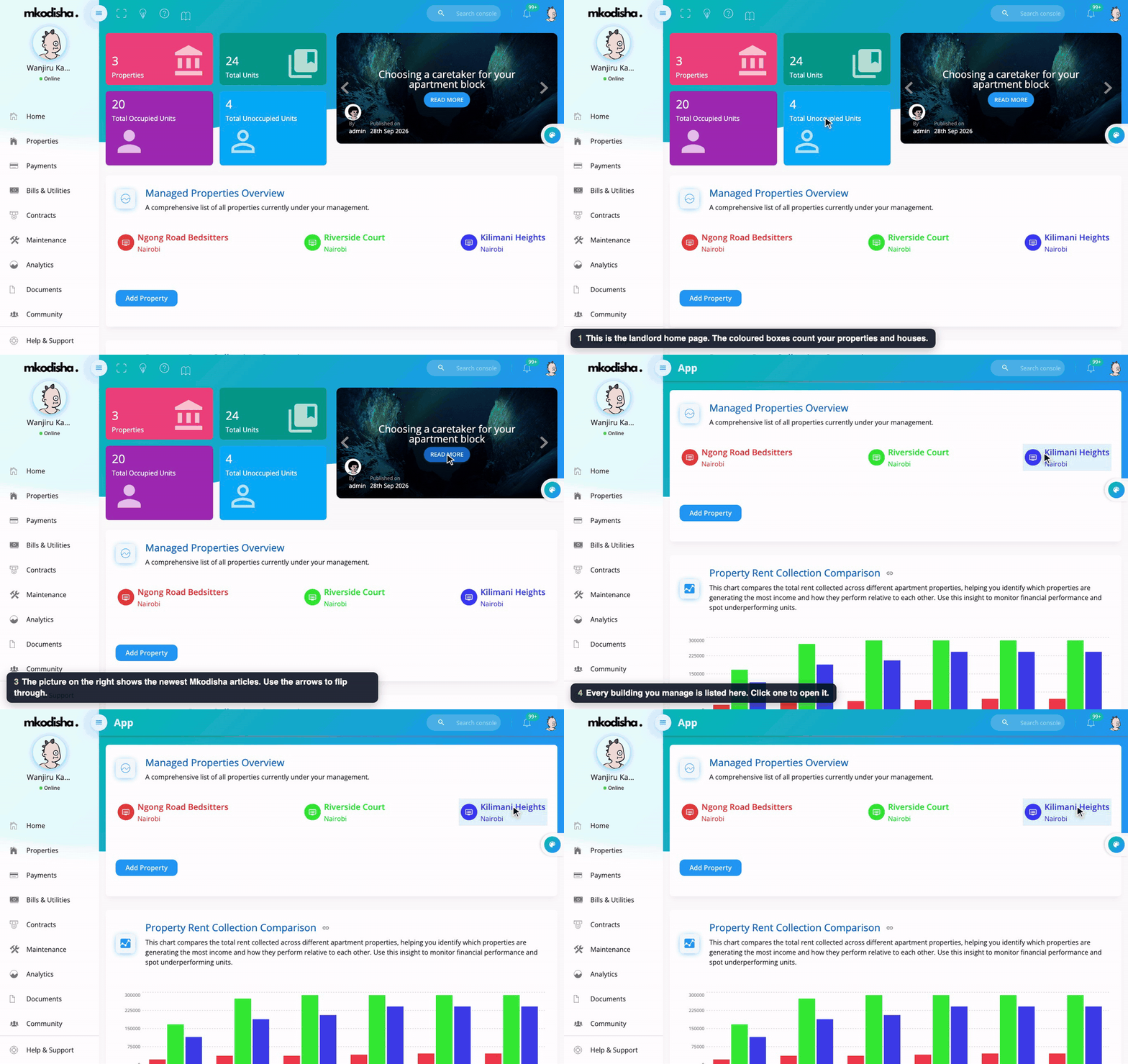
Wanjiru Kamau's home page. She manages three buildings in Nairobi.
From top to bottom, the landlord home page has:
- The counting boxes. Properties is how many buildings you have. Total Units is how many houses (units) are in them. Total Occupied Units are houses with a tenant; Total Unoccupied Units are empty and ready to rent.
- The articles slider. The newest Mkodisha articles about renting in Kenya. Use the arrows to flip through, and Read More to open one.
- Managed Properties Overview. Every building you manage. Click one to open it, or click Add Property to add a new building.
- Property Rent Collection Comparison. A bar chart of rent collected per building, month by month (explained below).
- Property News, Contracts and Unread Notifications. Three tabs in one box (explained below).
- Your Documents and Upload Files. Ready-made landlord documents (a fire safety checklist, an onboarding poster, the user manual, a promotional poster) and a box to upload your own files. See Documents.
- Mini-Landlords. Shown only to the main account owner: add helpers who get their own login. See Mini Landlords.
The rent collection chart
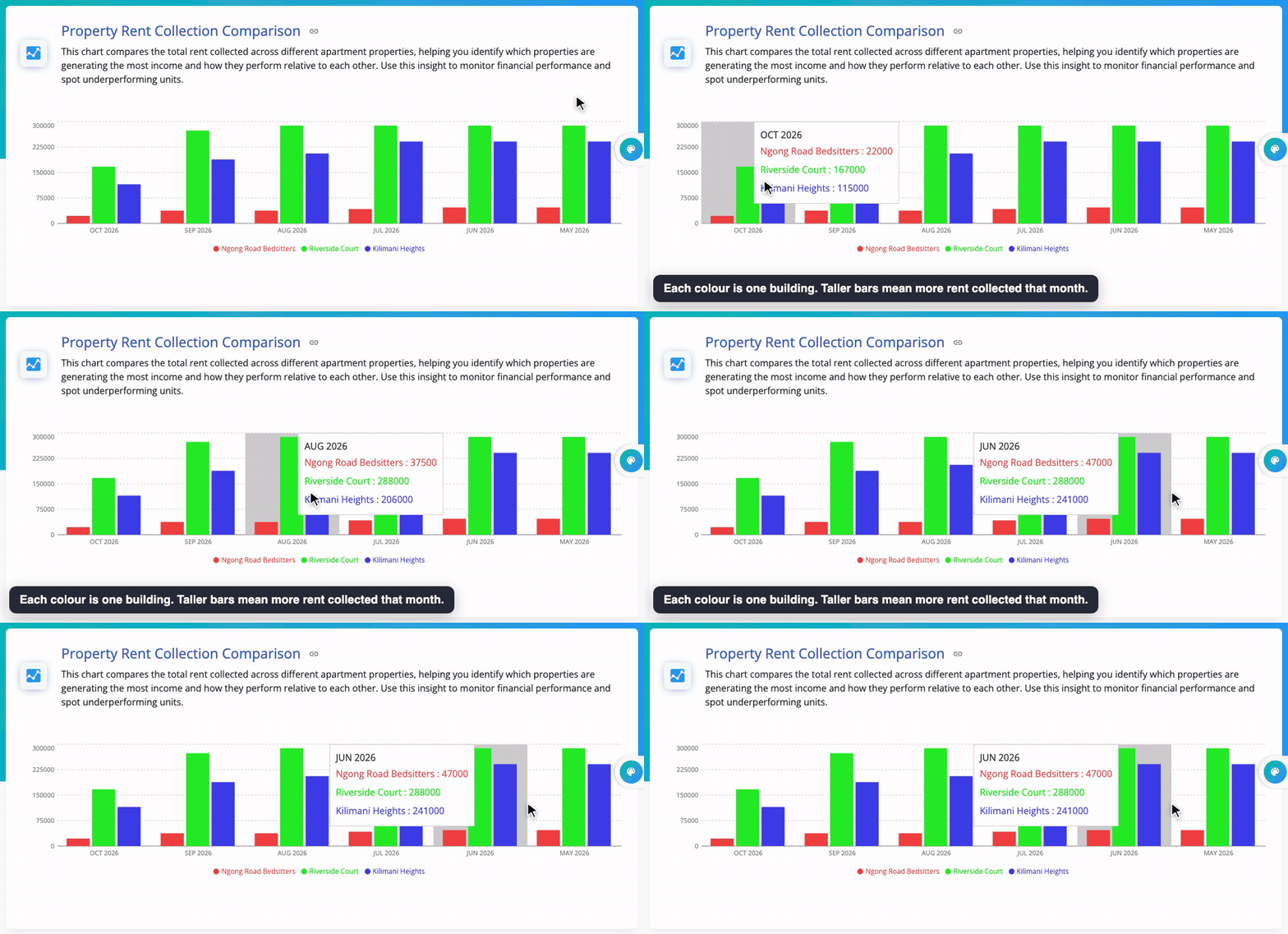
Each colour is one building, and each group of bars is one month. A tall bar means a lot of rent was collected; a short bar means less. If one building's bar is much shorter than usual, that is the building to check first.
News, contracts and notifications in one box
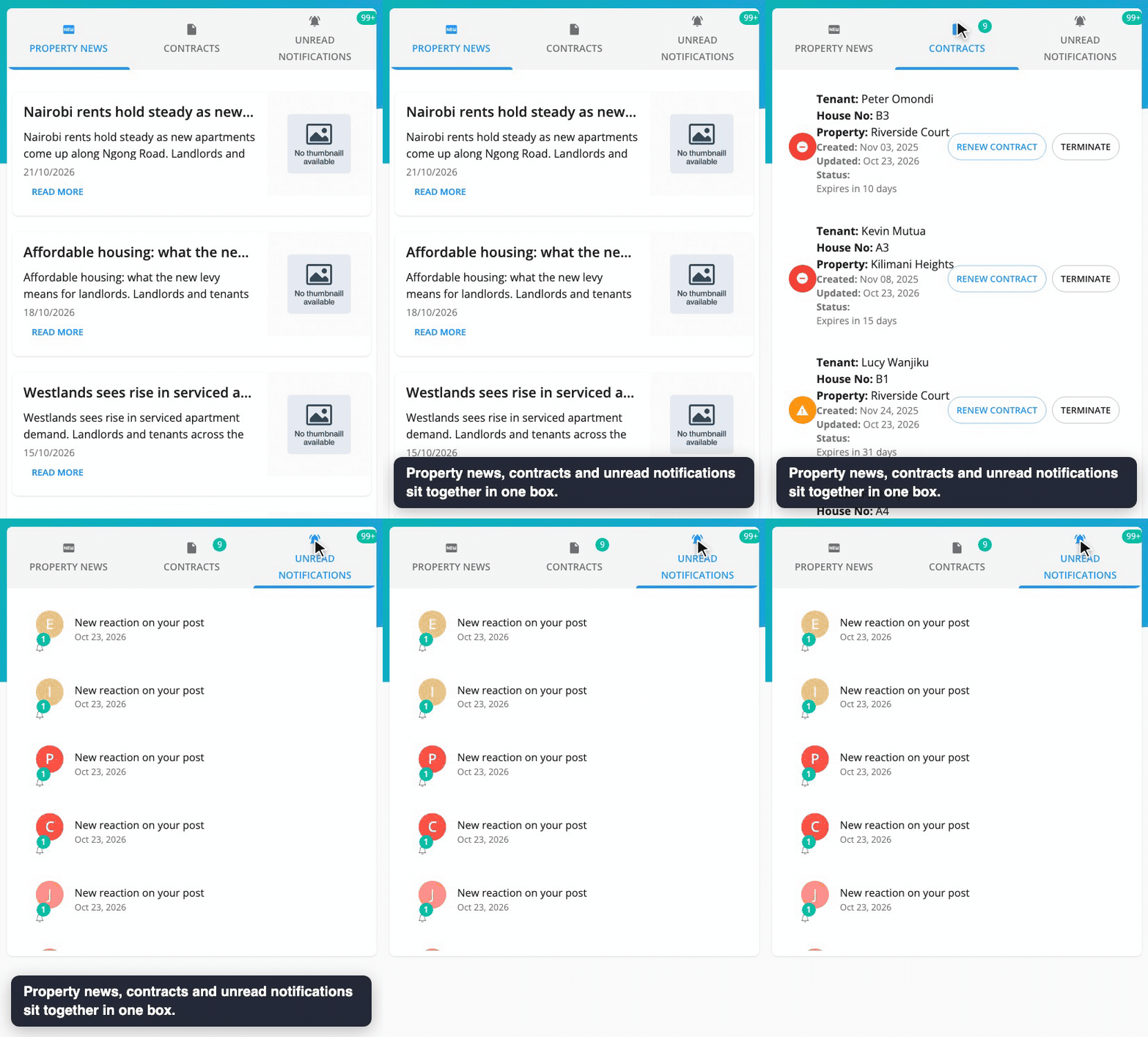
- Property News: property and housing news from Kenya. See News and Articles.
- Contracts: contracts that are ending soon, with a countdown in days and buttons to Renew or Terminate. See Contracts.
- Unread Notifications: alerts you have not opened yet, such as payments received and new repair requests. See Notifications.
The landlord menu
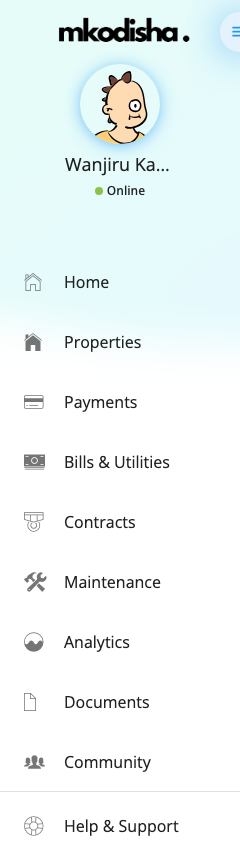
The menu on the left takes you everywhere: Home, Properties, Payments, Bills & Utilities, Contracts, Maintenance, Analytics, Documents, Community, Expenses, News & Articles, Listings and Notifications, then Help & Support. On a phone, tap the three lines at the top left to open it.
The tenant dashboard
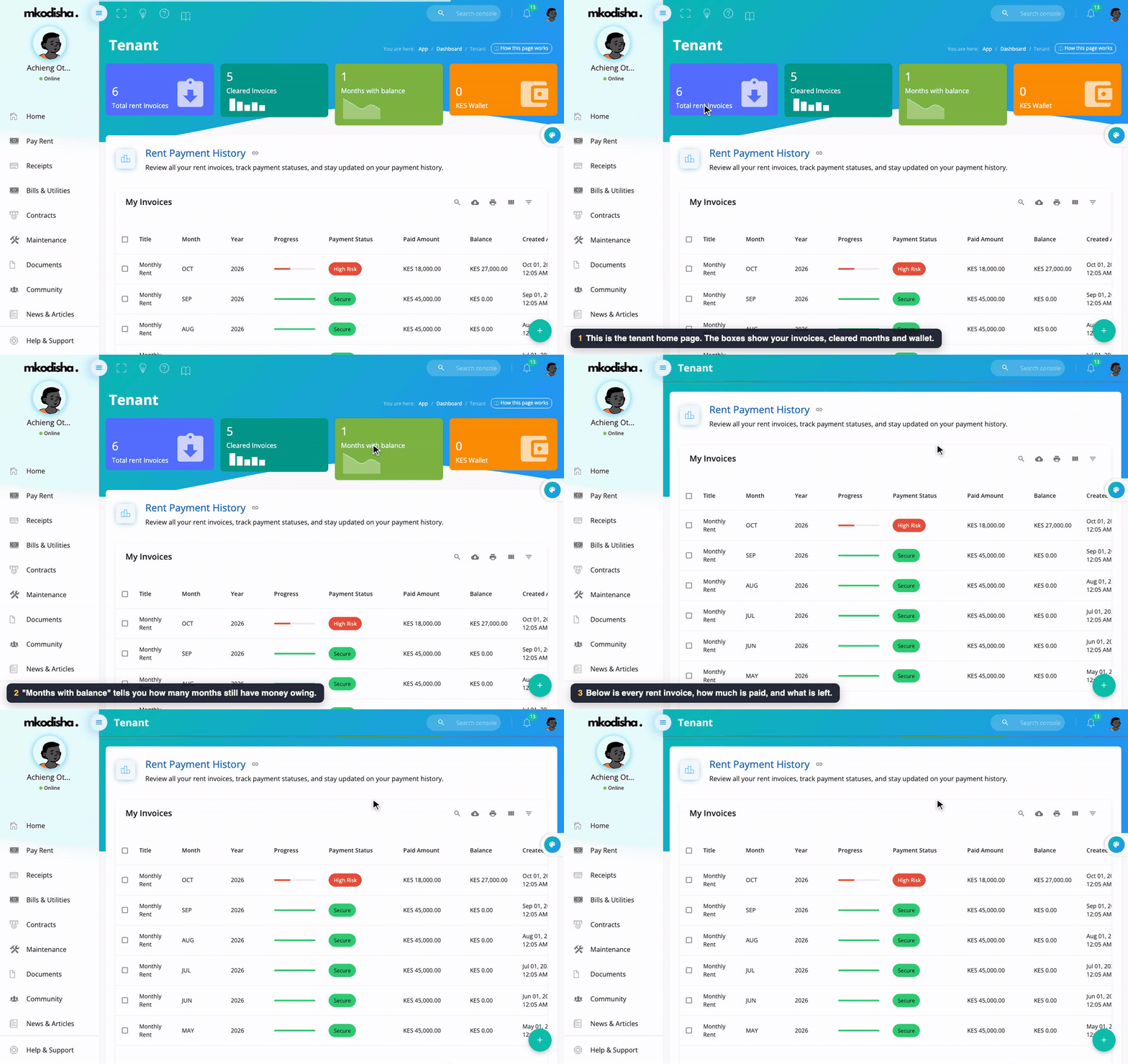
Achieng Otieno rents house B2 at Riverside Court.
- Total rent invoices: how many rent bills Mkodisha has sent you.
- Cleared invoices: how many are fully paid.
- Months with balance: how many months still have money owing.
- Wallet: money you have paid in advance. Mkodisha uses it on your next rent bill automatically.
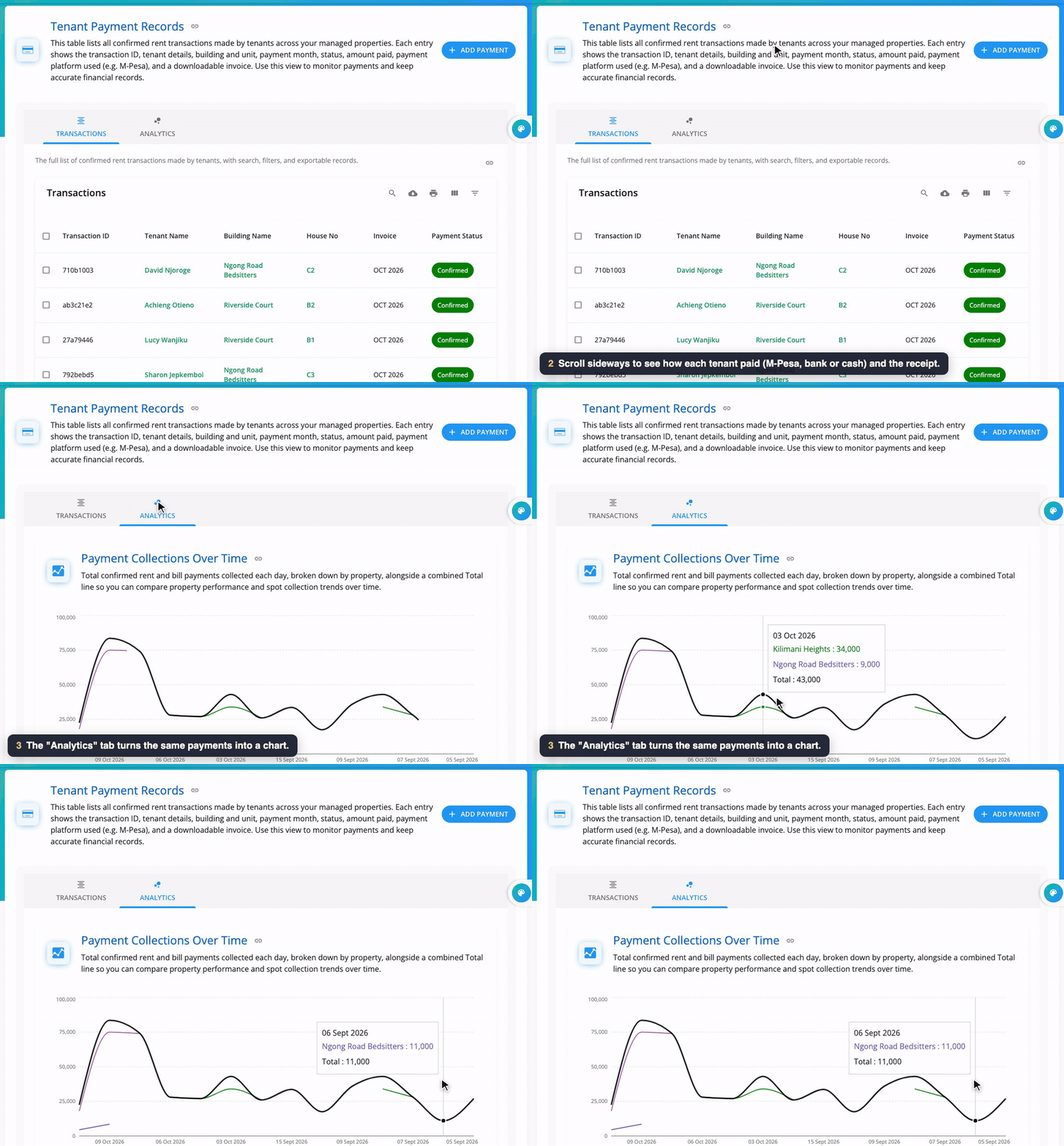
- Rent Payment History: every rent invoice, how much is paid, what is left, and a Pay Rent button. See Landlord and Tenant Billing for how paying works.
- Property & Real Estate News: the latest housing news.
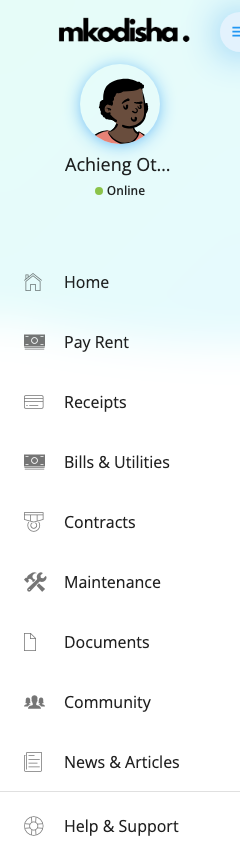
The tenant menu has Home, Pay Rent, Receipts, Bills & Utilities, Contracts, Maintenance, Documents, Community and News & Articles.
How tenant accounts are created
Tenants do not sign themselves up. Their landlord adds them, and Mkodisha creates the account straight away:
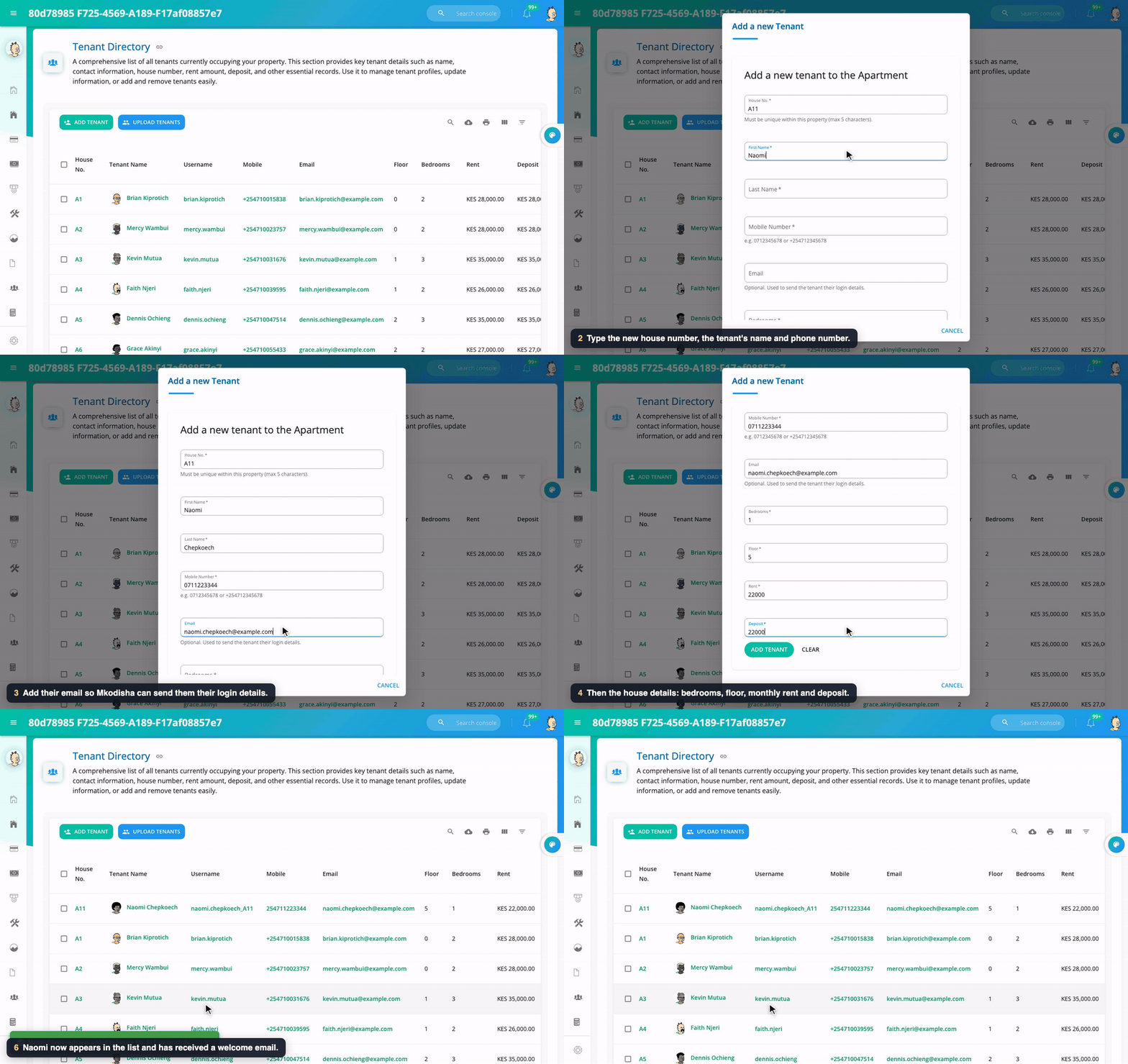
- The landlord adds the tenant: name, phone number, email, house number, rent and deposit. This can be one tenant at a time or many from a spreadsheet. See Adding Tenants.
- Mkodisha creates the tenant's login. The username is the first part of their email plus their house number, for example
naomi.chepkoech_A11. - Mkodisha emails the tenant a welcome email and a verification email. The verification email says what their first password is (their username) and has a link to confirm the email address.
- Mkodisha also drafts a one-year tenancy contract from the Kenya template, already signed by the landlord, waiting for the tenant to sign. See Contracts.
- The tenant signs in at mkodisha.com/login with their email (or phone number, or username) and that password, then changes the password straight away from their profile. Forgot it? Use Forgot password on the login page.
A tenant without an email address still gets an account, but no emails. The landlord should give them their login details in person.
What a mini landlord sees
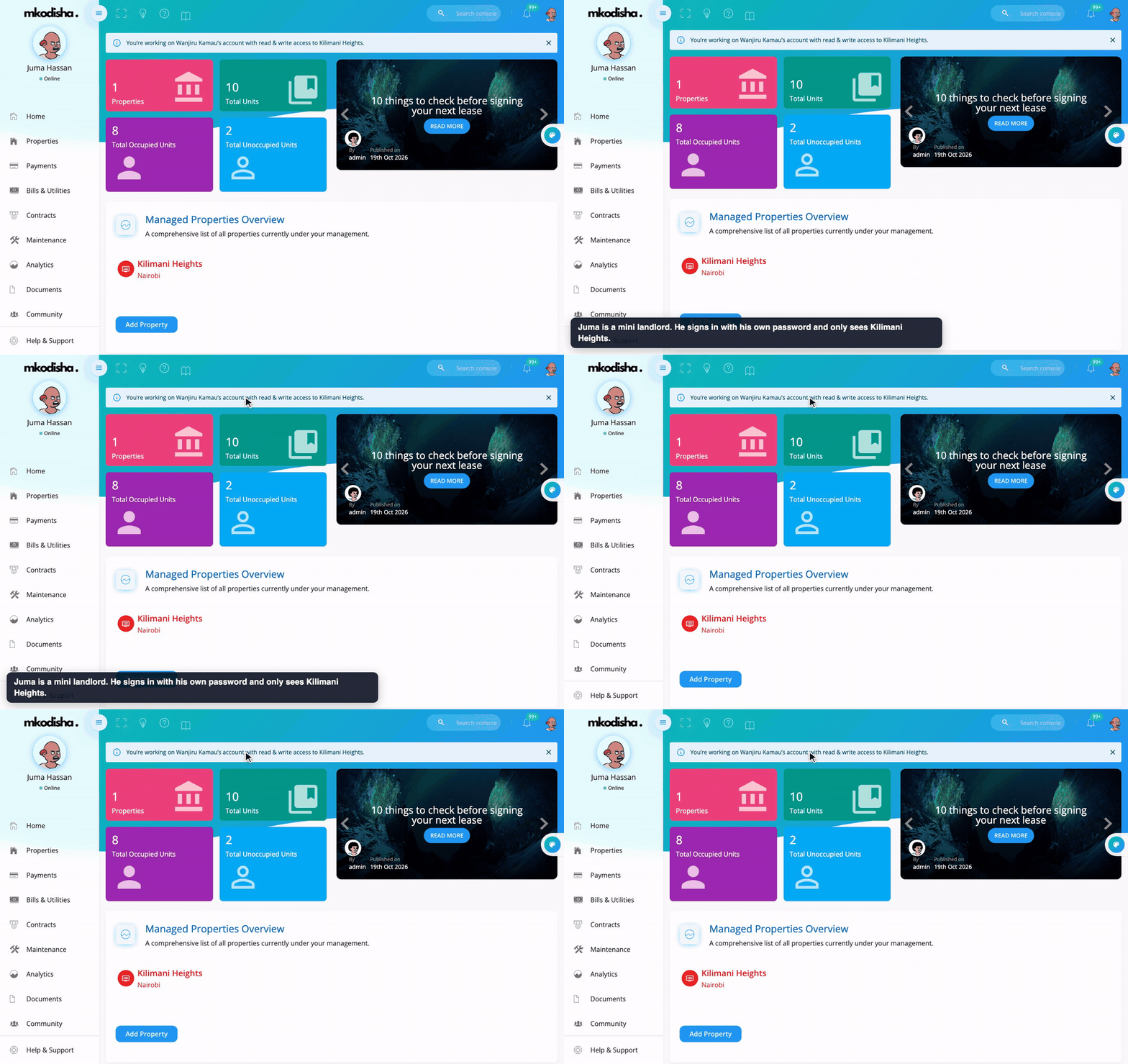
Juma Hassan is Wanjiru's caretaker at Kilimani Heights. He signs in with his own email and password. A banner at the top reminds him he is working on Wanjiru Kamau's account with read & write access to Kilimani Heights, and every count, chart and list only includes that one building. Read the full guide: Mini Landlords.
Videos
Quick answers
How do I sign in? Go to mkodisha.com/login and type your email address (or phone number, or username) and your password, then press Continue.
I am a tenant. How do I get an account? Ask your landlord to add you in Mkodisha. You will get an email with your login details.
Why does my dashboard look different from my landlord's? Mkodisha shows each person only what they need. Tenants see their own rent; landlords see all their buildings.
What is the wallet? Money a tenant has paid in advance, or paid on top of a bill. It is used on their next rent invoice automatically.
Can my caretaker use my account? Better: give them their own mini landlord login, so you never share your password. See Mini Landlords.
Words to know
| Word | Meaning |
|---|---|
| Property | A building, like an apartment block or a row of bedsitters |
| Unit (house) | One home inside a property, like house A3 |
| Occupied / unoccupied | A unit with a tenant / an empty unit |
| Invoice | A bill asking for rent for one month |
| Wallet | Money a tenant has paid in advance |
| Mini landlord | A helper with their own login to some of a landlord's buildings |