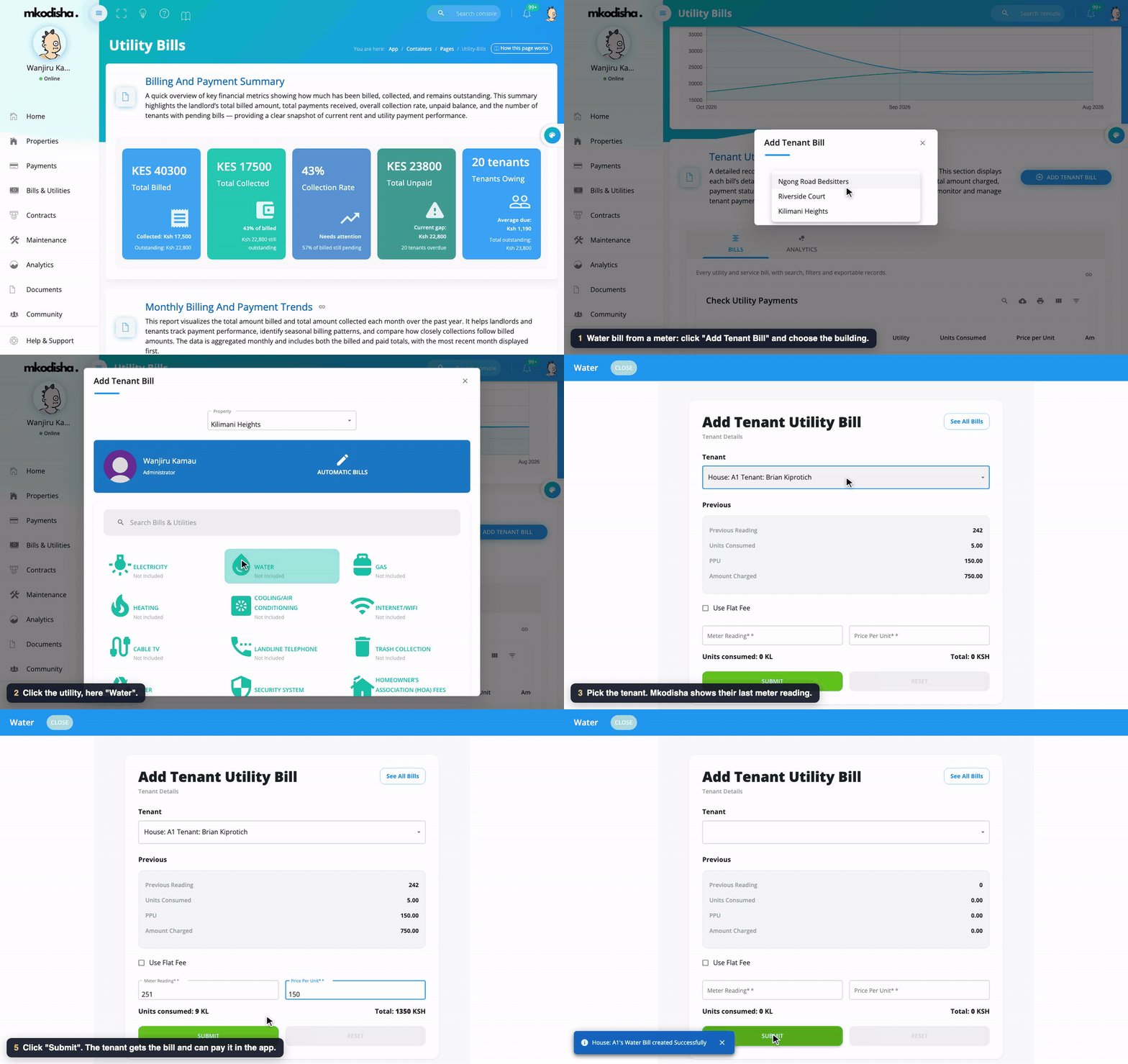
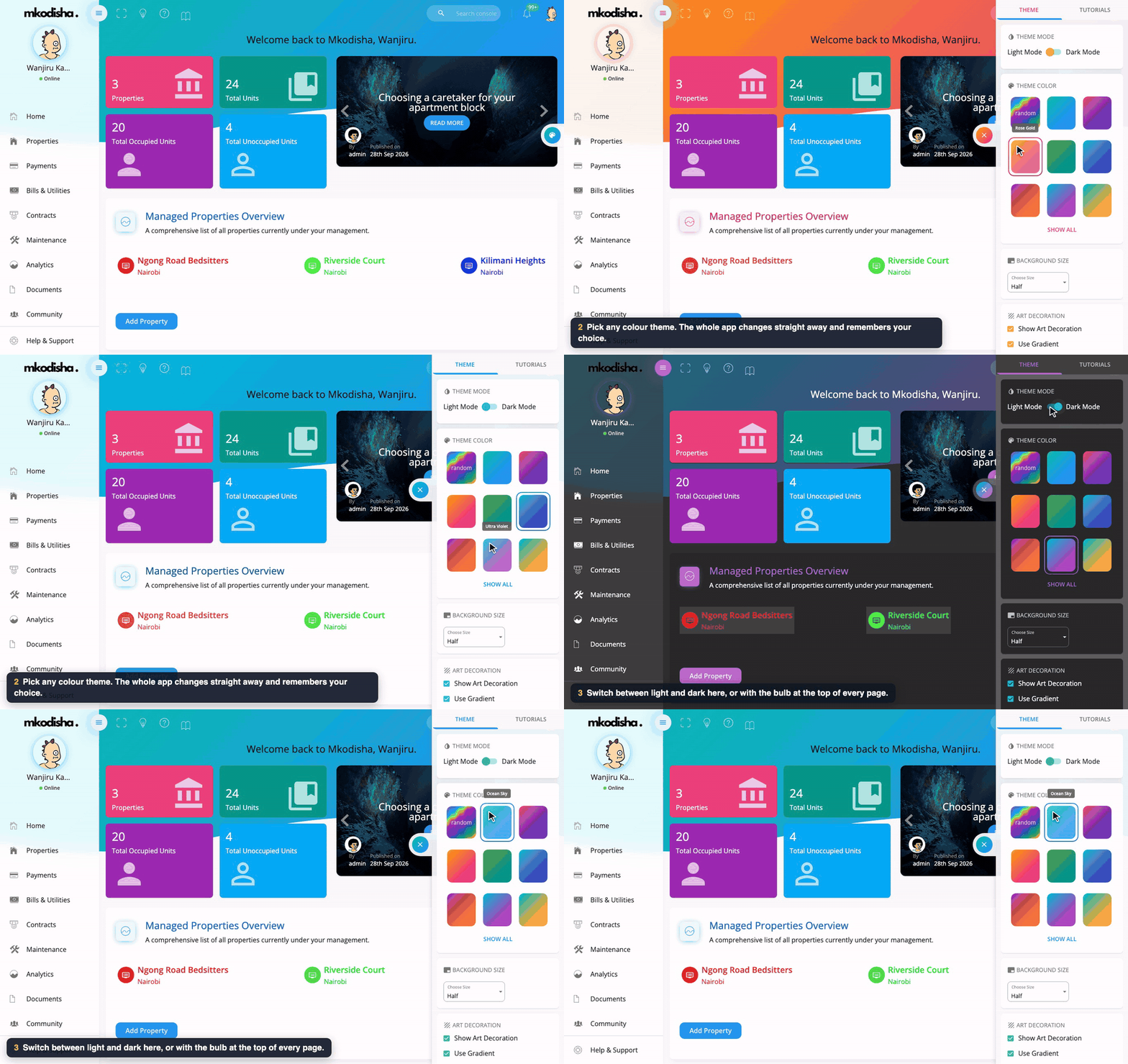
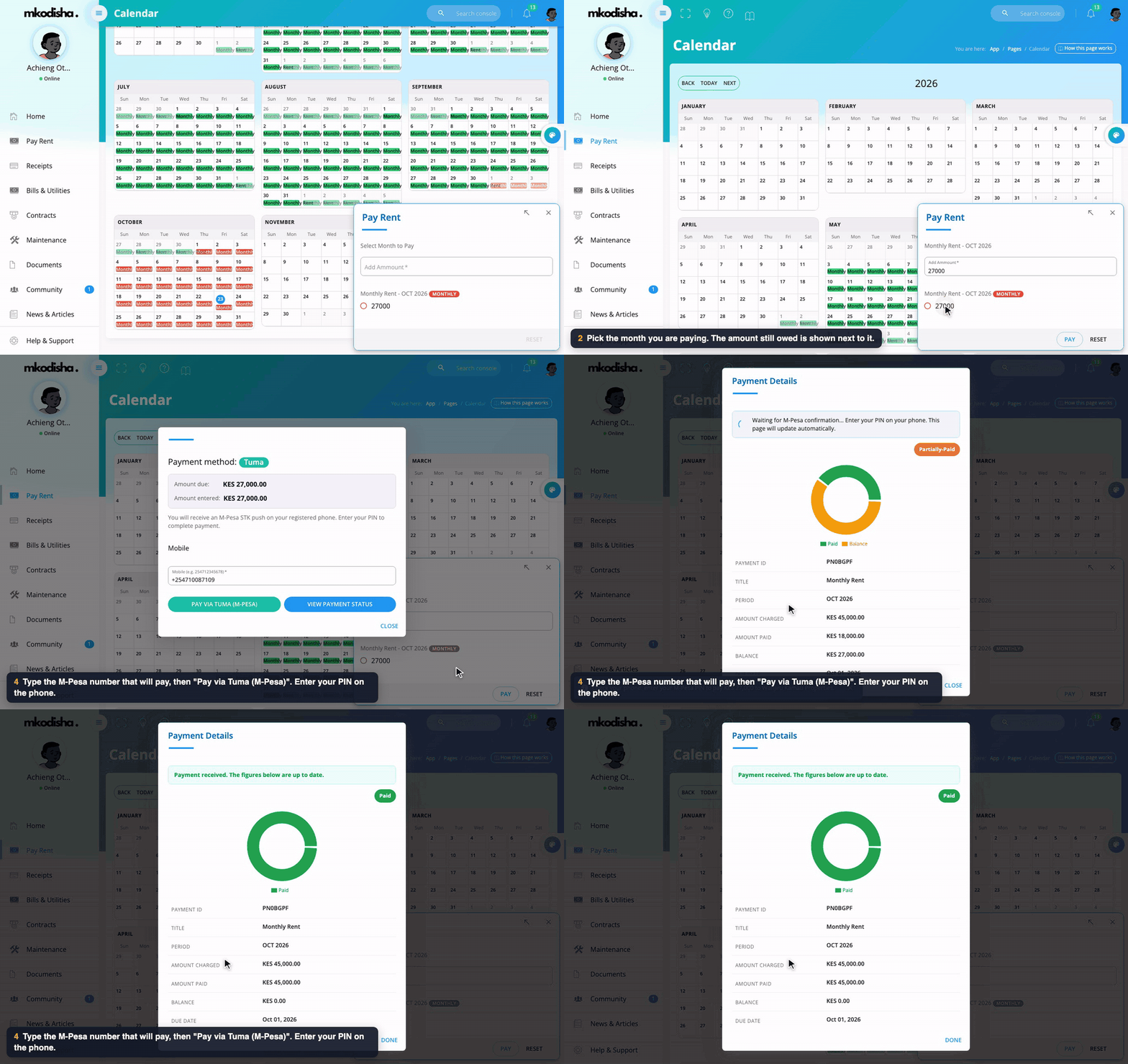
In one sentence: Mkodisha writes the tenancy contract for you, both sides sign it online, and Mkodisha warns you 90 days before it ends so you can renew it in one click, or renews it for you if you switched on Auto-renew.
The simple version
A contract (also called a lease or tenancy agreement) is the written promise between landlord and tenant: who rents which house, for how much, and until when.
In Mkodisha:
- It writes itself. When you add a tenant, Mkodisha drafts a one-year contract from the Kenya template, already signed by you.
- The tenant signs online. They open it in the app and click Sign Contract.
- Mkodisha keeps watch. It shows which contracts are active, waiting for a signature, ending soon, or already ended.
- Renewing is one click, or none. When a contract's year is up, click Renew Contract. Or switch on Auto-renew when you create it, and Mkodisha renews it by itself on the end date.
Why Mkodisha does this better
- No lawyer's blank page. Start from a ready Kenya, UK or Nigeria residential lease and change only what you need.
- Names, rent and dates fill themselves in. Pick the building and tenant, and the details go into the right places.
- Signed without printing. Tenants sign from their phone; you both keep the same copy.
- Nothing expires by surprise. Expiring Soon lists contracts ending within 90 days.
- Renews itself if you want. Auto-renew contracts carry an Auto-renew tag and have their own filter tab.
- Download any time. Export to PDF or Word.
Where to find it
| What | Link |
|---|---|
| Contracts page | mkodisha.com/app/containers/Pages/Contracts |
| Tenant contracts list | mkodisha.com/app/containers/Pages/Contracts#tenant-contracts |
| Contracts ending soon (renew / terminate) | mkodisha.com/app → Contracts tab |
What each contract status means
| Box | Meaning |
|---|---|
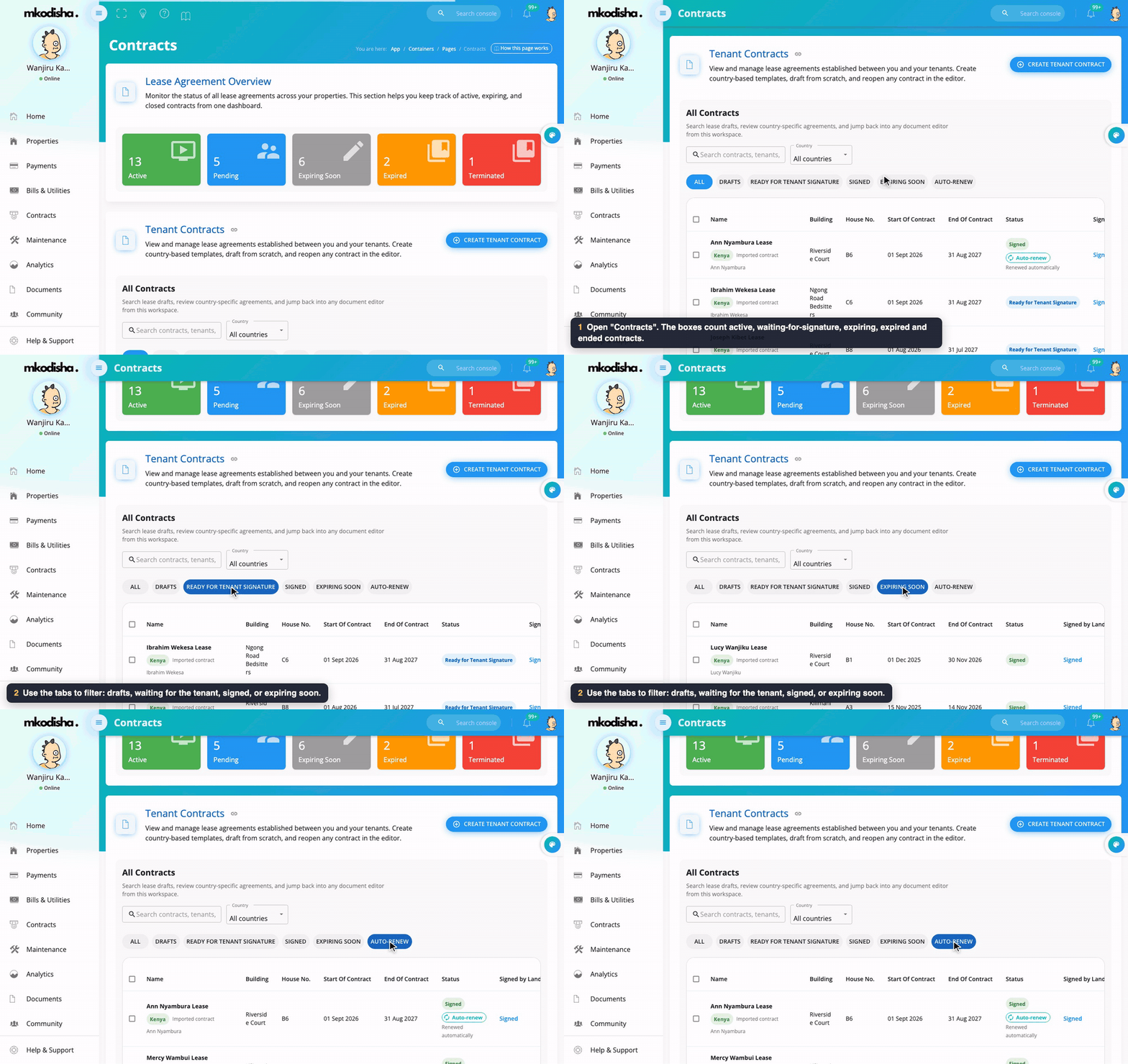
| Active | Signed by both landlord and tenant |
| Pending | Signed by the landlord, waiting for the tenant |
| Expiring Soon | Ends within the next 90 days |
| Expired | The end date has passed (Mkodisha marks this by itself) |
| Terminated | Ended early on purpose |
Below the boxes, Tenant Contracts lists every contract. Filter with the tabs All, Drafts, Ready for tenant signature, Signed, Expiring soon and Auto-renew, search by tenant, or filter by country. Each contract has View and PDF buttons.
Contracts that renew themselves show a purple Auto-renew tag under their status. A contract that Mkodisha created by renewing an old one says Renewed automatically.
Step 1: Create a contract
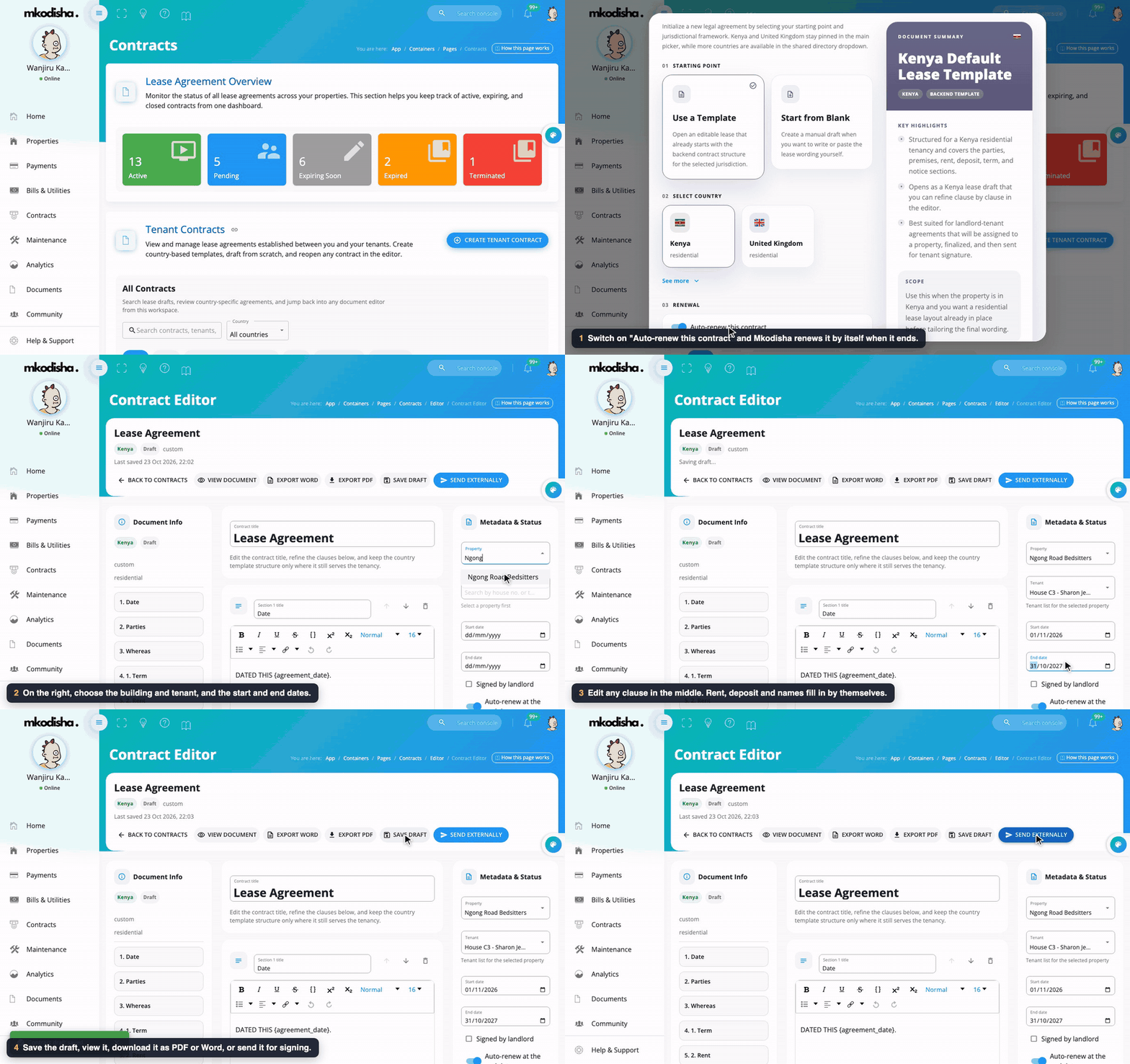
- Click Create Tenant Contract.
- Choose a starting point: - Use a Template: a complete residential lease for the country you pick (Kenya or United Kingdom, more under See more). - Start from Blank: write or paste your own wording.
- Under 03 Renewal, switch on Auto-renew this contract if you want it to renew by itself when it ends (see Step 4). Leave it off if you would rather decide each time.
- Click to continue. The contract opens in the editor.
- On the right, under Metadata & Status, choose the Property, the Tenant, the Start date and End date, and tick Signed by landlord if you have signed. The Auto-renew at the end date switch is here too, so you can change your mind until the contract is signed.
- In the middle, edit any section (Date, Parties, Whereas, Term, Rent, Deposit…). You can add, remove and reorder sections. Words in curly brackets, like
{start_date}, are filled in for you; Apply values to draft puts the real names and amounts in. - Use the buttons at the top: - Save Draft: keep working later. - View Document: see it as the tenant will. - Export PDF / Export Word: download it. - Send Externally: email it as an attachment or a secure link, optionally asking for the tenant's signature.
Remember: Mkodisha already drafts a contract for every tenant you add. Use Create Tenant Contract for a new or different agreement.
Step 2: Read or download a contract
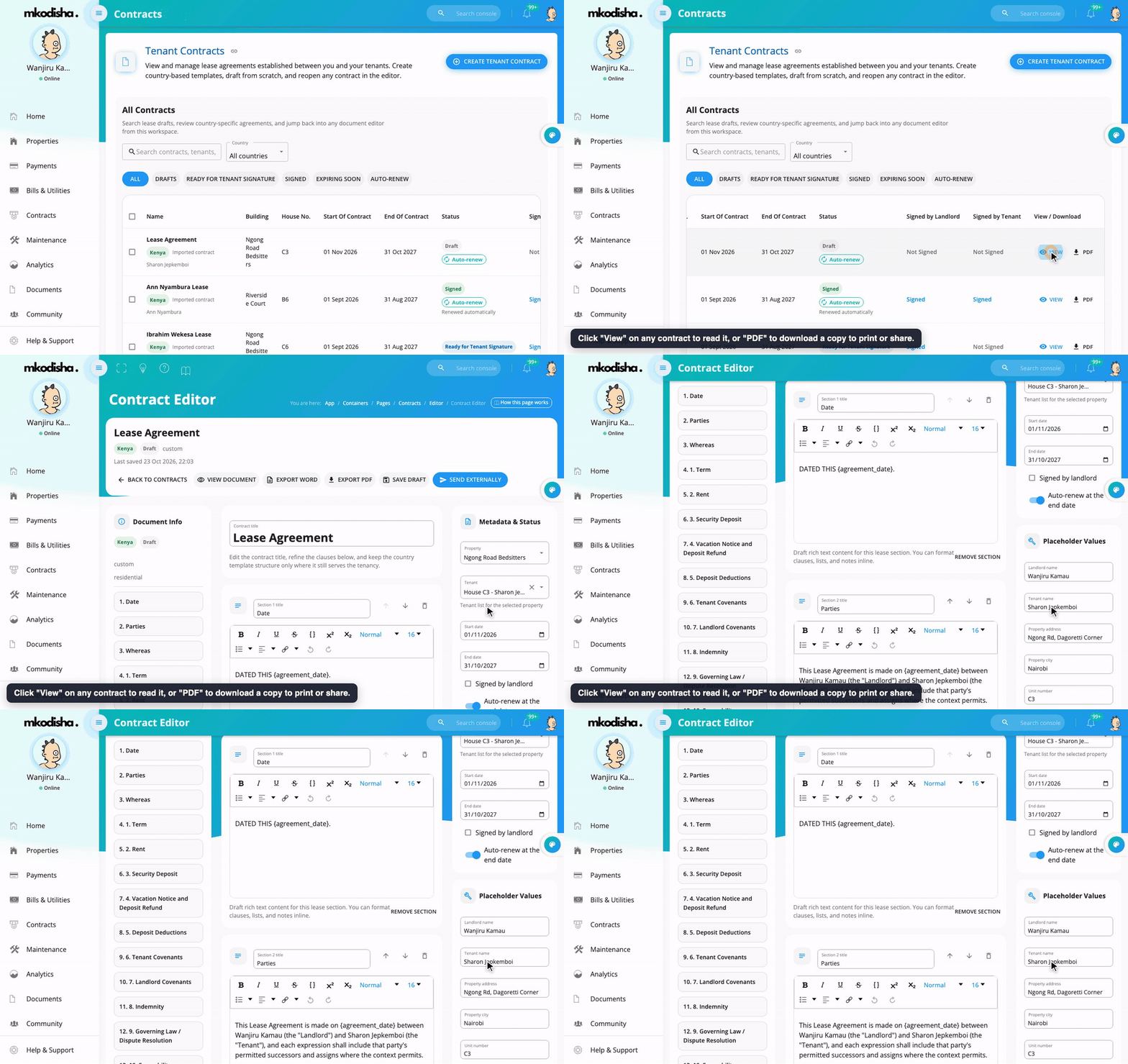
Click View to read any contract, or PDF to download it to print or share.
Step 3 (tenant): Sign
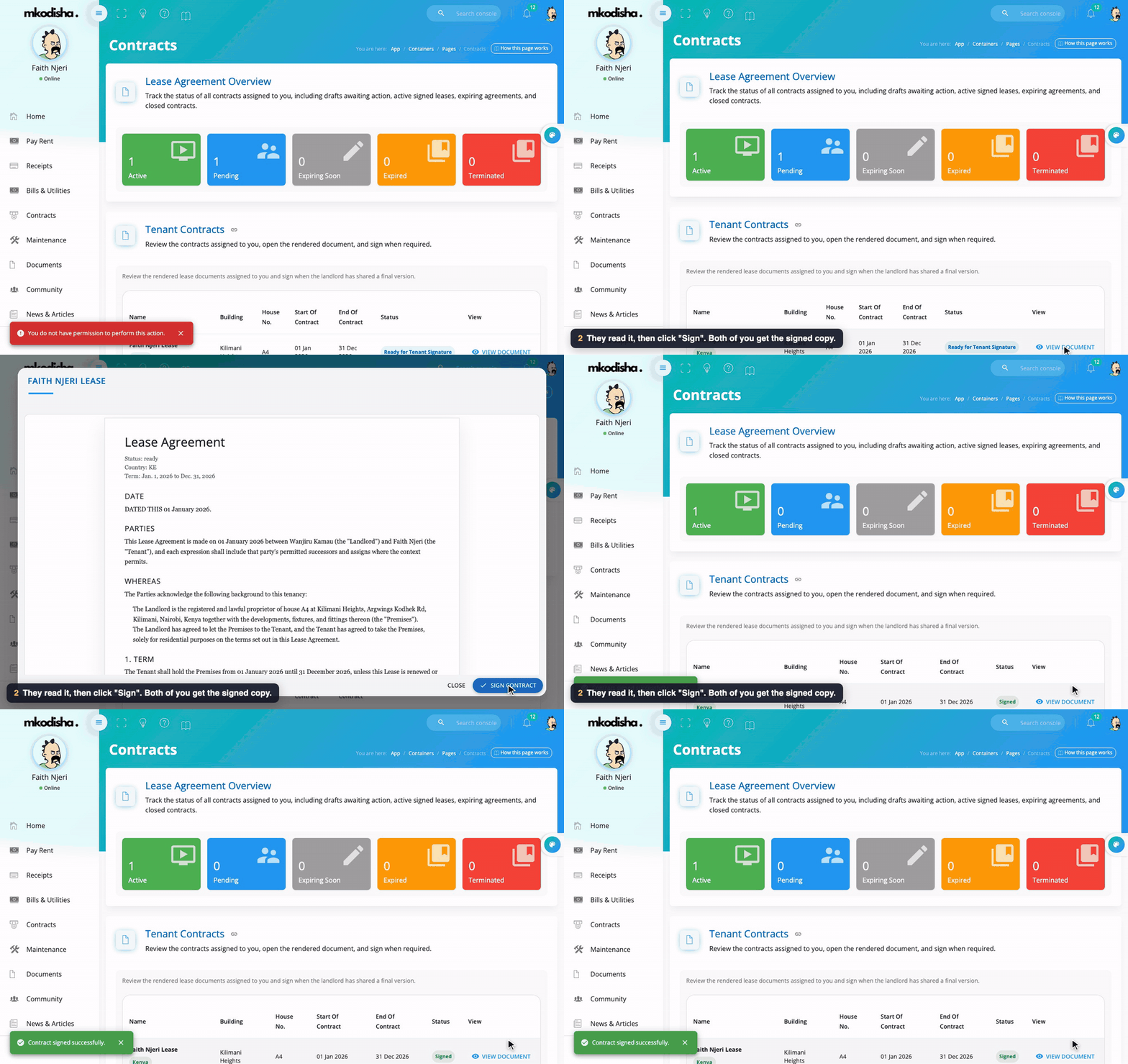
- The tenant opens Contracts in their menu.
- They click View Document and read it.
- They click Sign Contract. The contract becomes Active and shows Already Signed.
Step 4: Renew or end a contract
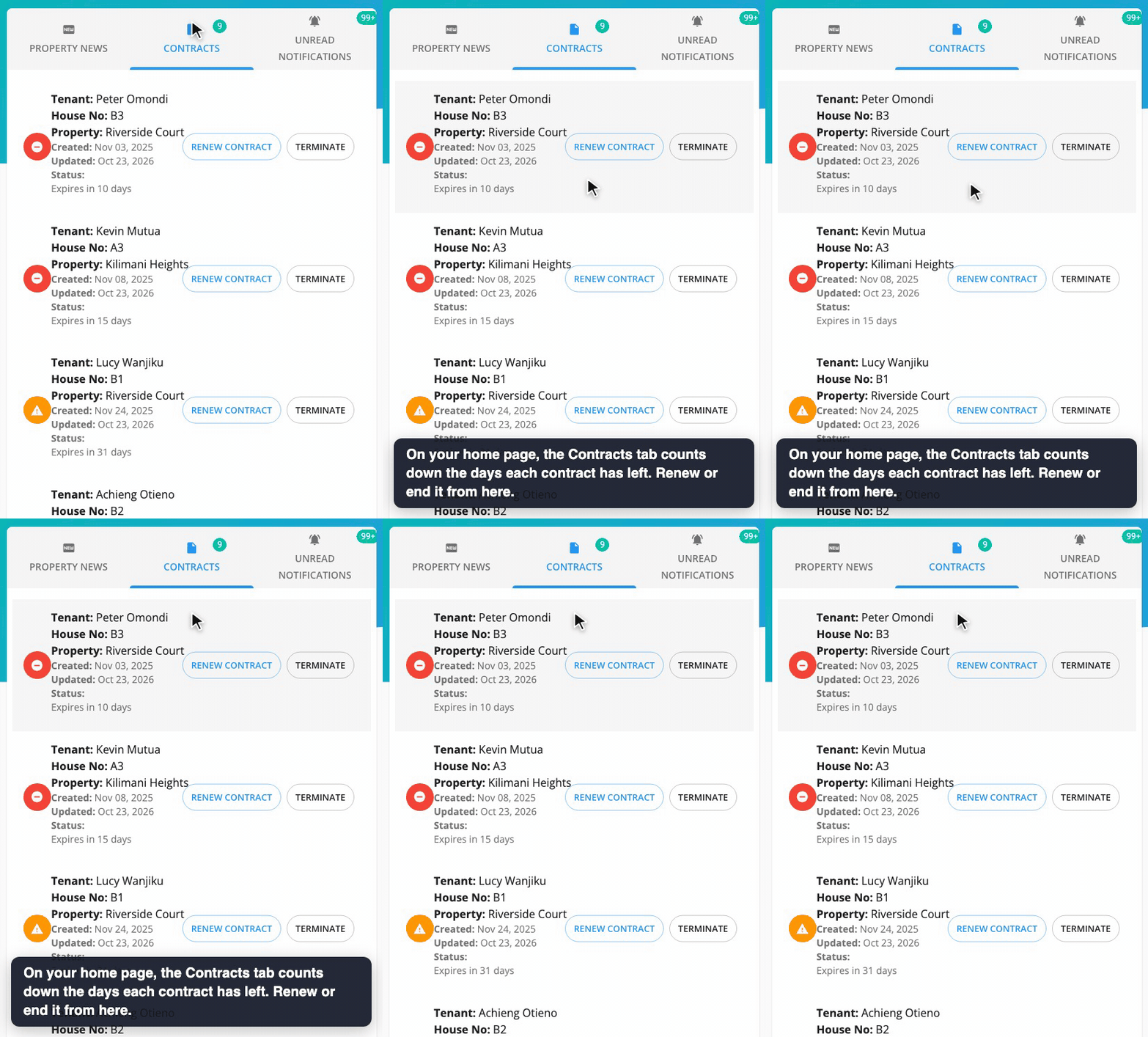
On your home page, the Contracts tab lists contracts by how many days they have left (Expires in … days), coloured from green to red as the date gets close. On each one:
- Renew Contract: once a contract is a year old, this closes it and creates a fresh copy, already signed by you, waiting for the tenant's signature.
- Terminate: ends the contract now. It moves to Terminated.
Automatic renewal
If Auto-renew is on, you don't have to do anything when the end date comes:
- Every night, Mkodisha looks for auto-renew contracts that have reached their end date.
- For each one, it makes the next contract: same tenant, same house, same terms, same length, starting the day after the old one ends.
- The new contract is already signed by both of you, because you both agreed to auto-renewal when you signed the first one. It keeps the Auto-renew tag, so it renews again next time.
- You and the tenant both get a notification: "Contract renewed automatically … from 1 Jan 2027 to 31 Dec 2027."
- The old contract moves to Expired as normal.
Only contracts signed by both landlord and tenant renew. Drafts, contracts waiting for the tenant's signature and terminated contracts are never renewed. A contract renews only once; after that, its new copy takes over.
Example: Faith Njeri's contract at Kilimani Heights runs from 1 January 2026 to 31 December 2026 with Auto-renew on. On the night of 31 December, Mkodisha creates her 2027 contract (1 January 2027 to 31 December 2027), signed by both sides, and tells Faith and her landlord.
To stop a contract renewing, Terminate it before its end date, or create a new contract with different terms.
Quick answers
Do I have to write a contract for every tenant? No. Mkodisha drafts a one-year contract for every tenant you add.
Which countries' templates are there? Kenya, the United Kingdom and Nigeria (residential).
How does a tenant sign? Contracts → View Document → Sign Contract, from their phone or computer.
What does "Expiring Soon" mean? The contract ends within the next 90 days.
Can I renew early? The Renew Contract button works once the contract is a year old. To change terms earlier, create a new contract.
Can Mkodisha renew contracts by itself? Yes. Switch on Auto-renew this contract when you create it (or Auto-renew at the end date in the editor before it is signed). On the end date it renews for the same length, on the same terms, and tells you both.
How do I see which contracts auto-renew? Click the Auto-renew tab above the contract list, or look for the purple Auto-renew tag.
Can I download a contract? Yes: PDF in the list, or Export PDF / Export Word in the editor.
Words to know
| Word | Meaning |
|---|---|
| Contract / lease / tenancy agreement | The written agreement between landlord and tenant |
| Template | A ready-made contract to start from |
| Draft | A contract still being written |
| Sign | Agree to the contract, online |
| Renew | Start a new contract period with the same tenant |
| Auto-renew | Mkodisha renews the contract by itself on its end date |
| Terminate | End a contract early |