In one sentence: Analytics turns thousands of rental listings and your own payments into simple pictures, so you can set the right rent and see what you really earn.
The simple version
There are two kinds of insight in Mkodisha:
- The market: what other homes like yours rent for. Is KES 35,000 too much for a 2-bedroom in Kilimani? The Analytics page answers that from real listings across Kenya.
- Your own money: how much rent came in, who is late, and what the buildings cost you. These charts live on your dashboard, the Payments page, each building page, and the Expenses page.
Why Mkodisha does this better
- Real market prices, not guesses. Average and middle (median) rents by town, bedrooms and type of home.
- Spot a bargain or an overpriced unit. The deal chart shows which homes rent for less than their size suggests.
- Profit, not just rent. Write down expenses once and Mkodisha shows rent against costs every month.
- Everything downloads. Most tables export to a spreadsheet for your accountant.
Where to find it
| What | Link |
|---|---|
| Market analytics | mkodisha.com/app/analytics |
| Key metrics | mkodisha.com/app/analytics#key-metrics |
| Rental map | mkodisha.com/app/analytics#rental-map |
| Top locations | mkodisha.com/app/analytics#top-locations |
| Rent trend | mkodisha.com/app/analytics#rent-trend |
| Deal analysis | mkodisha.com/app/analytics#deal-analysis |
| Rent dispersion | mkodisha.com/app/analytics#rent-dispersion |
| Market comparison | mkodisha.com/app/analytics#market-comparison |
| Listings ledger | mkodisha.com/app/analytics#listings-ledger |
| Browse markets | mkodisha.com/app/analytics#browse-markets |
| Expenses | mkodisha.com/app/expenses |
| Rent vs expenses | mkodisha.com/app/expenses#rent-vs-expenses |
| Public market data (no login) | articles.mkodisha.com/insights |
Part 1: The rental market
Filters and key metrics
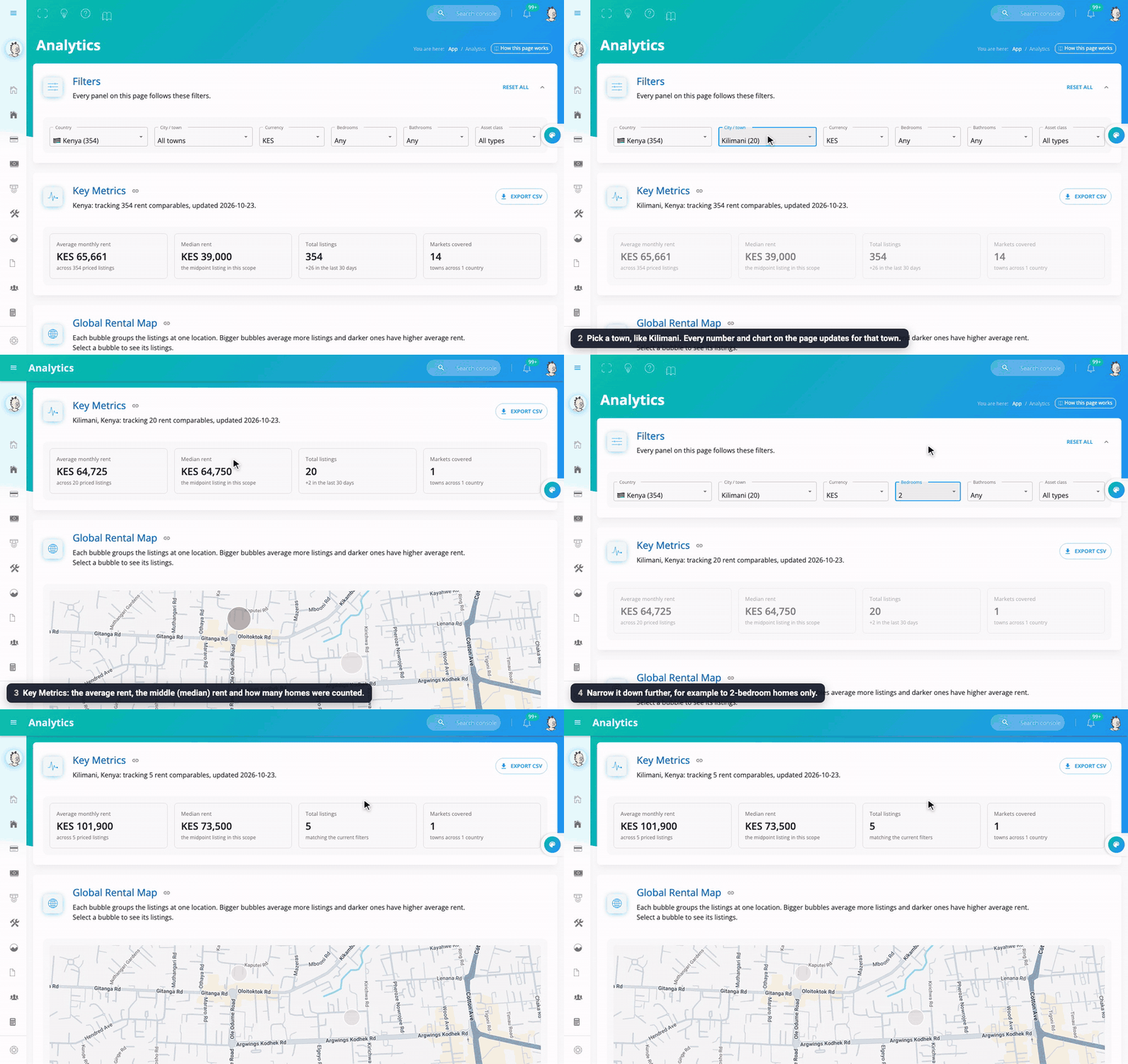
The Filters at the top control every chart on the page: Country, City / town, Currency, Bedrooms, Bathrooms and Asset class (apartment, bedsitter, house…). Reset all clears them.
Key Metrics then shows, for what you picked:
- Average monthly rent: add all the rents and divide by how many there are.
- Median rent: the rent right in the middle when you line them all up from cheapest to dearest. It's less affected by a few very expensive homes, so it's often the fairer number.
- Total listings: how many homes were counted (and how many are new in the last 30 days).
- Markets covered: how many towns are included.
Export CSV downloads the numbers.
The rental map
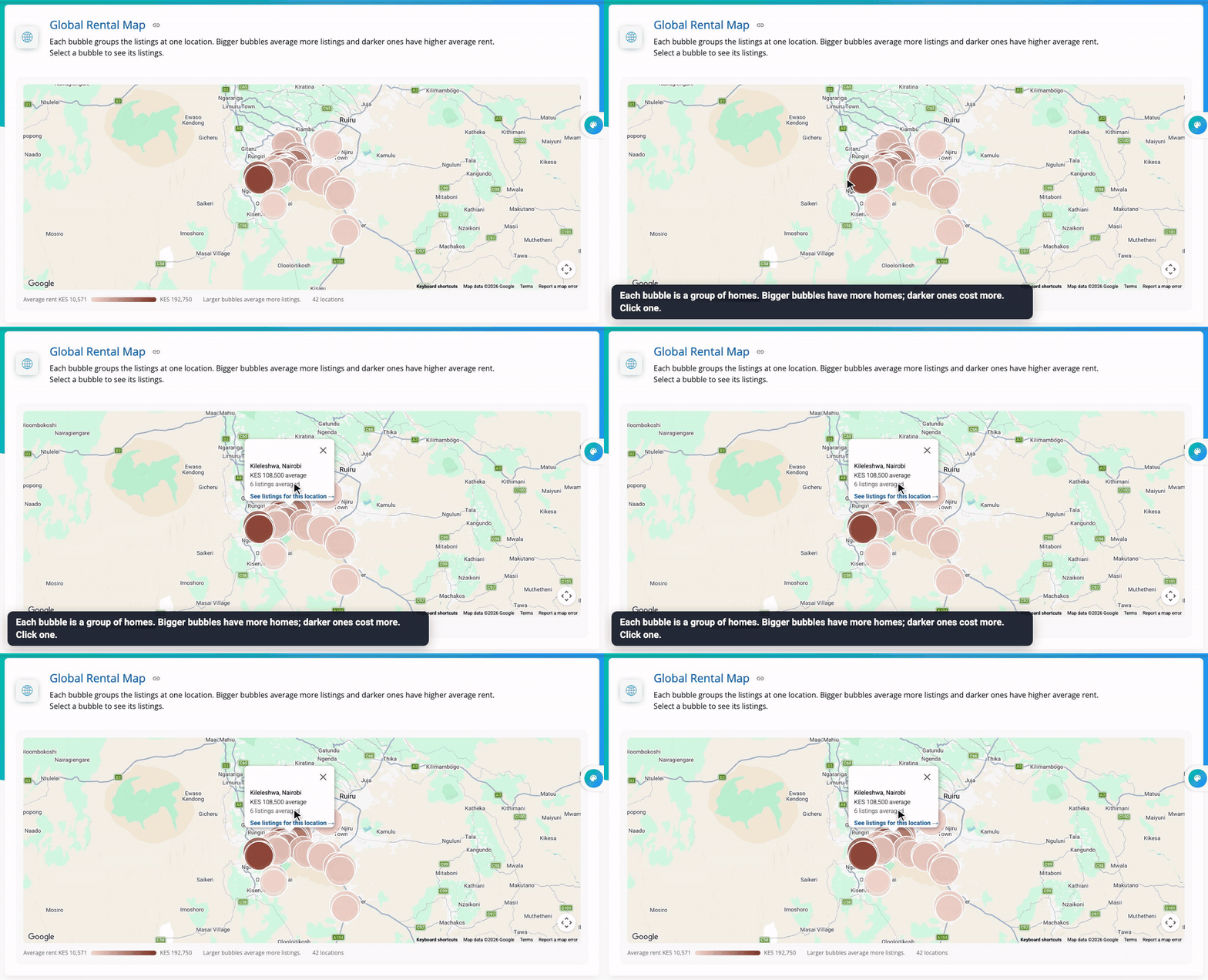
Each bubble is a group of homes in one place. Bigger bubbles have more homes; darker bubbles have higher average rent. Click a bubble to see that spot's average rent and open its listings.
Top performing locations
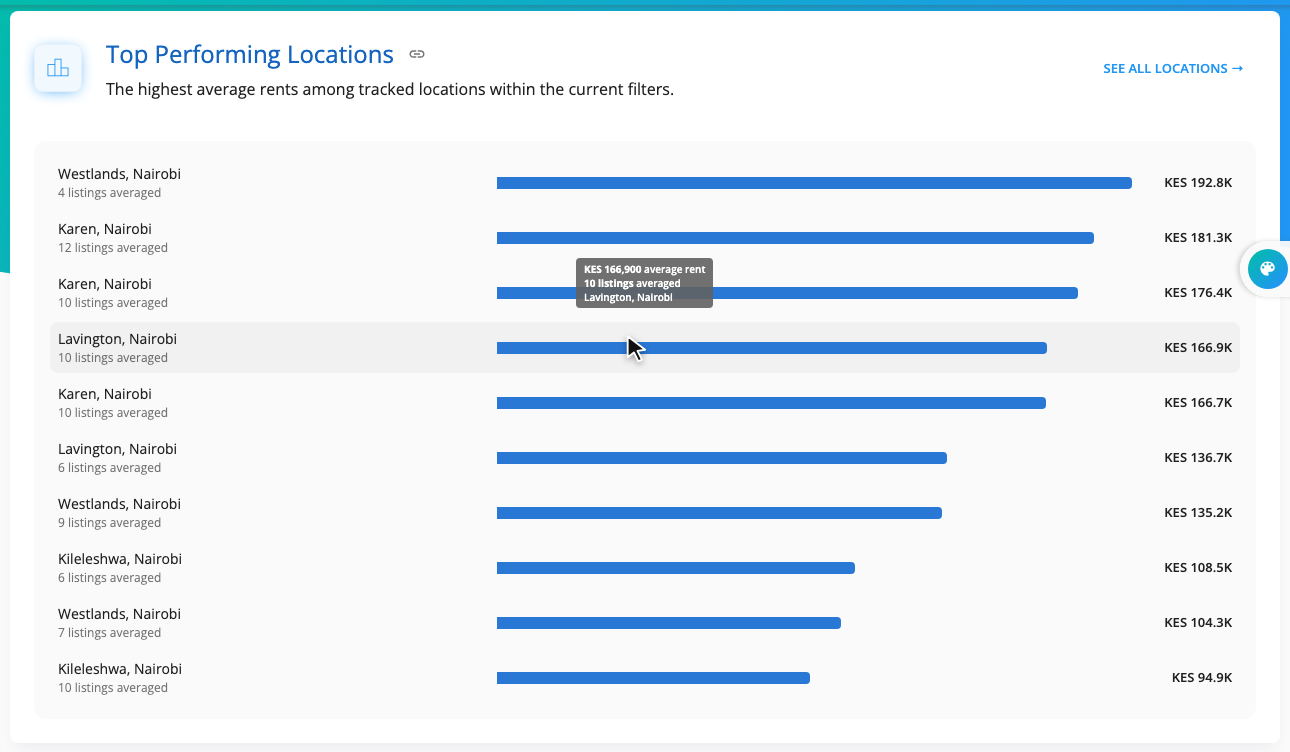
The places with the highest average rents, longest bar first. See all locations opens the full sortable list.
Rent price trend
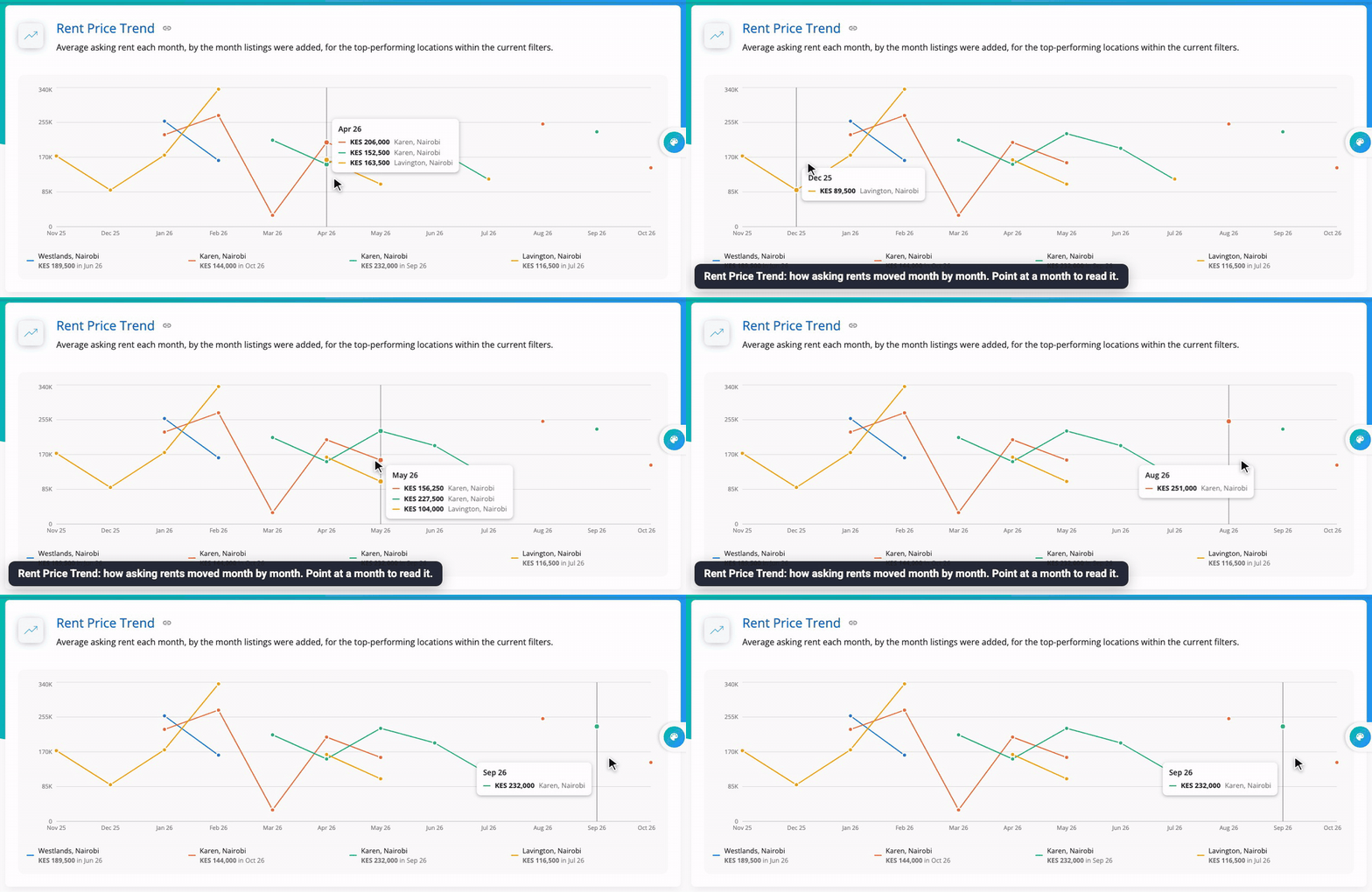
How asking rents moved month by month for the top places. Lines going up mean rents are rising there.
Value and deal analysis
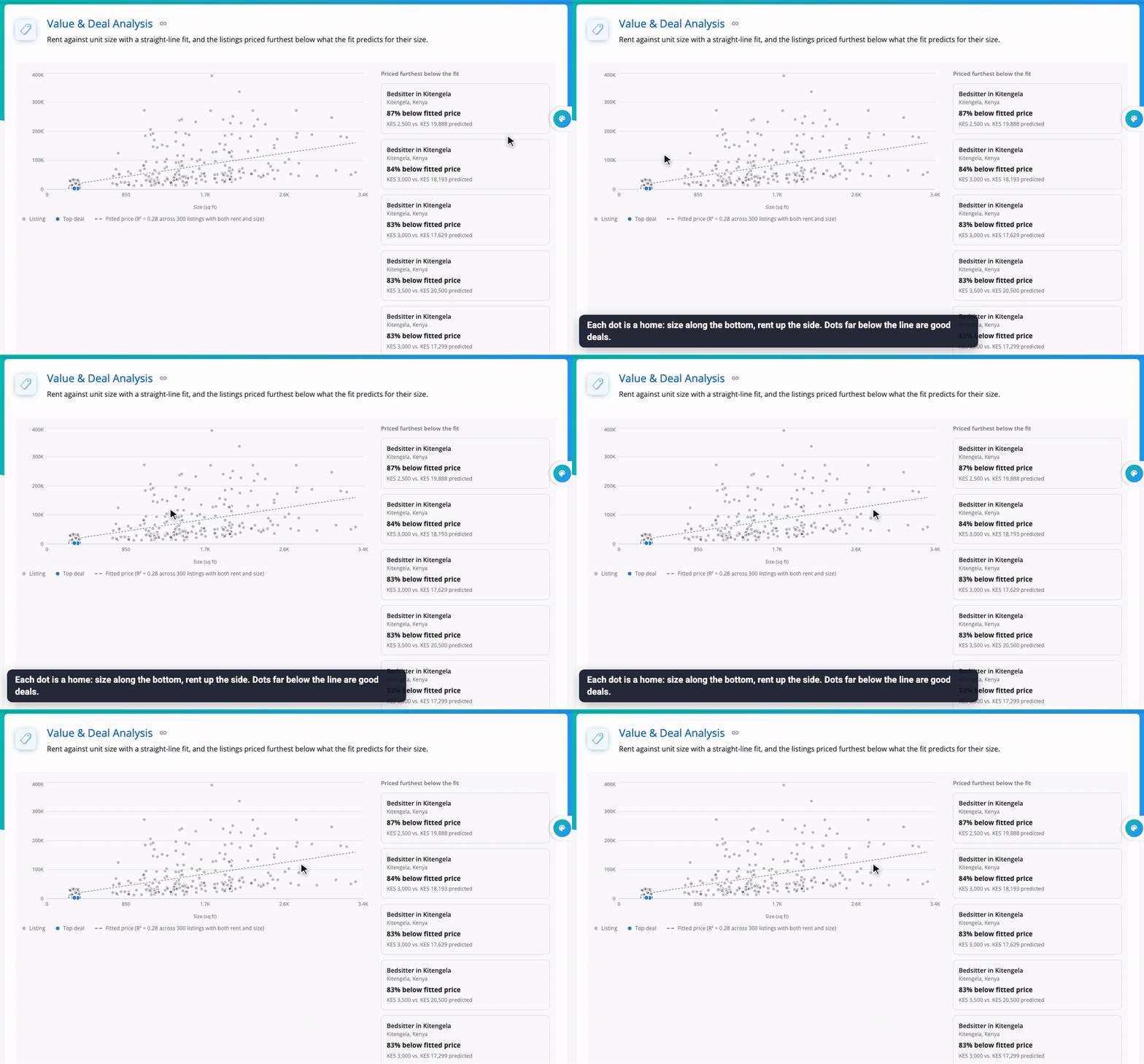
Each dot is a home: its size along the bottom, its rent up the side. The straight line is the "fair" rent for each size. Dots well below the line rent for less than their size suggests: good deals for tenants, and a sign a landlord might be charging too little.
Market rent dispersion
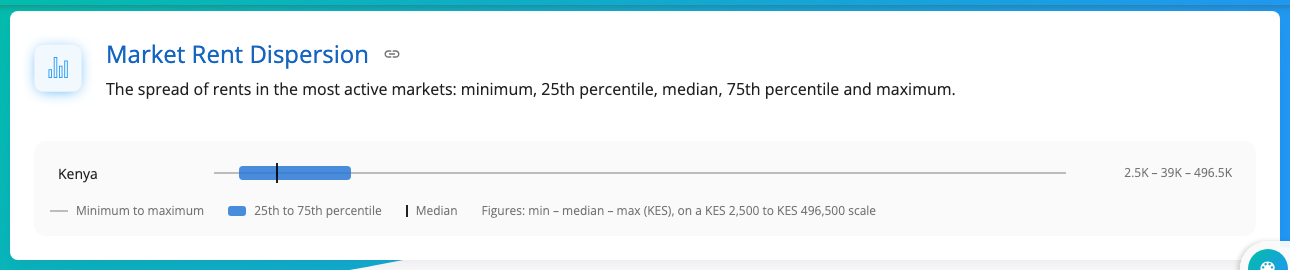
How spread out rents are. The line runs from the cheapest to the dearest home; the thick blue part holds the middle half of all homes (25th to 75th percentile); the mark is the median. If your rent sits inside the blue part, it's normal for the market.
Market benchmark comparison
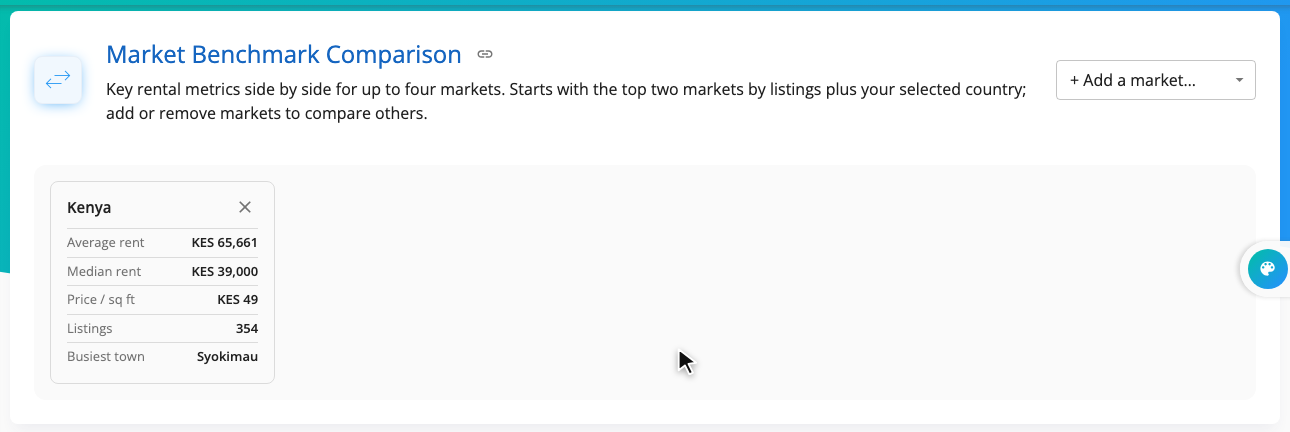
Compare up to four markets side by side: average and median rent, price per square foot, number of listings and the busiest town. Add markets with + Add a market.
Listings ledger
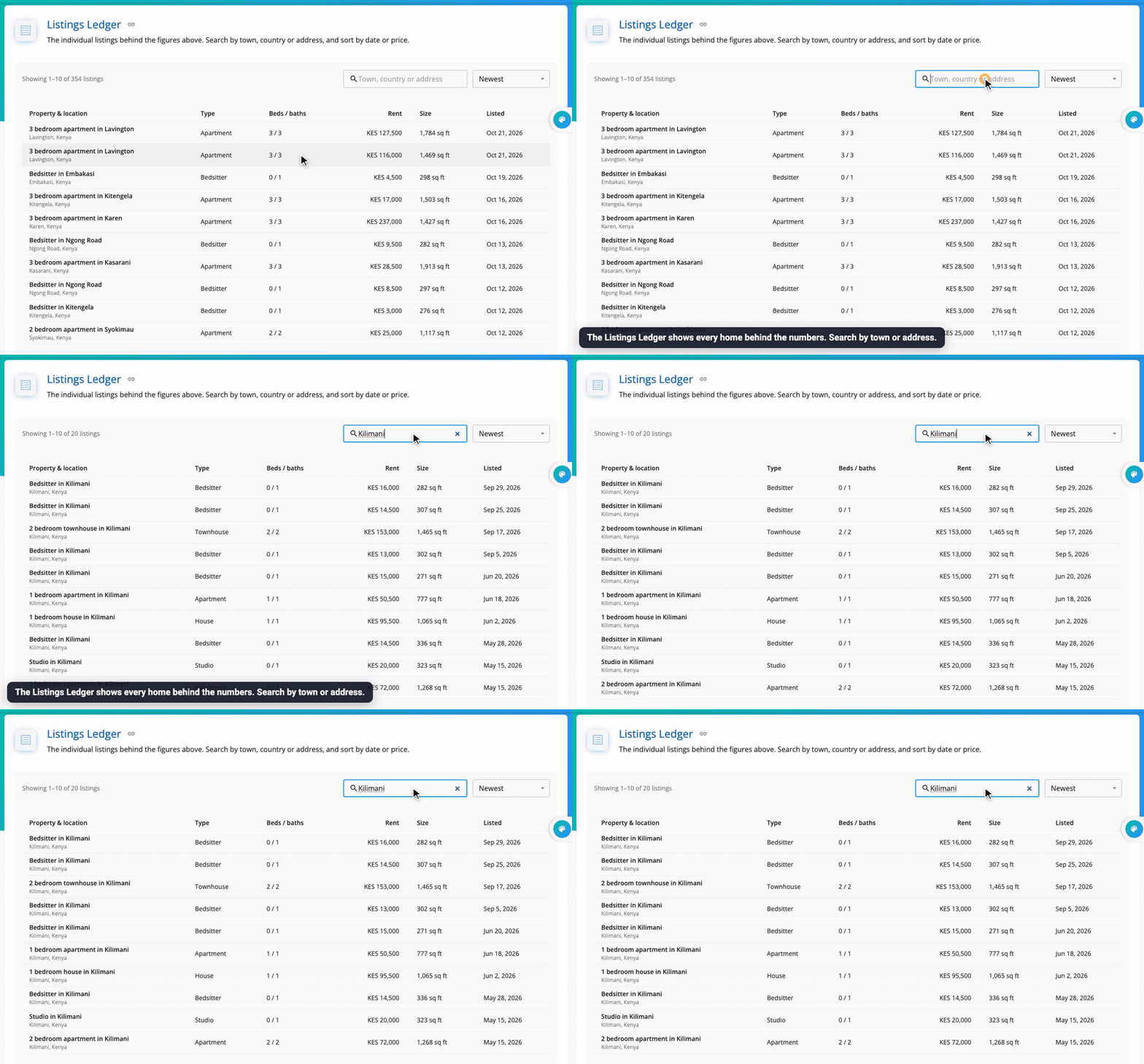
Every home behind the numbers: its type, bedrooms and bathrooms, rent, size and when it was listed. Search by town, country or address, and sort by newest or price.
Browse rental markets
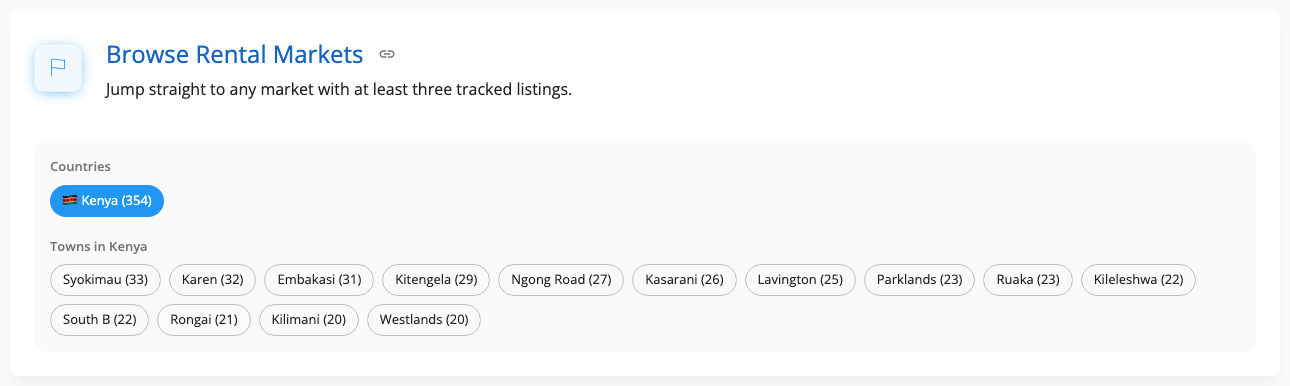
One button per country and town with enough listings. Click one to jump straight to that market.
Part 2: Your own money
Your own figures appear across the app. The most useful charts:
| Chart | Where | What it tells you |
|---|---|---|
| Property Rent Collection Comparison | Home | Rent collected per building per month: which building is earning, which is slipping. See Dashboards |
| Payment collections over time | Payments → Analytics | Total rent collected each month. See Collecting Payments |
| Payments vs outstanding balances | Each building page | Paid vs still owed, month by month. See Tenant Management |
| Monthly billing and payment trends | Bills & Utilities | Utilities billed vs paid. See Bills and Utilities |
| Distribution of tickets per property | Maintenance | Which building needs the most repairs. See Maintenance |
Expenses: what your buildings cost
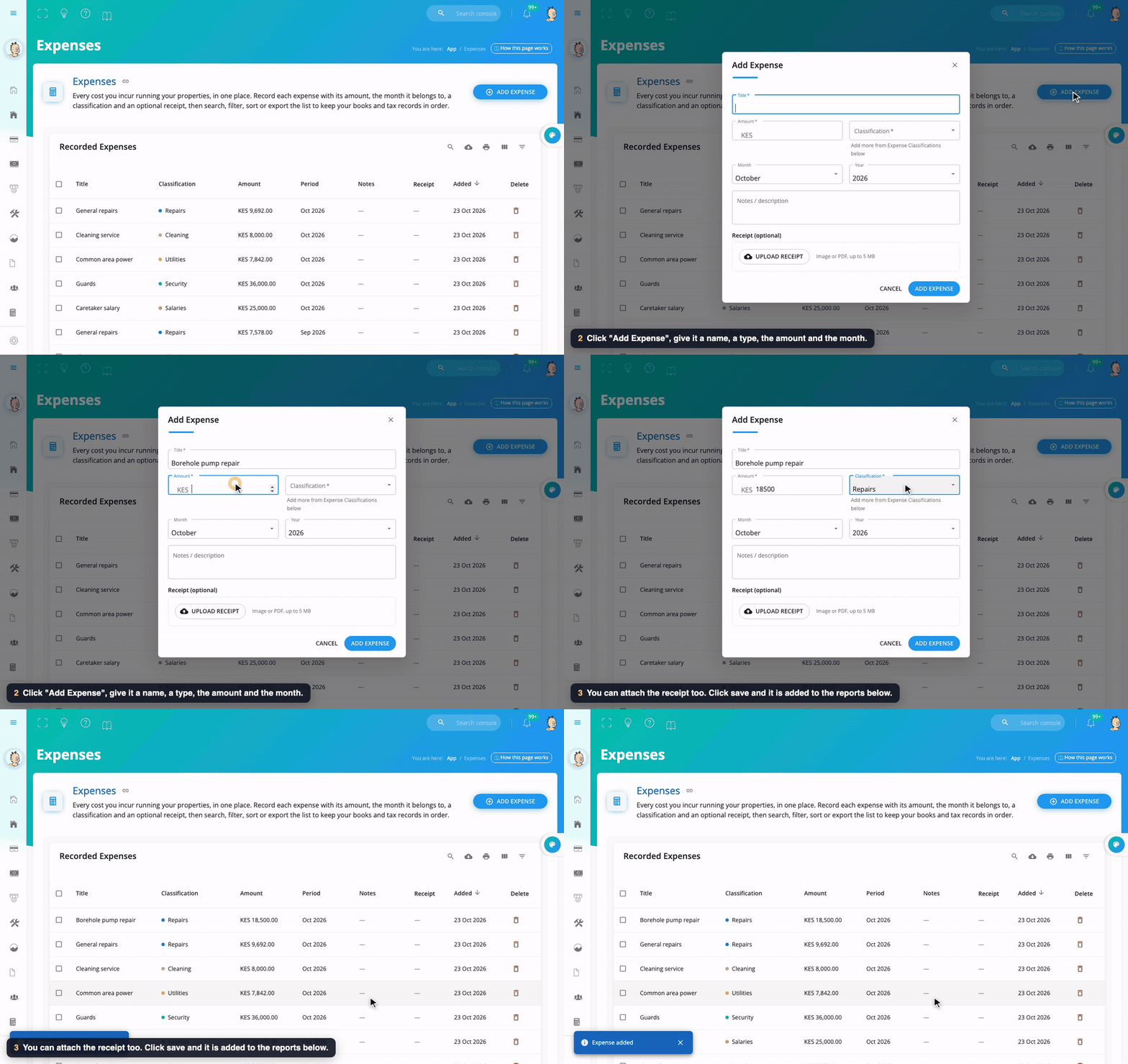
- Open Expenses in the menu and click Add Expense.
- Type a title ("Borehole pump repair"), the amount, choose a classification (Repairs, Salaries, Security, Utilities, Cleaning, or your own), the month and year, and optional notes.
- Attach the receipt with Upload Receipt (a picture or PDF up to 5 MB) and click Add Expense.
Make your own classifications under Expense Classifications → Add Classification.
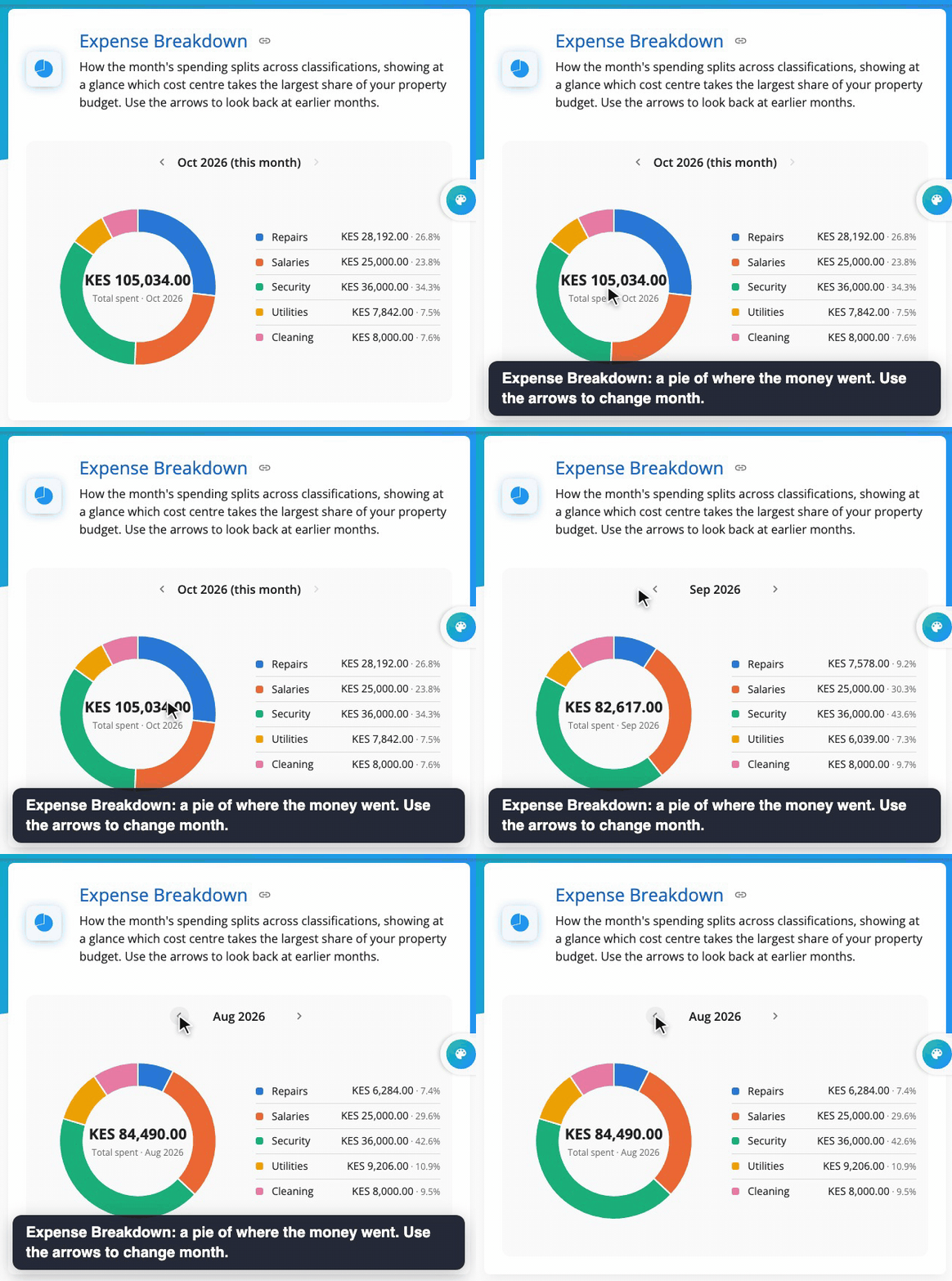
Expense Breakdown is a pie of where the money went that month. Use the arrows to move between months.
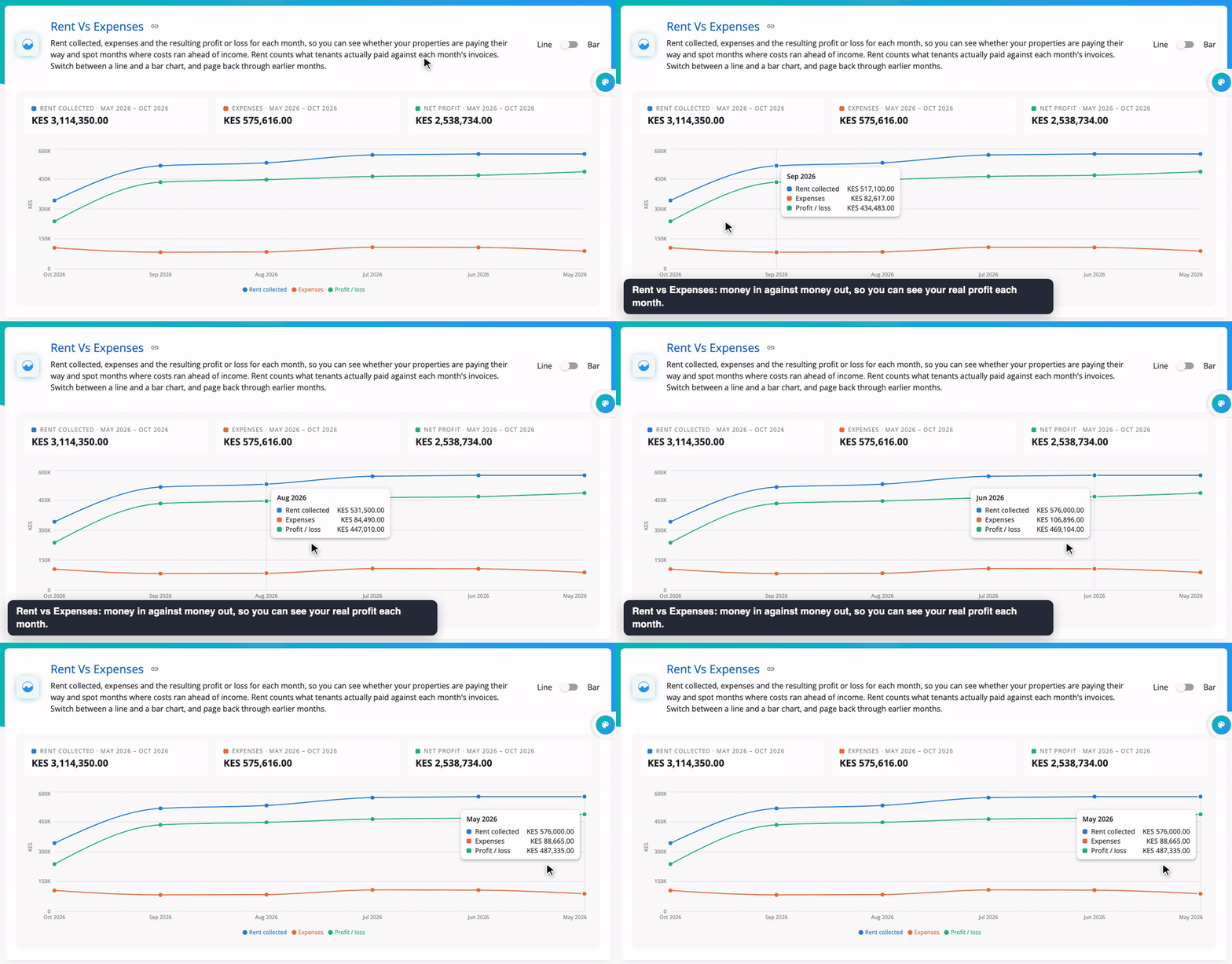
Rent vs Expenses puts money in next to money out. The gap between them is your real profit.
Videos
Quick answers
Where does the market data come from? From rental listings across Kenya and other markets, cleaned and grouped by Mkodisha. Your own tenants' rents are never shared in it.
What's the difference between average and median rent? The average adds every rent and divides by how many. The median is the middle rent. If a few very expensive homes are listed, the average jumps but the median barely moves.
How do I check if my rent is fair? Filter by your town, bedrooms and type of home, then compare your rent with the median and the blue band in Market Rent Dispersion.
Can I download the data? Yes: Export CSV on Key Metrics, and the download button on most tables.
How do I see profit? Record expenses on the Expenses page; Rent vs Expenses shows the difference each month.
Words to know
| Word | Meaning |
|---|---|
| Listing | A home advertised for rent |
| Average | All values added up, divided by how many there are |
| Median | The middle value when sorted from smallest to largest |
| Percentile | The 25th percentile is the value a quarter of homes are below |
| Comparable | A similar home used to judge a fair rent |
| Expense classification | A group for expenses, like Repairs or Salaries |