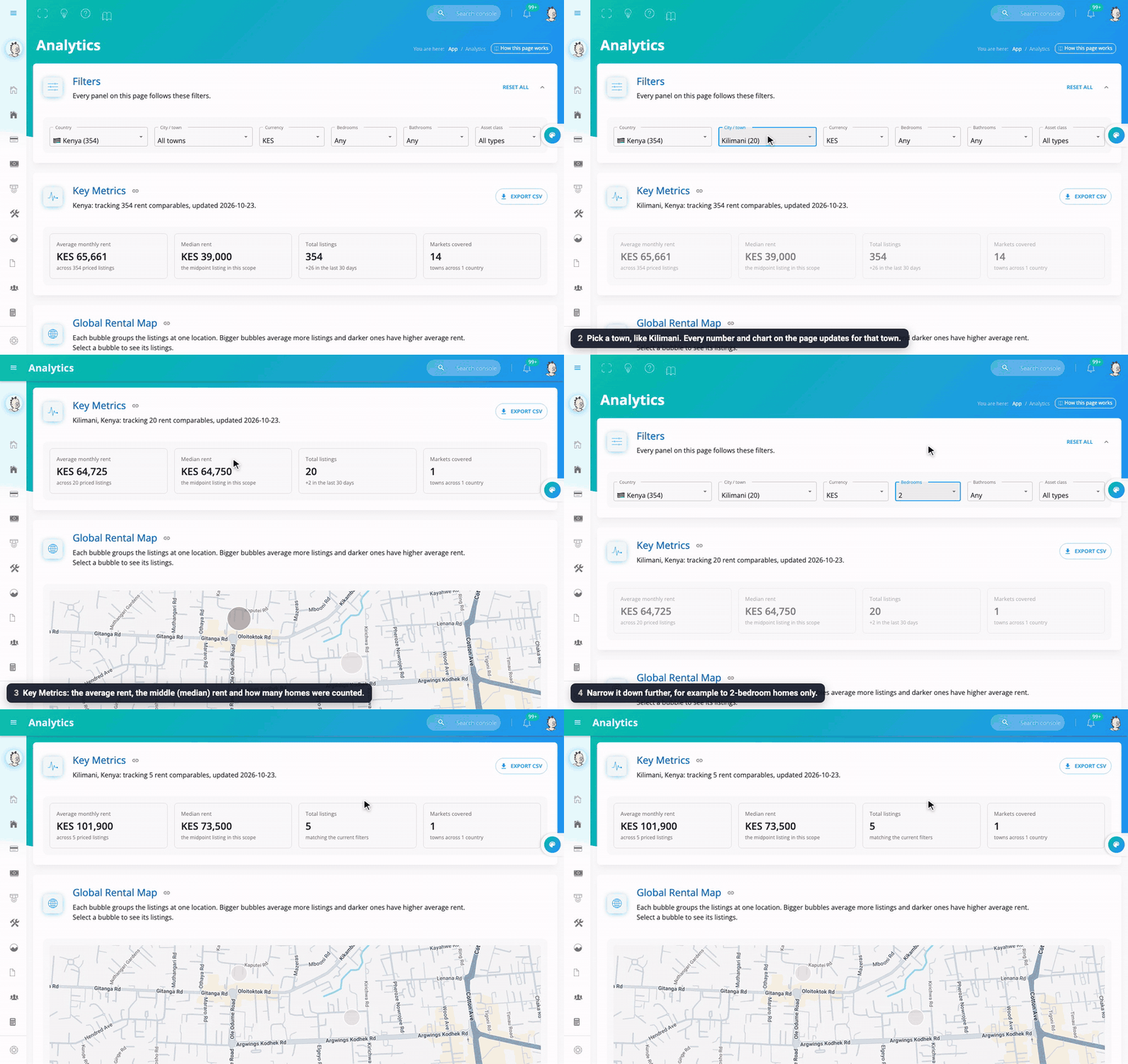
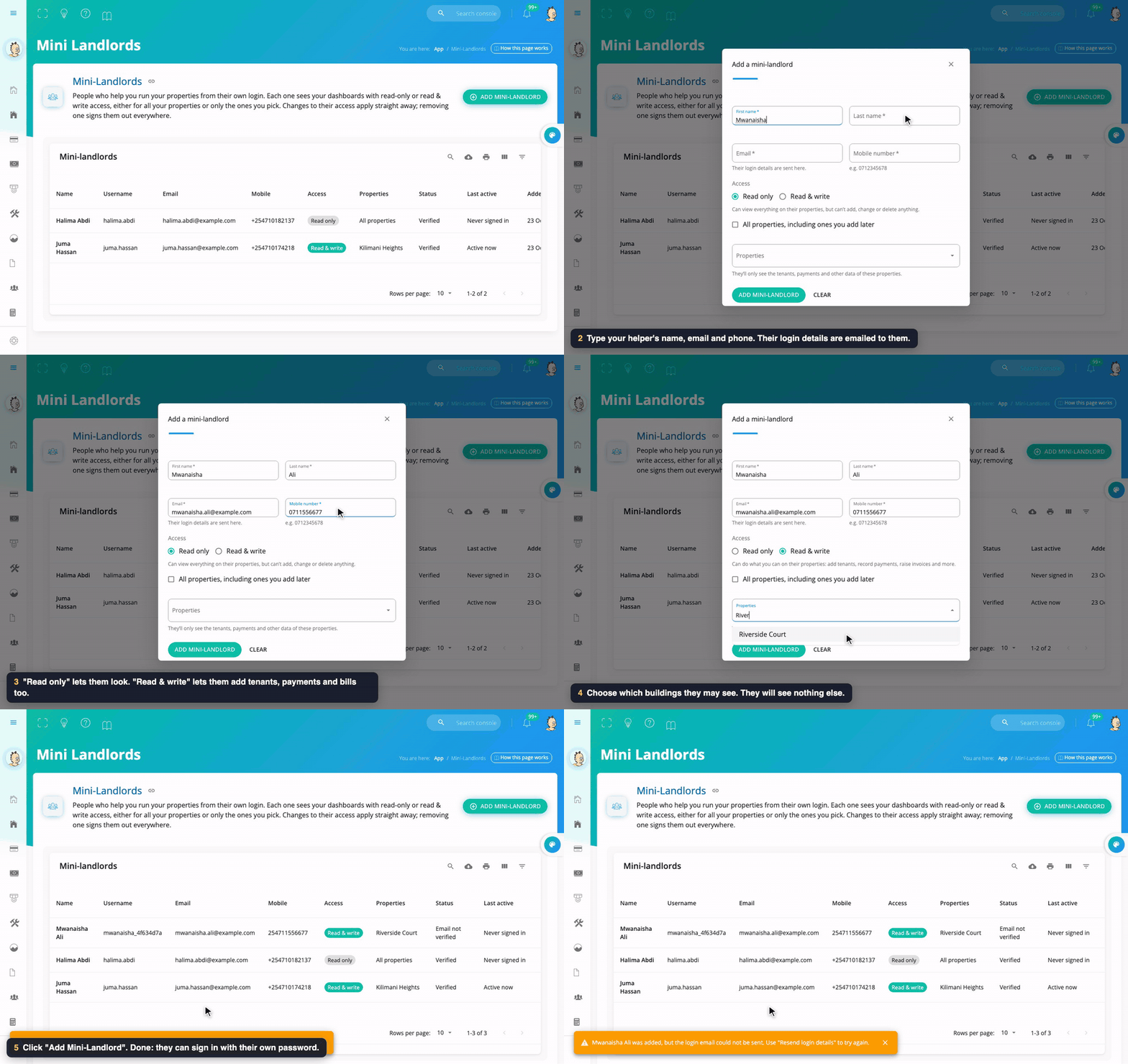
In one sentence: open a building, click Add Tenant (or Upload Tenants for many people at once), and Mkodisha creates each tenant's account, house and contract for you.
The simple version
Every building in Mkodisha has its own page. On that page is a list of the people who live there, called the Tenant Directory. To add someone, you type their name, phone number, house number and rent. That's it: they get a login, an email telling them how to sign in, and a contract ready to sign.
The building page also has pictures (graphs) that answer two questions at a glance: "Did everyone pay?" and "Who still owes me money?"
Why Mkodisha does this better
- One form creates everything. The tenant's account, their house, their contract and a welcome email, in one step.
- Hundreds at once. Moving your records from Excel? Upload one spreadsheet instead of typing every tenant.
- Arrears are visible. Tenants who owe are marked High Risk in red, so nobody slips through.
- Every house has a history. Payments and invoices stay with the house, even after a tenant moves out.
Where to find it
| What | Link |
|---|---|
| All your buildings | mkodisha.com/app/properties |
| A building's Tenant Directory | Open a building, then #tenant-directory (for example mkodisha.com/app/rental-units/<building id>#tenant-directory) |
| Payments vs balances graph | …/rental-units/<building id>#financial-overview-payments-vs-outstanding-balances |
| Tenant rent payments table | …/rental-units/<building id>#tenant-rent-payments-overview |
| A building's rent balances | …/rental-units/<building id>/rent-balance |
| One tenant's profile | Click their name, or mkodisha.com/app/tenant/<tenant id> |
Tip: every section has a small chain-link button next to its title. Click it to copy a link straight to that section of your building.
Step 1: Open your buildings
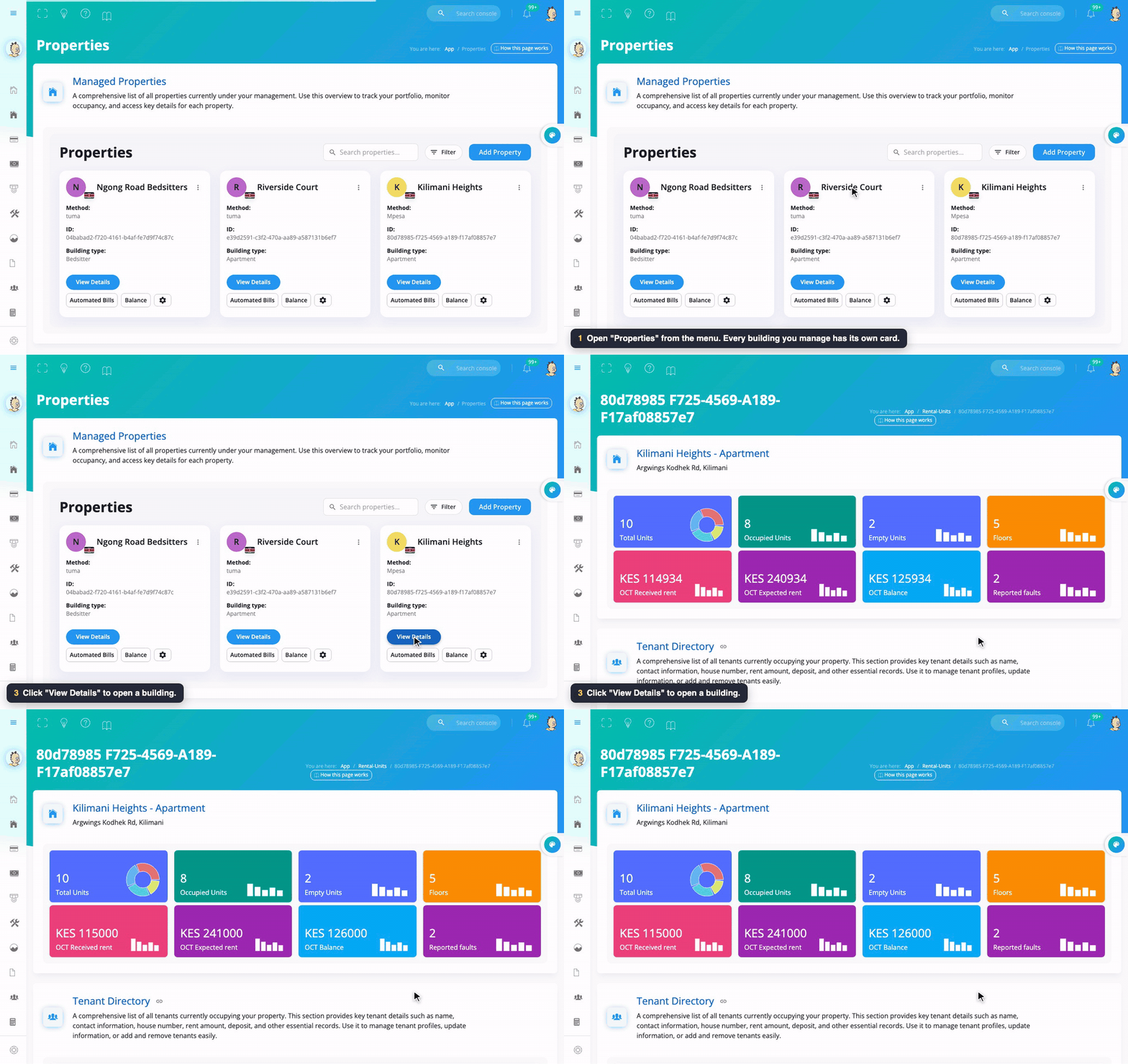
Click Properties in the menu. Each building has a card showing:
- Method: how its rent is paid (M-Pesa paybill, or a bank through Tuma). See Collecting Payments.
- Building type: apartment, bedsitter, and so on.
- View Details: opens the building page.
- Automated Bills: the invoices Mkodisha creates for this building by itself.
- Balance: who owes what in this building.
- The gear button: the building's settings.
To add a new building, click Add Property.
Step 2: Read the building summary
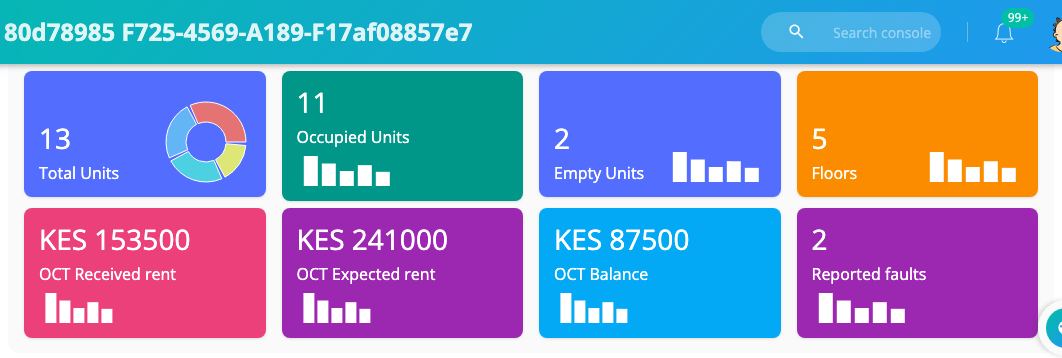
The coloured boxes at the top of a building page tell the whole story:
| Box | Meaning |
|---|---|
| Total Units | How many houses are in the building |
| Occupied Units | Houses with a tenant |
| Empty Units | Houses ready to rent |
| Floors | Number of floors |
| Month Received rent | Rent actually paid this month |
| Month Expected rent | Rent that should come in this month |
| Month Balance | What is still owed this month (expected minus received) |
| Reported faults | Open repair requests. See Maintenance |
Step 3: Add one tenant
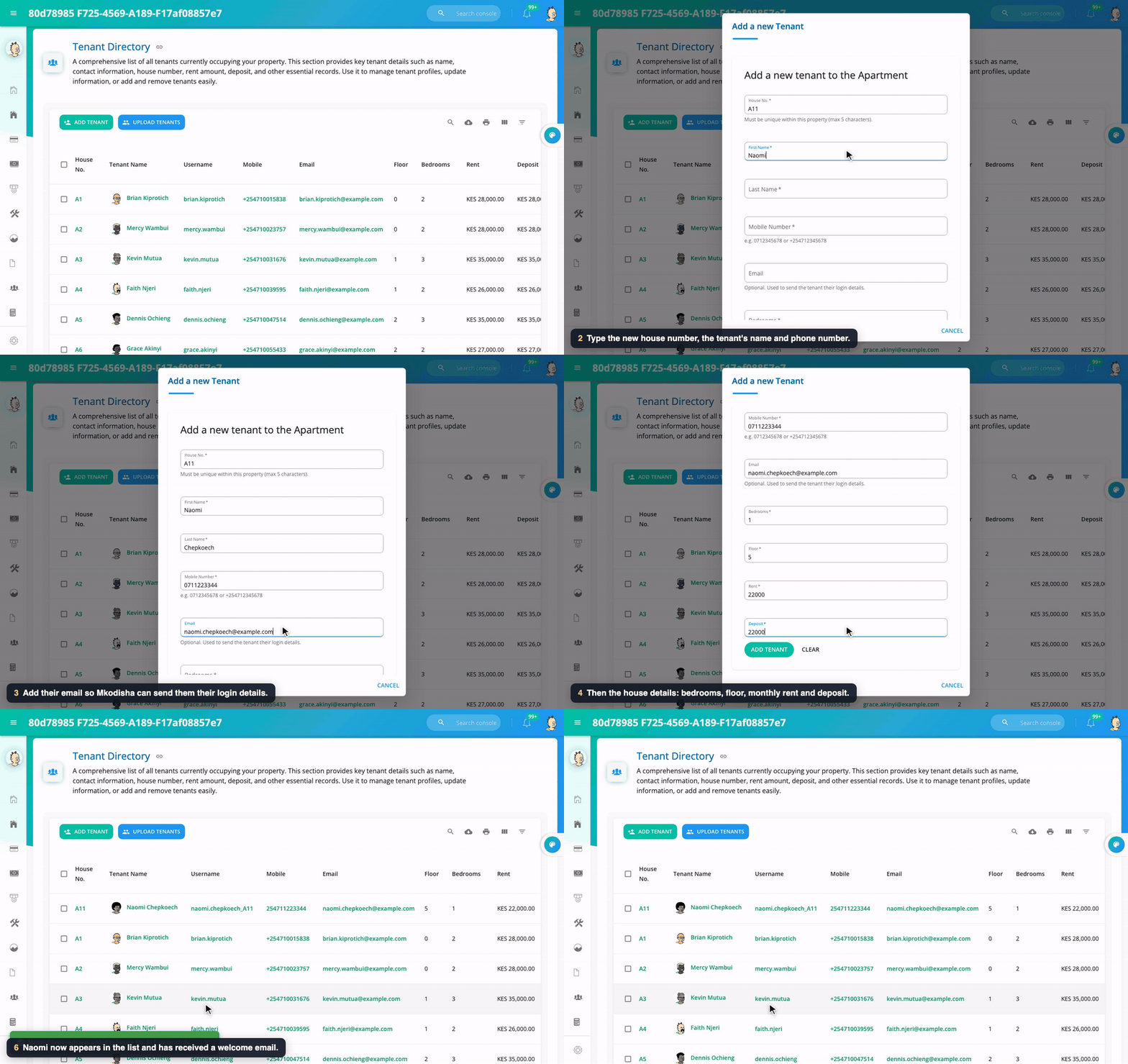
- In the Tenant Directory, click Add Tenant.
- Fill in:
- House No.: the tenant's house, for example
A11. It must be a house number that is not already in this building (up to 5 characters). - First name and Last name. - Mobile number, for example0712345678or+254712345678. - Email (optional but recommended): Mkodisha sends their login details here. - Bedrooms, Floor, Rent and Deposit. - Click Add Tenant.
What Mkodisha does for you:
- Creates the tenant's login and emails them (see how tenant accounts are created).
- Creates the house in the building and marks it occupied.
- Drafts a one-year contract, signed by you, waiting for the tenant's signature. See Contracts.
One more step: start their rent invoices. Open the building's Automated Bills (Active Bills), click Create Invoice, choose the tenant, pick Use tenant rent, Monthly, and tick Automatically generate future invoices. See Collecting Payments.
Step 4: Add many tenants from a spreadsheet
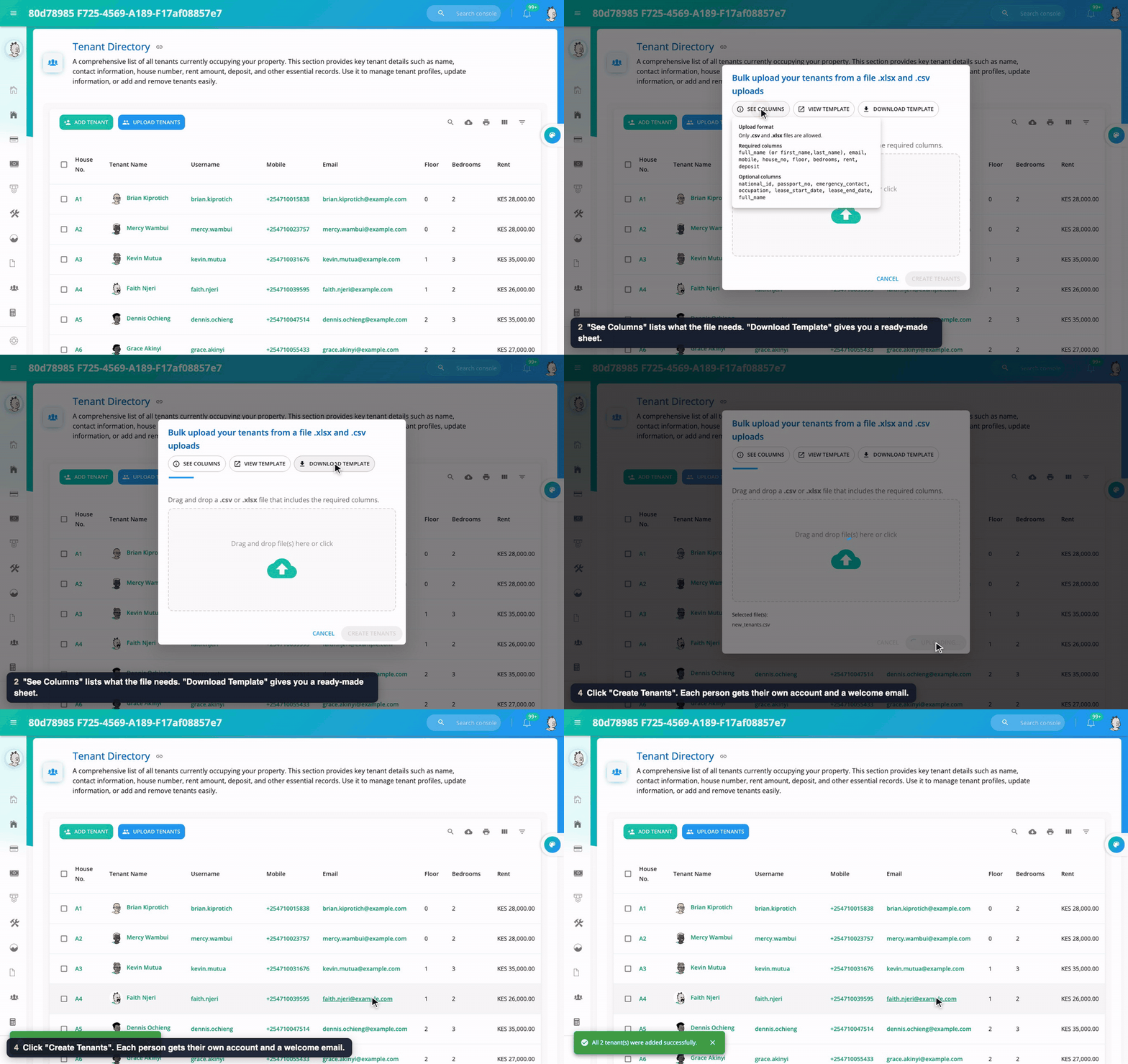
- In the Tenant Directory, click Upload Tenants.
- Click See Columns to see what the file needs, or Download Template for a ready-made sheet.
- Fill in one row per tenant and save it as .xlsx or .csv.
- Drop the file in the box and click Create Tenants. You will see how many were added, and which rows (if any) had a problem.
| Required columns | Optional columns |
|---|---|
full_name (or first_name and last_name), email, mobile, house_no, floor, bedrooms, rent, deposit |
national_id, passport_no, emergency_contact, occupation, lease_start_date, lease_end_date |
Every person in the file gets their own account, house and welcome email, exactly as if you had added them one by one.
Step 5: Find a tenant
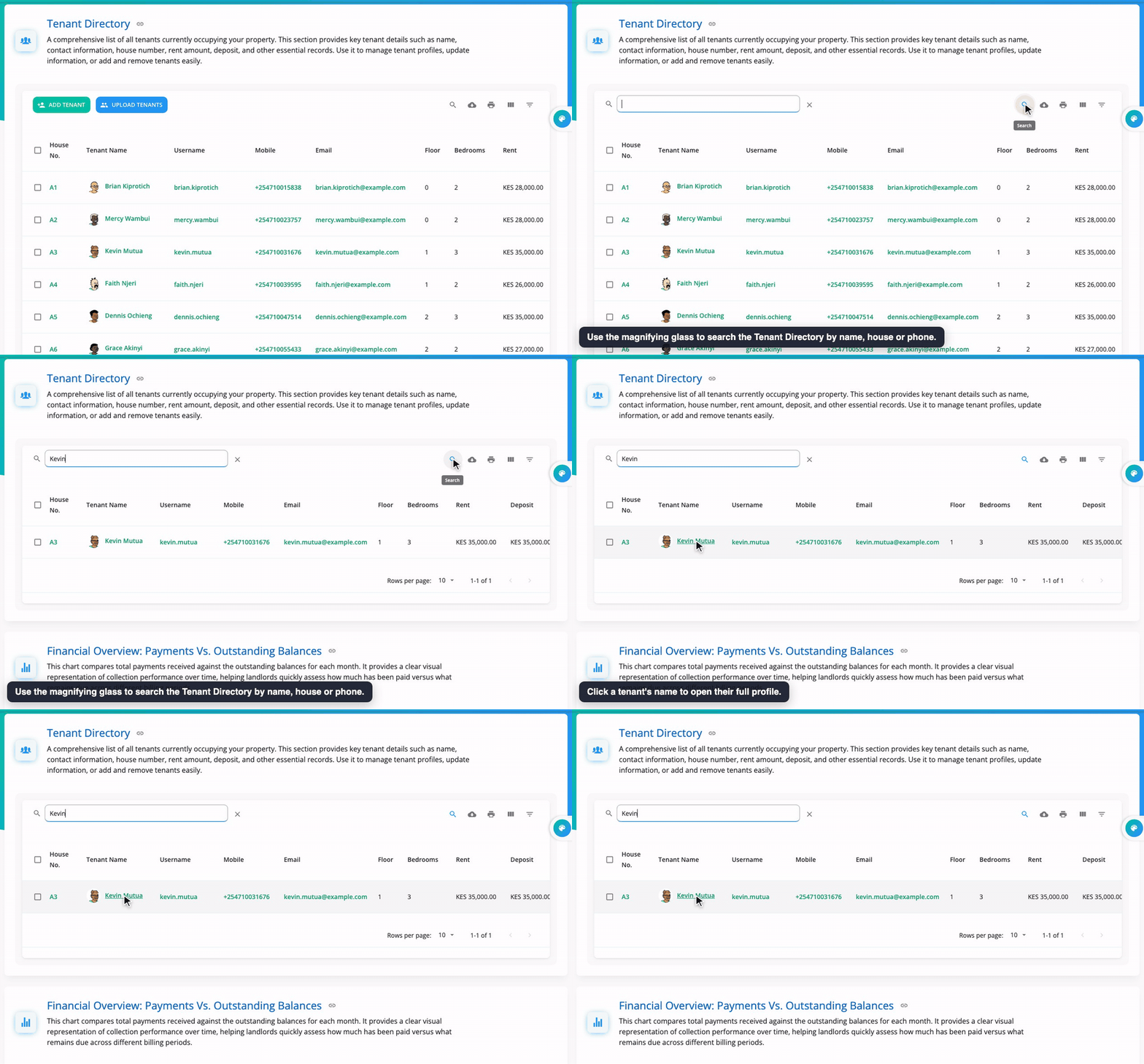
Click the magnifying glass above the Tenant Directory and type part of a name, house number or phone number. The other buttons let you download the list as a spreadsheet, print it, choose which columns to show, and filter it. Click a tenant's name to open their profile.
The graphs, and how they help
Payments vs outstanding balances
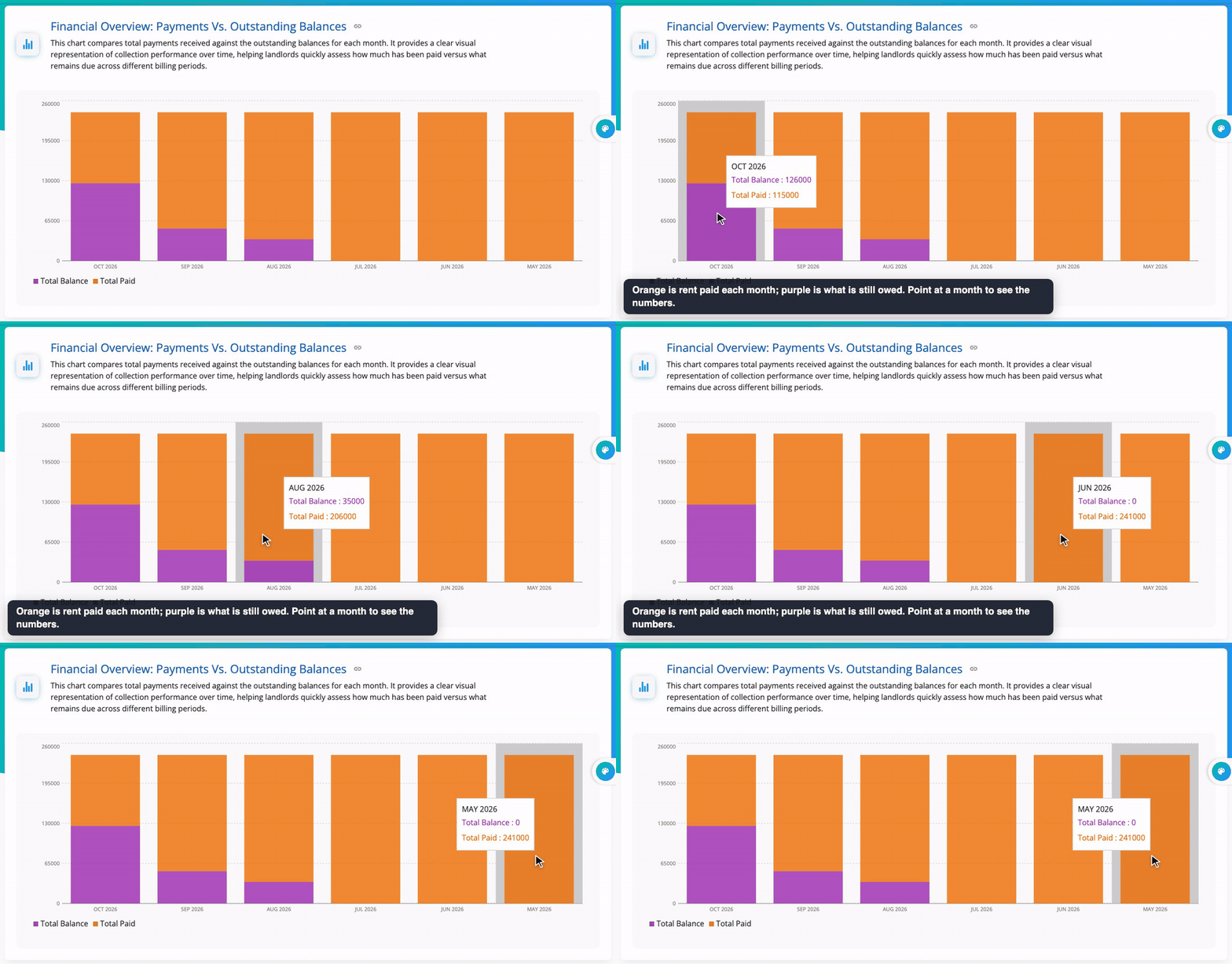
Each month has two bars. Orange is rent paid. Purple is rent still owed. A month with a tall orange bar and no purple bar is a perfect month. A purple bar that grows month after month means arrears are building up, so it's time to follow up.
Tenant rent payments overview
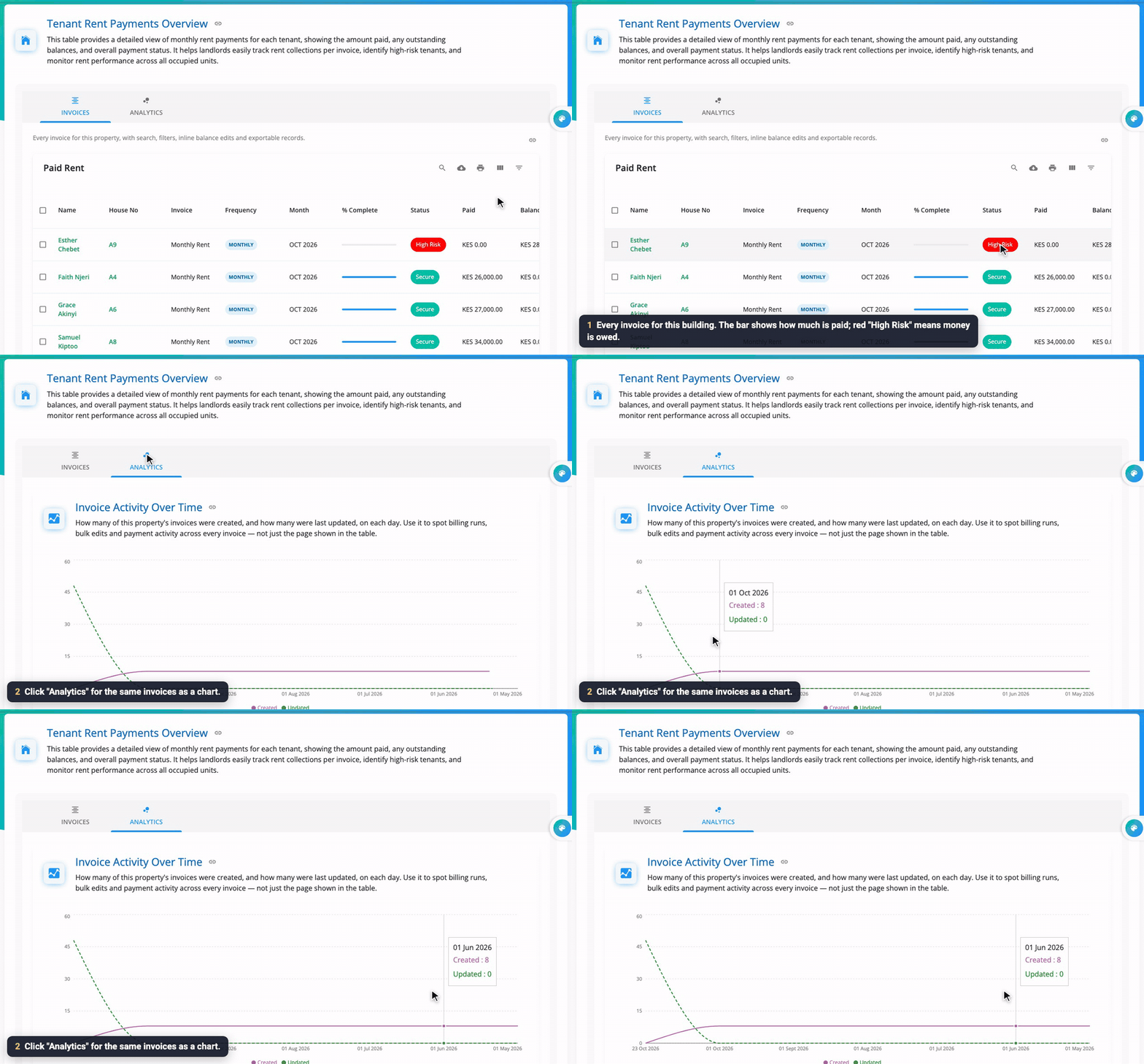
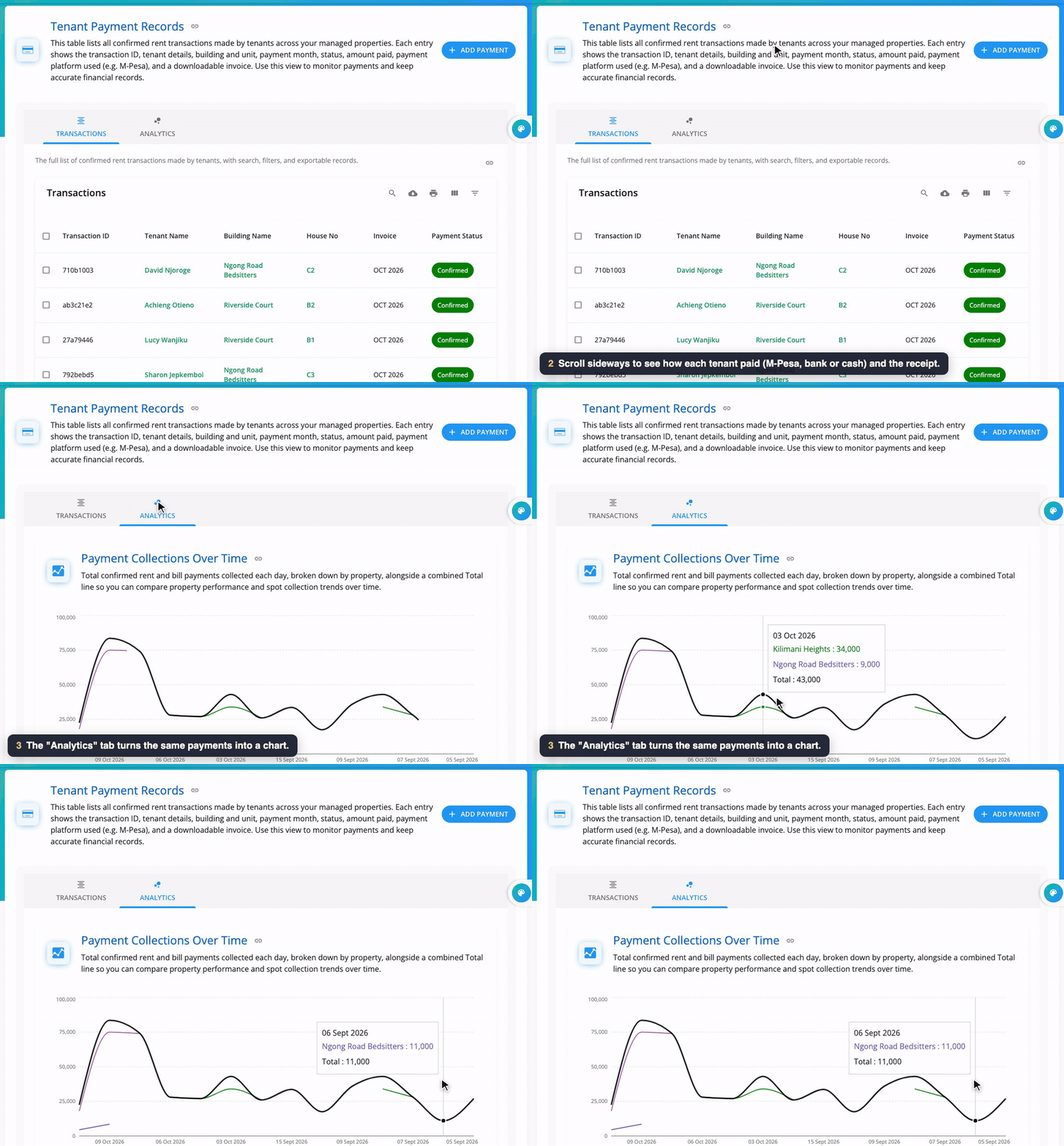
A table of every invoice in the building. The progress bar shows how much of each invoice is paid. Secure (green) means paid; High Risk (red) means money is owed. The Analytics tab shows the same invoices as a chart, so you can see the pattern.
A tenant's profile
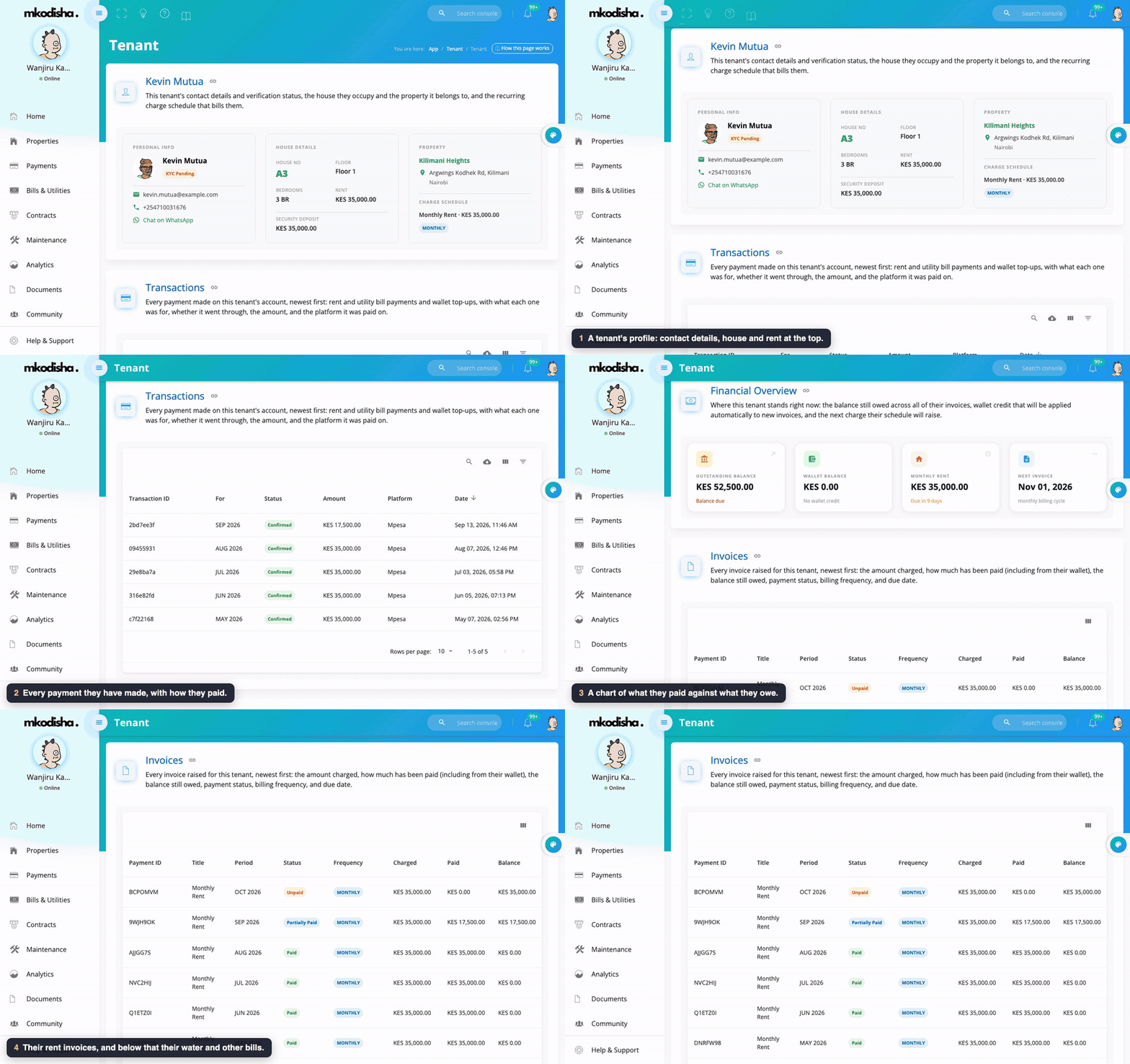
Click any tenant to see, on one page: their contact details and house, every transaction they have made and how they paid, a financial overview chart of paid vs owed, their invoices, and their utility bills.
A house's page
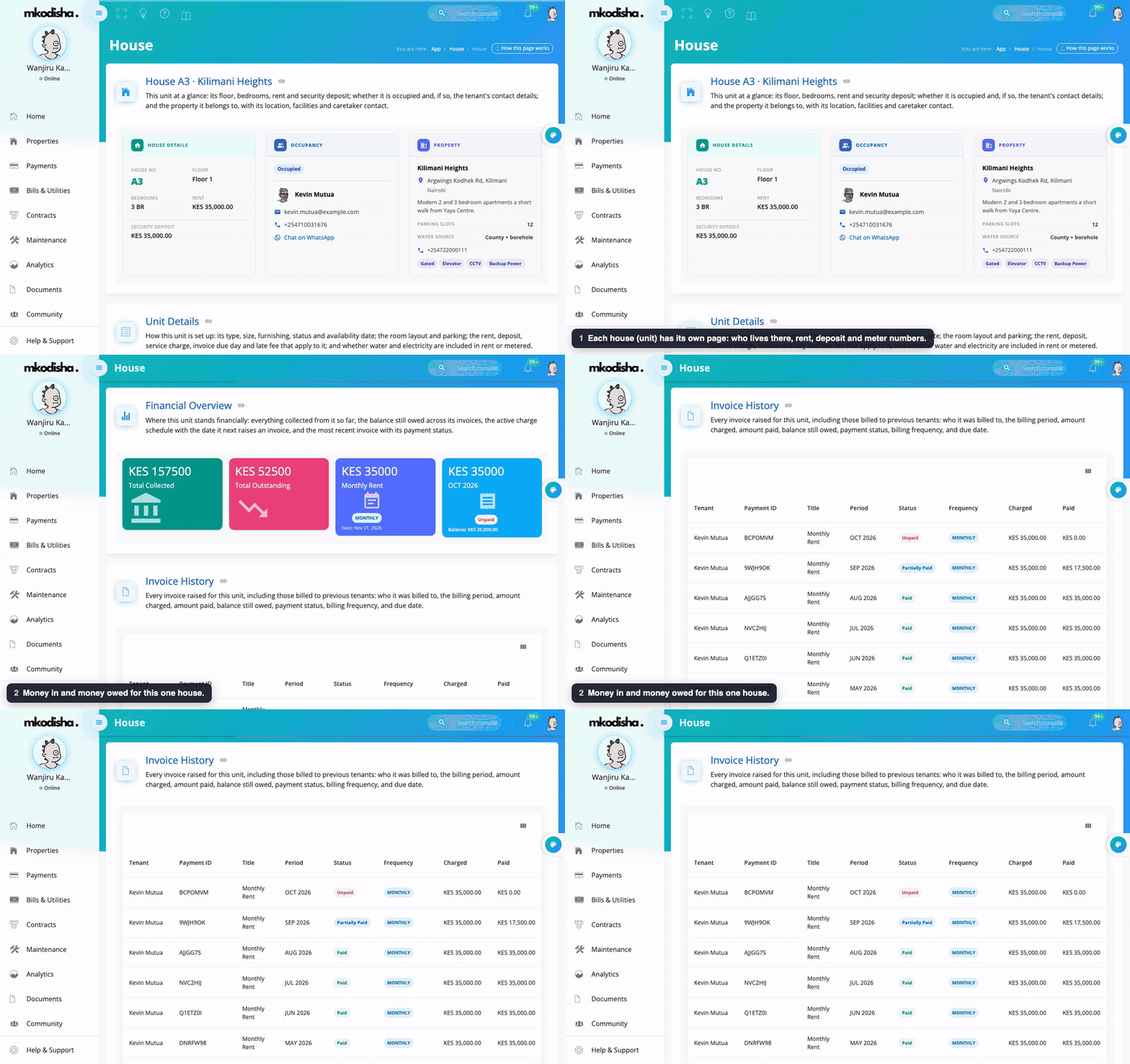
Each house has its own page with the current tenant, rent, deposit, meter numbers, photos, the money in and out for that house, and every invoice ever raised for it, even from earlier tenants.
Rent balance
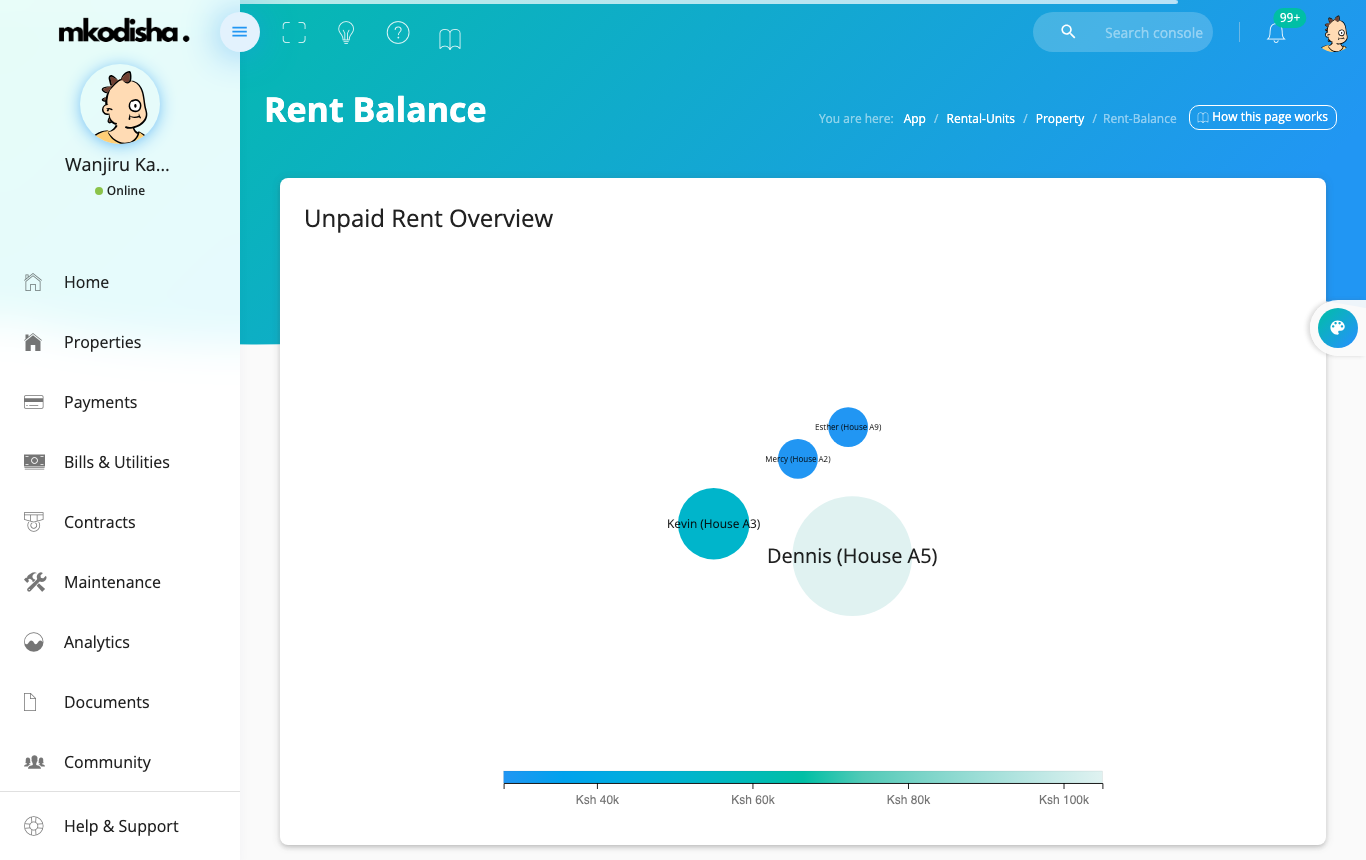
The Balance button on a building card opens Rent Balance: an overview of unpaid rent and a table of each tenant's balance. It's the page to open before you start reminder calls.
Videos
Quick answers
It says the house number already exists. Each house number can only be used once per building. Use the tenant's actual house number if it isn't in Mkodisha yet, or check the Tenant Directory in case they were already added.
Does the tenant need an email address? No, but without one Mkodisha cannot email them their login details. Give them their username and password yourself.
What does "High Risk" mean? That tenant has an invoice that is not fully paid. It turns green (Secure) once it is paid.
Can I add tenants from Excel? Yes. Use Upload Tenants with an .xlsx or .csv file. Download the template first so the columns are right.
Where do I see one tenant's whole history? Click their name to open their profile: payments, invoices and bills are all there.
Words to know
| Word | Meaning |
|---|---|
| Tenant Directory | The list of tenants in a building |
| House No. | The house's label in the building, like A3 |
| Deposit | Money paid at the start and kept until the tenant leaves |
| Arrears / balance | Rent that is owed and not yet paid |
| Bulk upload | Adding many tenants from one spreadsheet |