In one sentence: Community is a notice board for your building and for everyone on Mkodisha, and Chat is a private conversation between you and one person.
The simple version
- Community is like the notice board by the gate, but on your phone. A landlord can post "Water will be off on Saturday" to just one building. A tenant can post "Found a set of keys at the gym".
- Chat is like a private text message. Only you and the other person can read it.
- Contacts is the list of people you can reach: your tenants, your landlord, the caretaker, the plumber.
Who sees a post
When you write a post, you choose who sees it:
| You are a… | You can post to | Who sees it |
|---|---|---|
| Landlord | Everyone | Every Mkodisha user |
| Landlord | Landlords | Other landlords only (good for asking advice) |
| Landlord | One of your buildings (for example Riverside Court) | Only the tenants of that building, and you |
| Tenant | Everyone | Every Mkodisha user |
| Tenant | Tenants | Other tenants only |
| Tenant | Your building | Only your neighbours and your landlord |
Tenants never see landlord-only posts, and landlords never see tenant-only posts.
Why Mkodisha does this better
- No more giant WhatsApp groups. Building notices reach exactly that building, and nobody's phone number is shared.
- Notices stay findable. Search old posts by words or by who wrote them.
- A place for landlords to help each other. Ask other landlords for a good borehole company, without tenants reading along.
- Private chat without phone numbers. Talk to your landlord or tenant inside the app.
Where to find it
| What | Link |
|---|---|
| Community | mkodisha.com/app/pages/timeline |
| One post (every post has its own link) | mkodisha.com/app/pages/timeline/<post id> |
| Chat | mkodisha.com/app/pages/chat |
| Contacts directory | mkodisha.com/app/pages/user-profile#contacts |
Step 1: Write a post
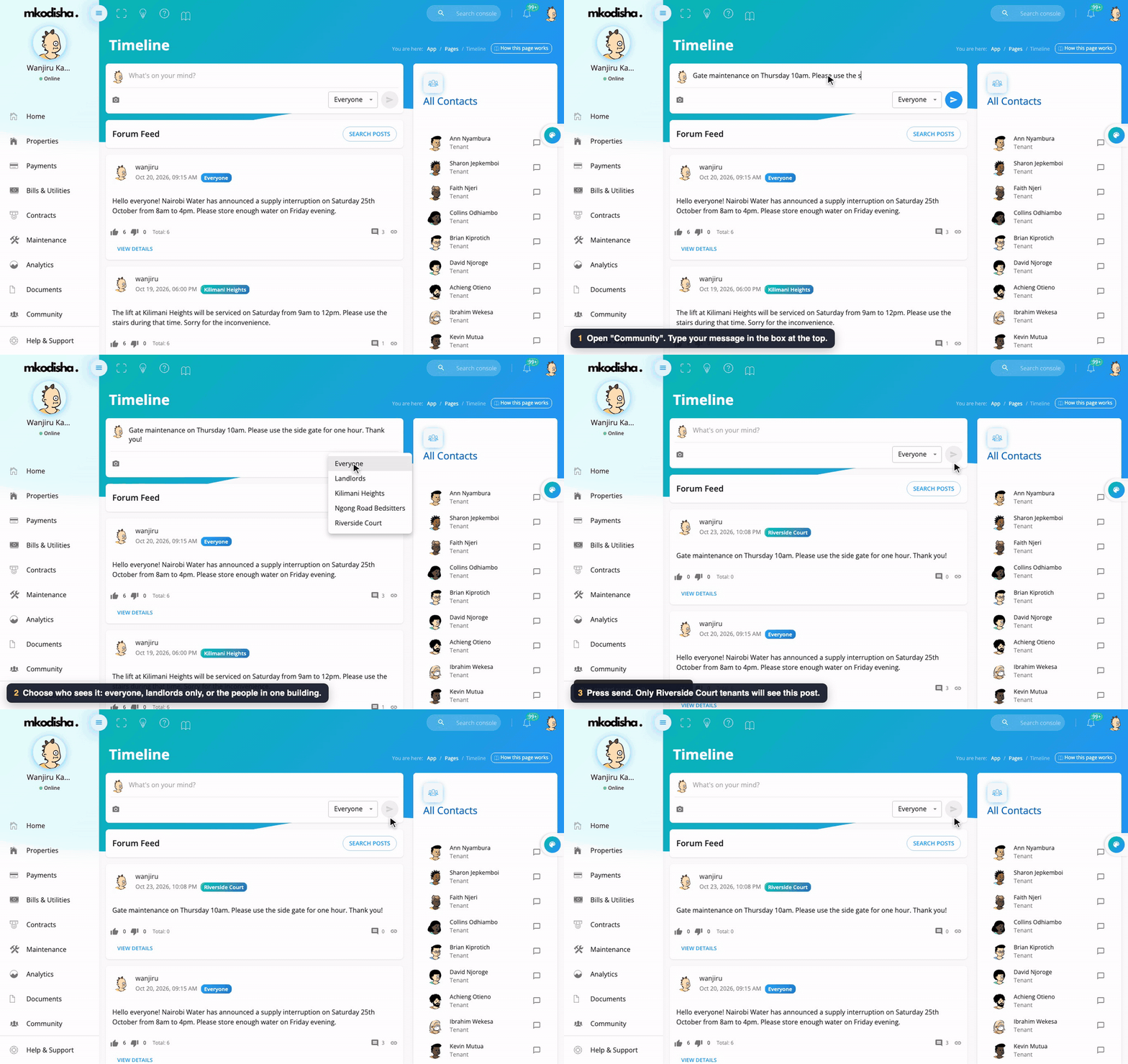
- Open Community in the menu.
- Type in the box that says What's on your mind?
- To add a photo, click the camera.
- Choose who sees it from the box that says Everyone: Everyone, Landlords (or Tenants), or one building.
- Click the arrow to send.
Every post carries a small coloured badge next to its time that says who can see it: Everyone, Tenants, Landlords, or the building's name (for example Riverside Court) when it went to one building only. So a tenant can tell at a glance that "Gate repairs on Saturday" is about their own building.
Step 2: React and comment
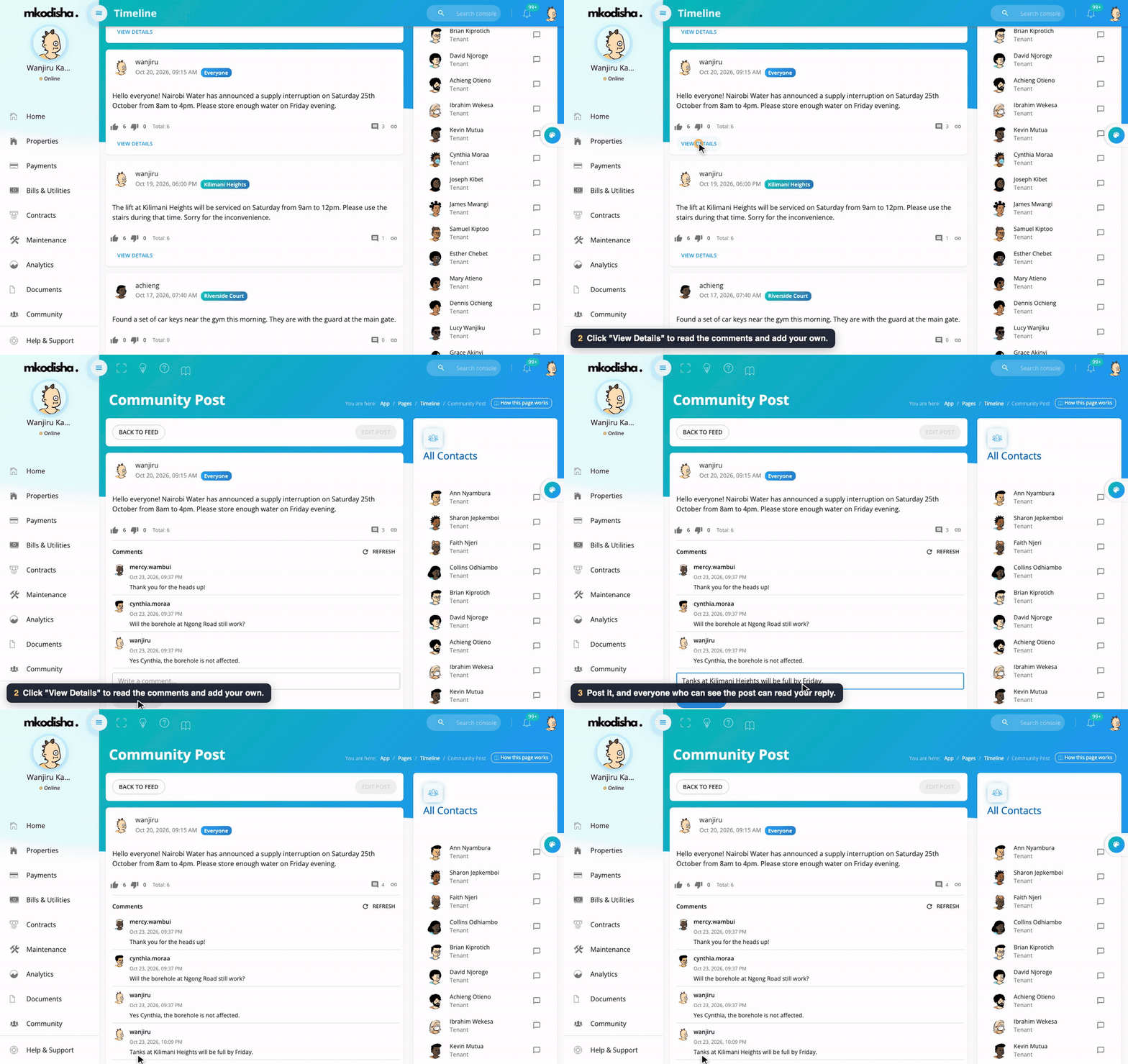
Under each post:
- 👍 thumbs up and 👎 thumbs down, with how many people chose each;
- the number of comments;
- a link button that copies a link to the post, to share it.
Click View Details to open the post with all its comments, then Add Comment to reply. The person who wrote a post can edit it from there.
Use Search Posts to find old posts by words, or by the author's username or email.
Step 3: Chat privately
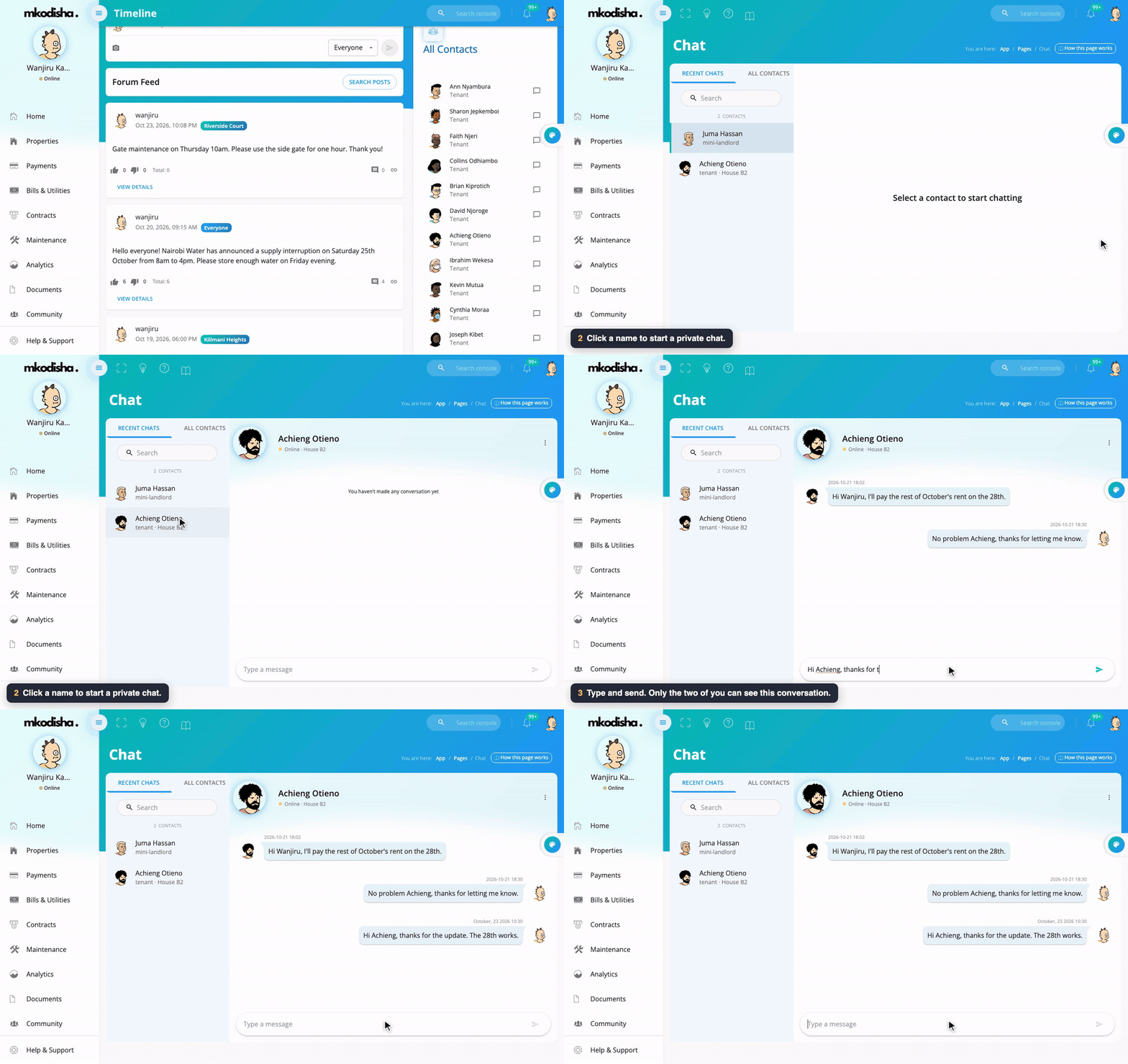
- On the Community page, All Contacts on the right lists the people you can message: a landlord sees their tenants, and a tenant sees their landlord.
- Click the speech bubble next to a name. The Chat page opens.
- Click the person under Recent Chats (or All Contacts) to open the conversation.
- Type in Type a message and press Enter.
You can also open Chat from the avatar menu (top right) → Chat.
The contacts directory
Landlords can keep a directory of useful people (caretaker, security desk, plumber, lawyer) on their profile, under Contacts:
- Add Contact: name, role (for example Plumber), phone, email, links, and optionally the building it belongs to.
- Visible to tenants or Private: choose whether tenants can see each contact.
Tenants see the contacts their landlord marked visible (for their own building, plus any that cover every building) on their profile's Contacts tab, so they know whom to call for help.
What tenants see
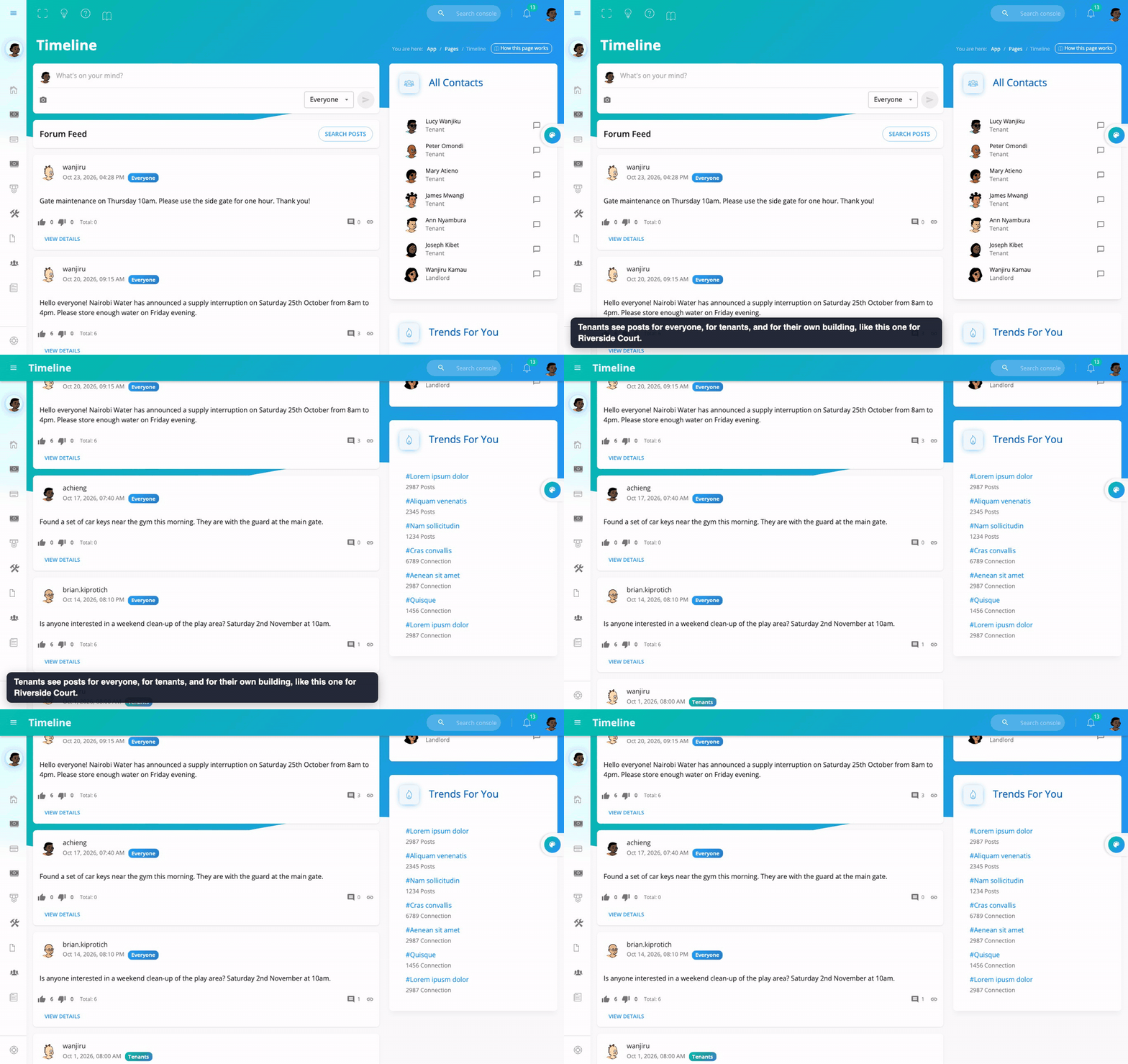
Achieng lives at Riverside Court. Her feed shows posts for everyone, for tenants, and for Riverside Court, but not posts for other buildings or landlord-only posts.
Quick answers
Can tenants in other buildings see my building's notice? No. A post for one building is only shown to that building's tenants and its landlord.
Can tenants see what landlords post to "Landlords"? No. Landlord-only posts are only for landlords.
Can I share a post outside Mkodisha? Click the link button under the post to copy its link. People still need to sign in, and can only open it if they're allowed to see it.
Is chat private? Yes. Only you and the other person can read a chat.
How do tenants know whom to call for repairs? Add the caretaker and repair people under Contacts and mark them Visible to tenants. For repairs, tenants should also use Maintenance so nothing is forgotten.
Words to know
| Word | Meaning |
|---|---|
| Post | A message on the Community notice board |
| Audience | Who can see a post |
| Comment | A reply under a post |
| Chat | A private conversation with one person |
| Contact | Someone in your list of people to reach |