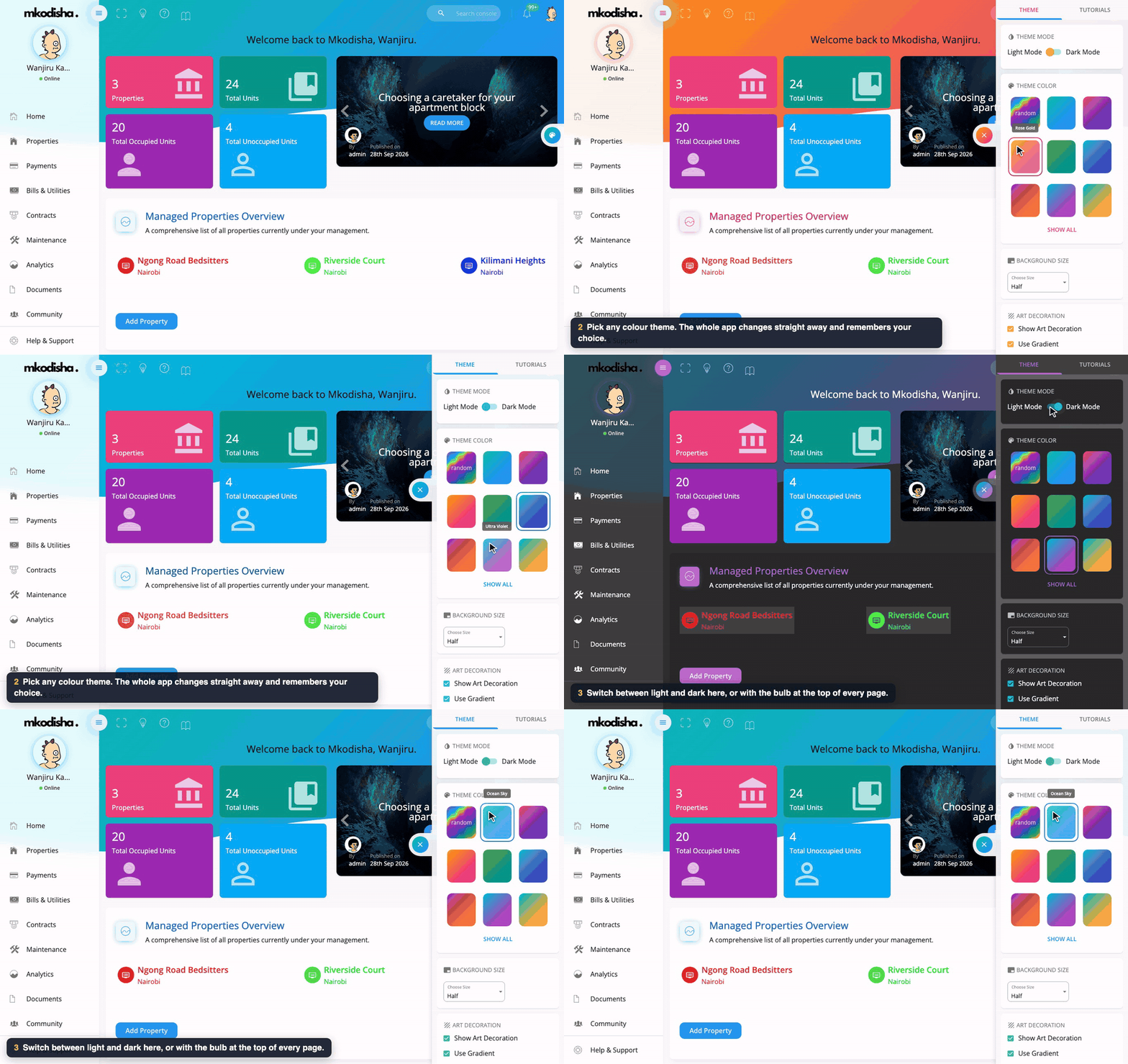
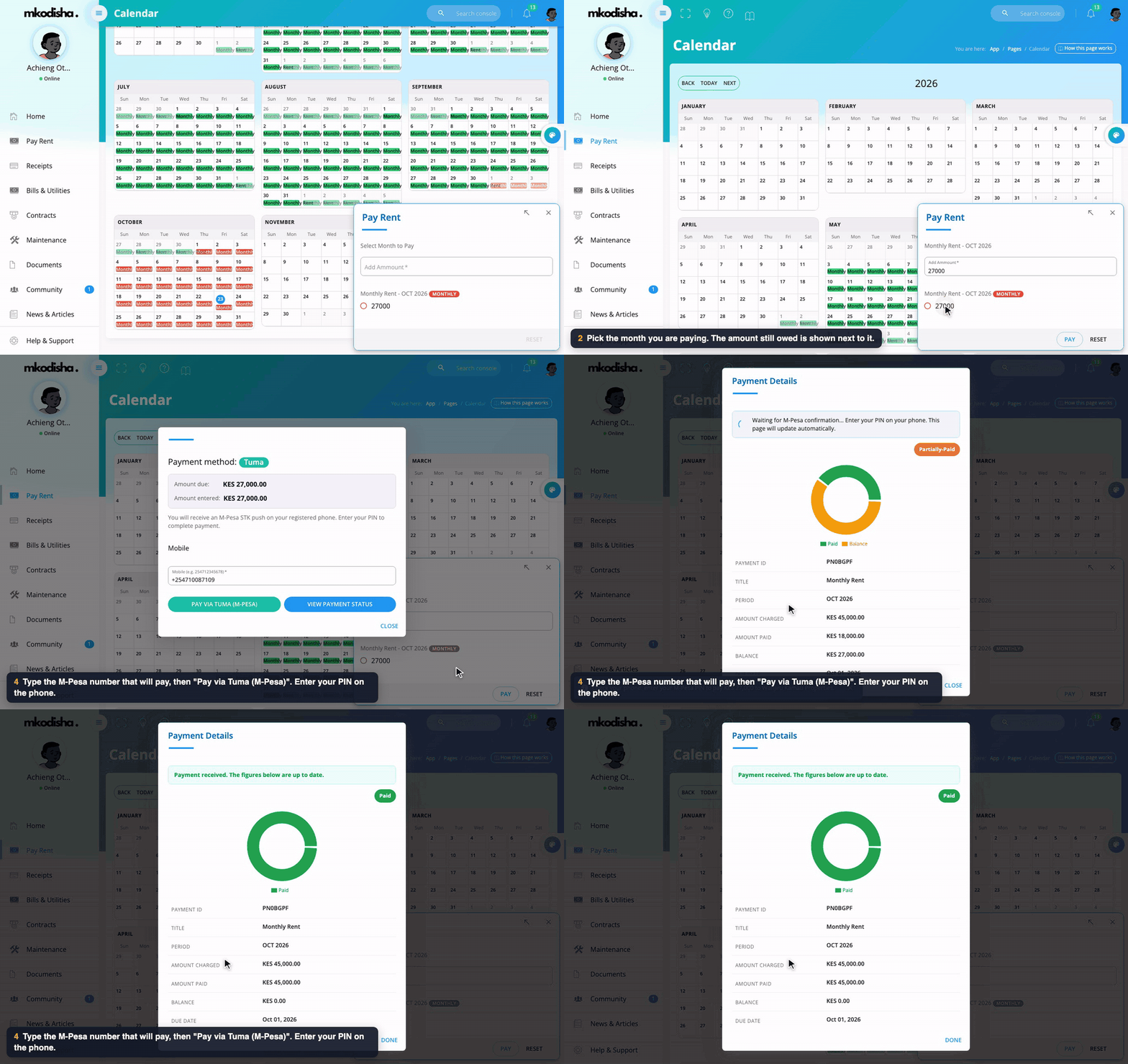
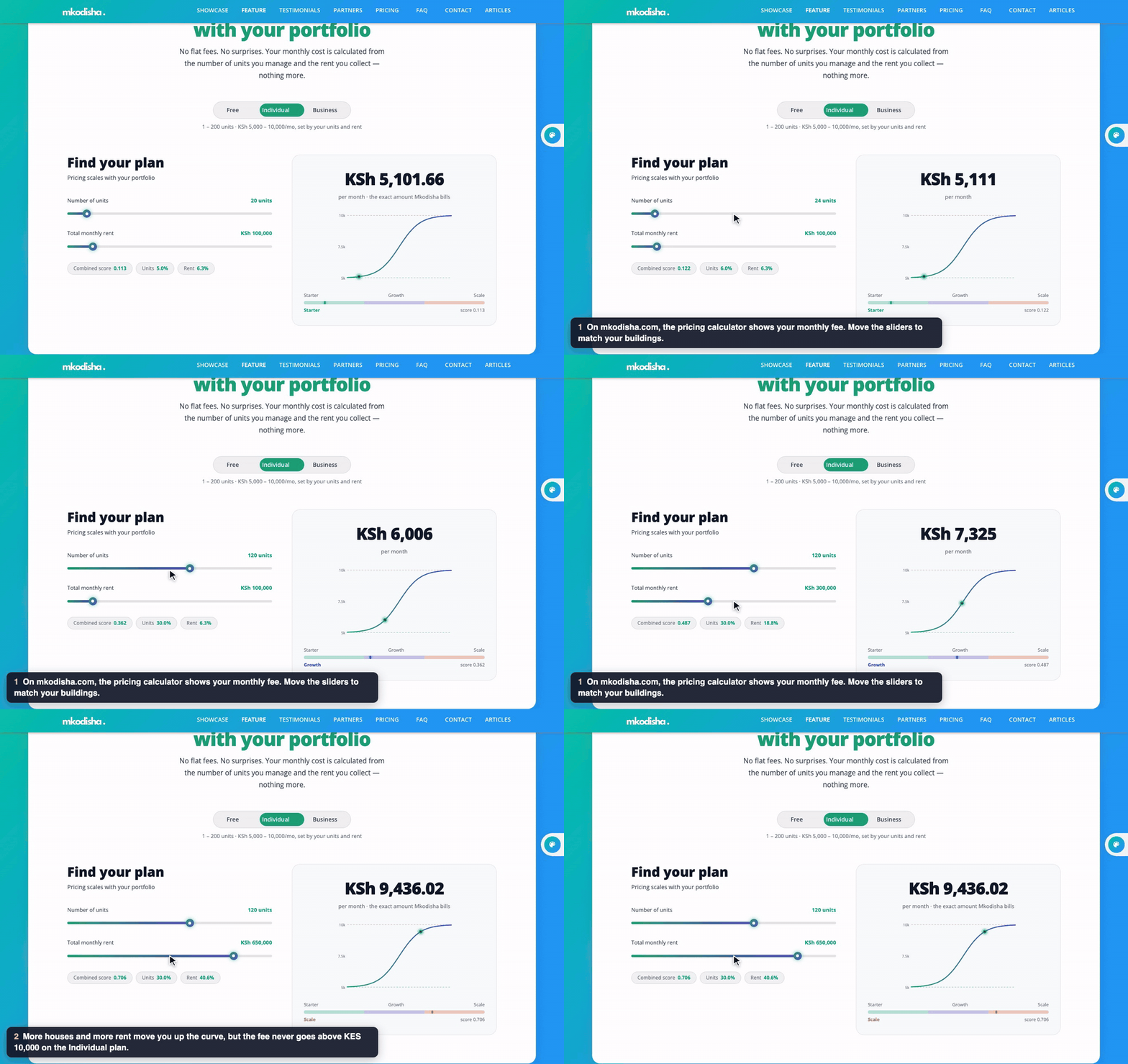
In one sentence: for water you type today's meter reading and the price per unit, and Mkodisha works out the bill; for a fine or a flat charge you just type the amount.
The simple version
Rent is not the only thing tenants pay. There is water, electricity, garbage collection, Wi-Fi, parking, and sometimes a fine for paying late.
- Bills from a meter (water, electricity): last month the meter said 251. Today it says 260. That's 9 units used. At KES 150 per unit, the bill is 9 × 150 = KES 1,350. You only type 260 and 150; Mkodisha does the sum.
- Flat bills (garbage, Wi-Fi, a fine): there's no meter. You tick Use Flat Fee and type the amount, like KES 1,000.
The tenant is told about the bill, can pay it in the app, and gets a receipt.
Why Mkodisha does this better
- No calculator needed. Units used and the total are worked out from the readings.
- The last reading is remembered. Mkodisha shows each tenant's previous reading, so you can't bill the same water twice.
- Every kind of charge. 23 utility types, from water and electricity to parking, cleaning and fines.
- See who owes, and for how long. The aging report groups unpaid bills by how late they are.
- Repeating bills can run themselves. Garbage every month, Wi-Fi every month: set it once in Active Bills.
Where to find it
| What | Link |
|---|---|
| Bills & Utilities page | mkodisha.com/app/containers/Pages/Utility-Bills |
| Billing and payment trends | mkodisha.com/app/containers/Pages/Utility-Bills#monthly-billing-and-payment-trends |
| Tenant utility bills | mkodisha.com/app/containers/Pages/Utility-Bills#tenant-utility-bills |
| Unpaid bills aging report | mkodisha.com/app/containers/Pages/Utility-Bills#unpaid-bills-aging-report |
| A building's utilities | Open a building, then #rental-unit-bills-utilities |
The summary
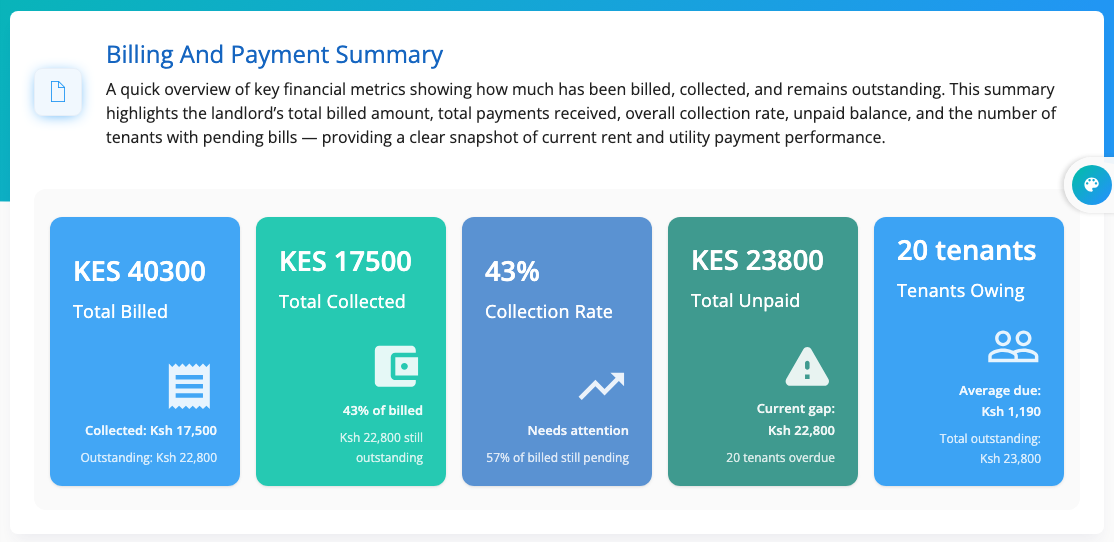
At the top: Total Billed, Total Collected, the Collection Rate (how much of what you billed has been paid, as a percentage), Total Unpaid and how many Tenants Owing.
Example 1: A water bill from a meter reading
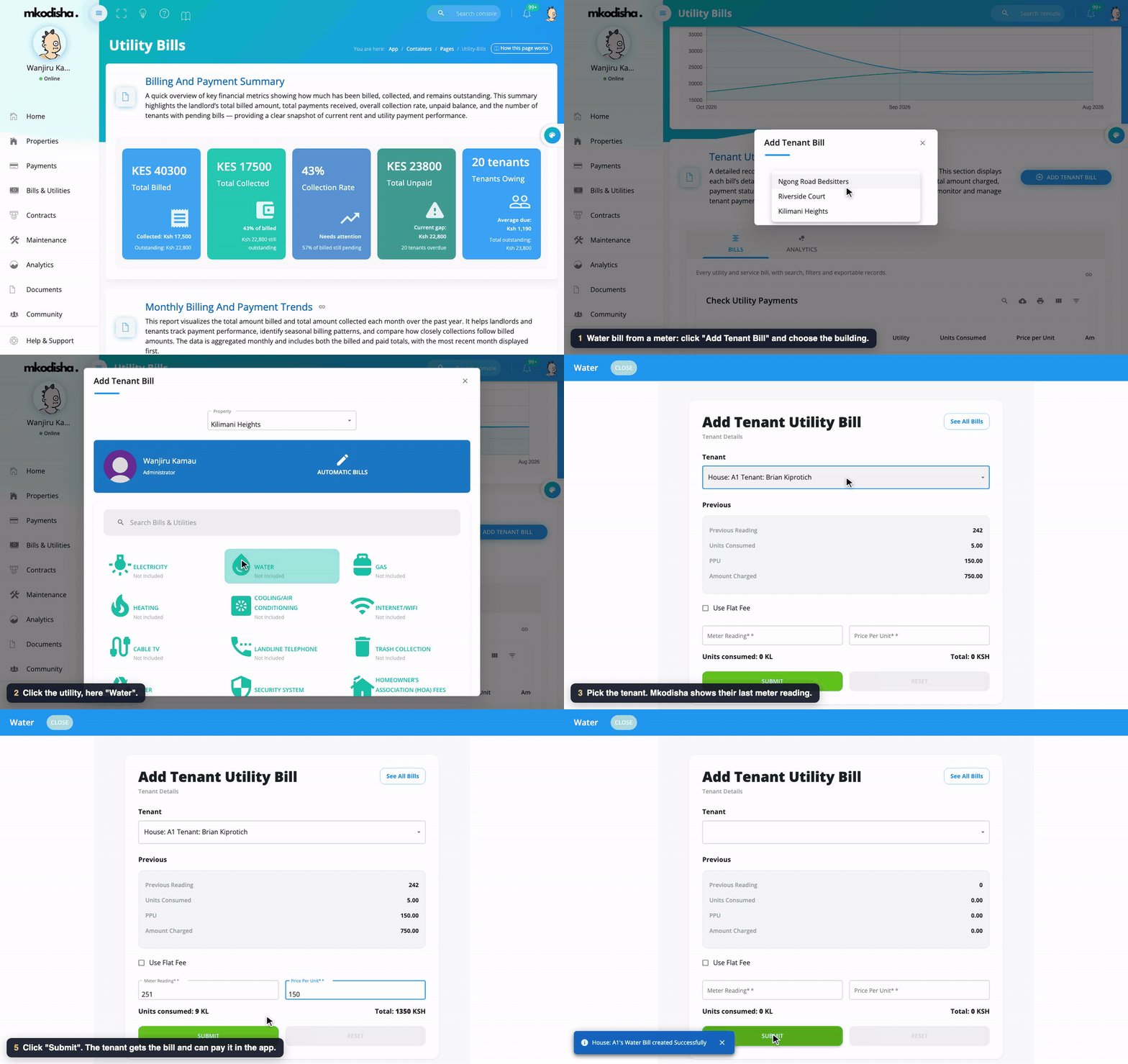
- Click Add Tenant Bill and choose the building.
- Click the utility, here Water.
- Choose the Tenant. Under Previous, Mkodisha shows their last bill: previous reading, units used, price per unit (PPU) and amount.
- Type today's Meter Reading and the Price Per Unit. Units consumed and Total fill in by themselves.
- Click Submit.
The sum: new reading − previous reading = units used; units used × price per unit = bill. For Brian: 260 − 251 = 9 units; 9 × KES 150 = KES 1,350.
Example 2: A one-time penalty or fine
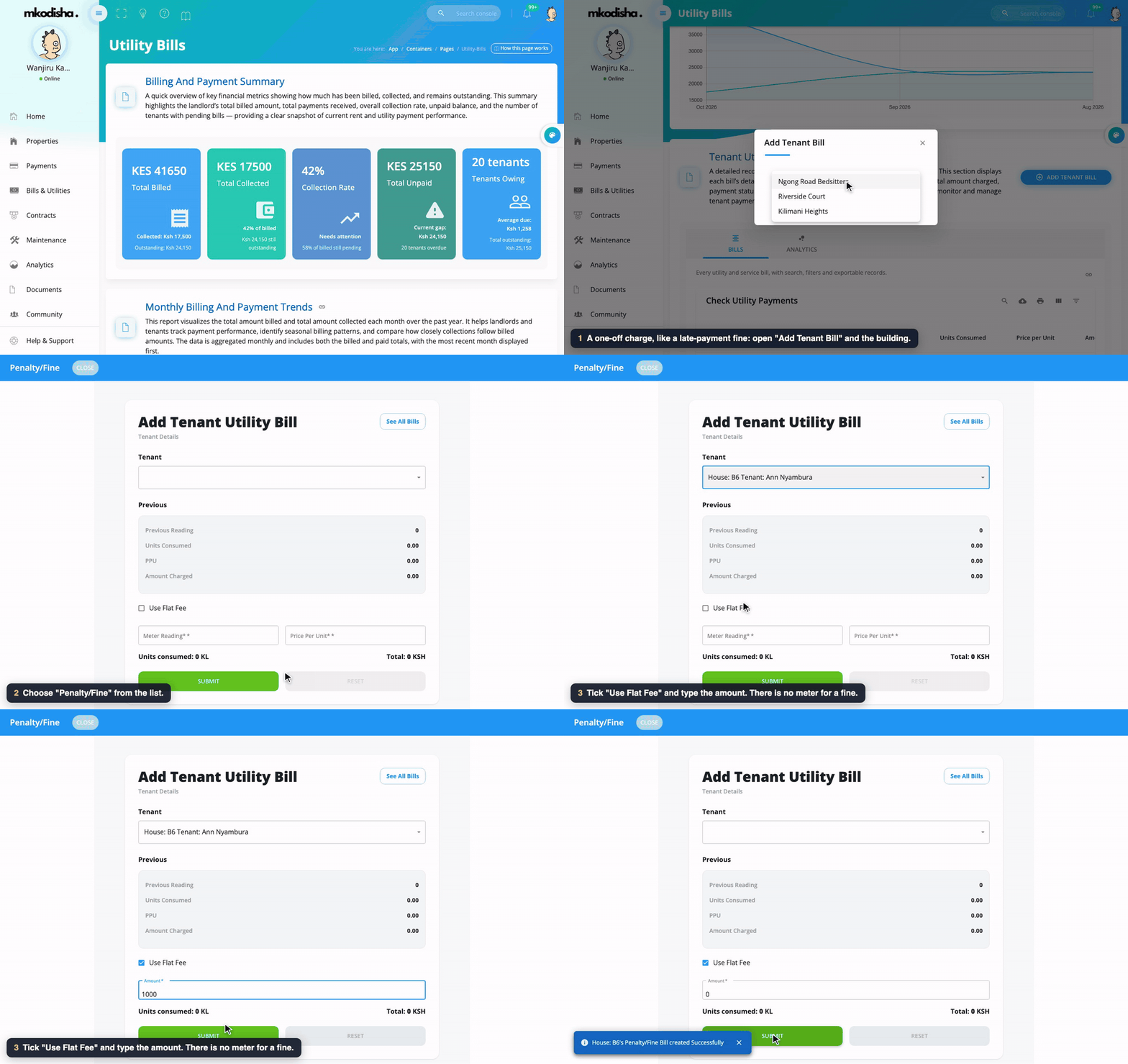
- Click Add Tenant Bill and choose the building.
- Click Penalty/Fine in the list.
- Choose the Tenant.
- Tick Use Flat Fee and type the amount, here KES 1,000.
- Click Submit.
Use the same flat-fee way for anything without a meter: Trash Collection, Internet/WiFi, Parking Fees, Cleaning Services, Security System, and so on.
All the utility types
Electricity, Water, Gas, Heating, Cooling/Air Conditioning, Internet/WiFi, Cable TV, Landline Telephone, Trash Collection, Sewer, Security System, Homeowner's Association (HOA) Fees, Insurance, Groundskeeping/Landscaping, Pest Control, Maintenance Fees, Snow Removal, Parking Fees, Electric Vehicle Charging, Cleaning Services, Laundry Services, Property Taxes, and Penalty/Fine.
Meter bills or flat bills: which to use?
| Use a meter reading when… | Use a flat fee when… |
|---|---|
| Each house has its own meter (water, electricity, gas) | Everyone pays the same (garbage, security, Wi-Fi) |
| The amount changes with how much is used | The amount is fixed |
| Example: water at KES 150 per unit | Example: garbage KES 300 a month, or a KES 1,000 fine |
Step 3: Follow the bills
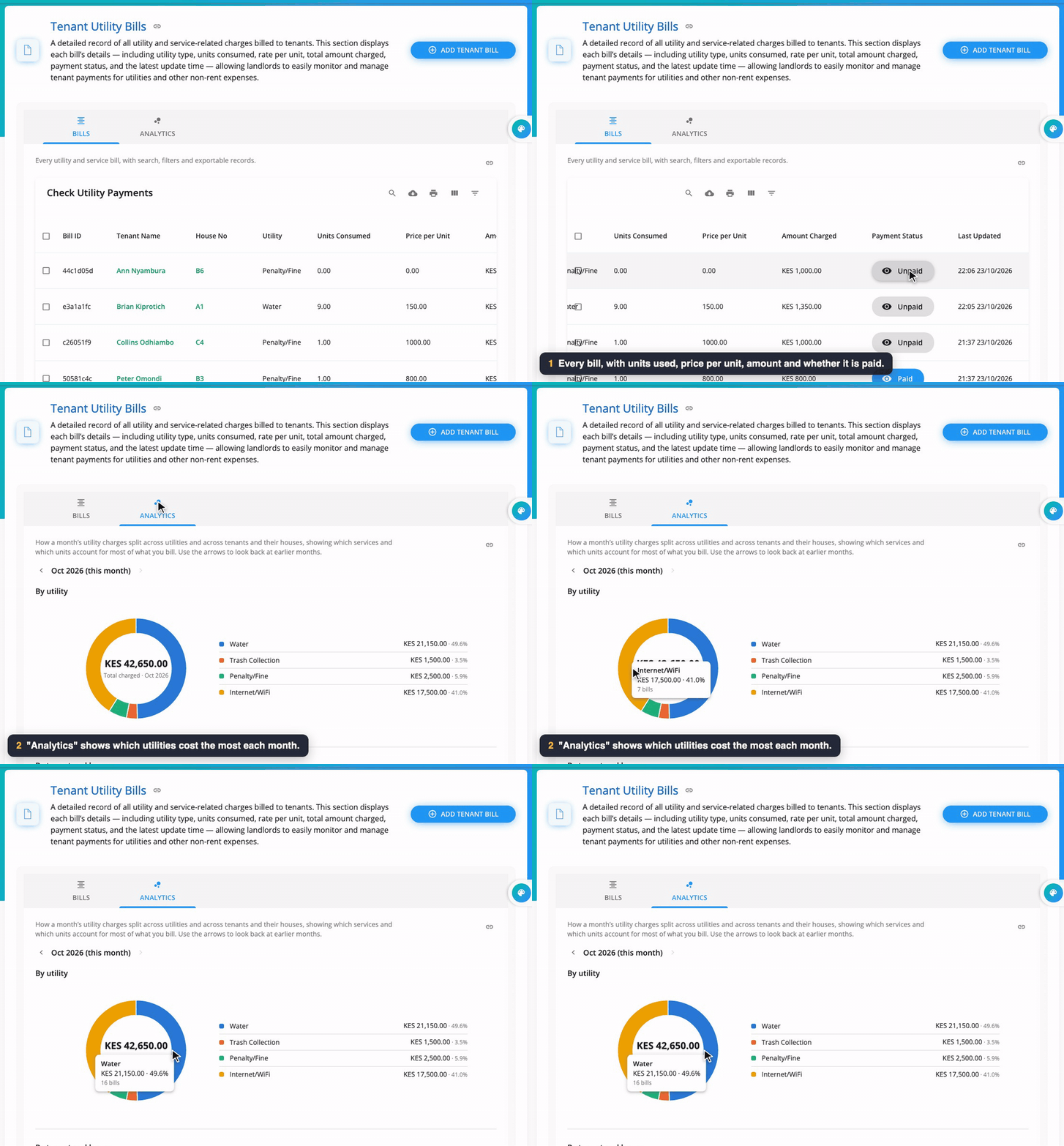
The Bills tab lists every bill: bill ID, tenant, house, utility, units used, price per unit, amount, status (Paid or Unpaid) and when it last changed. Click a bill to open it, print it, or (for tenants) Pay Now. The Analytics tab shows which utilities cost the most each month.
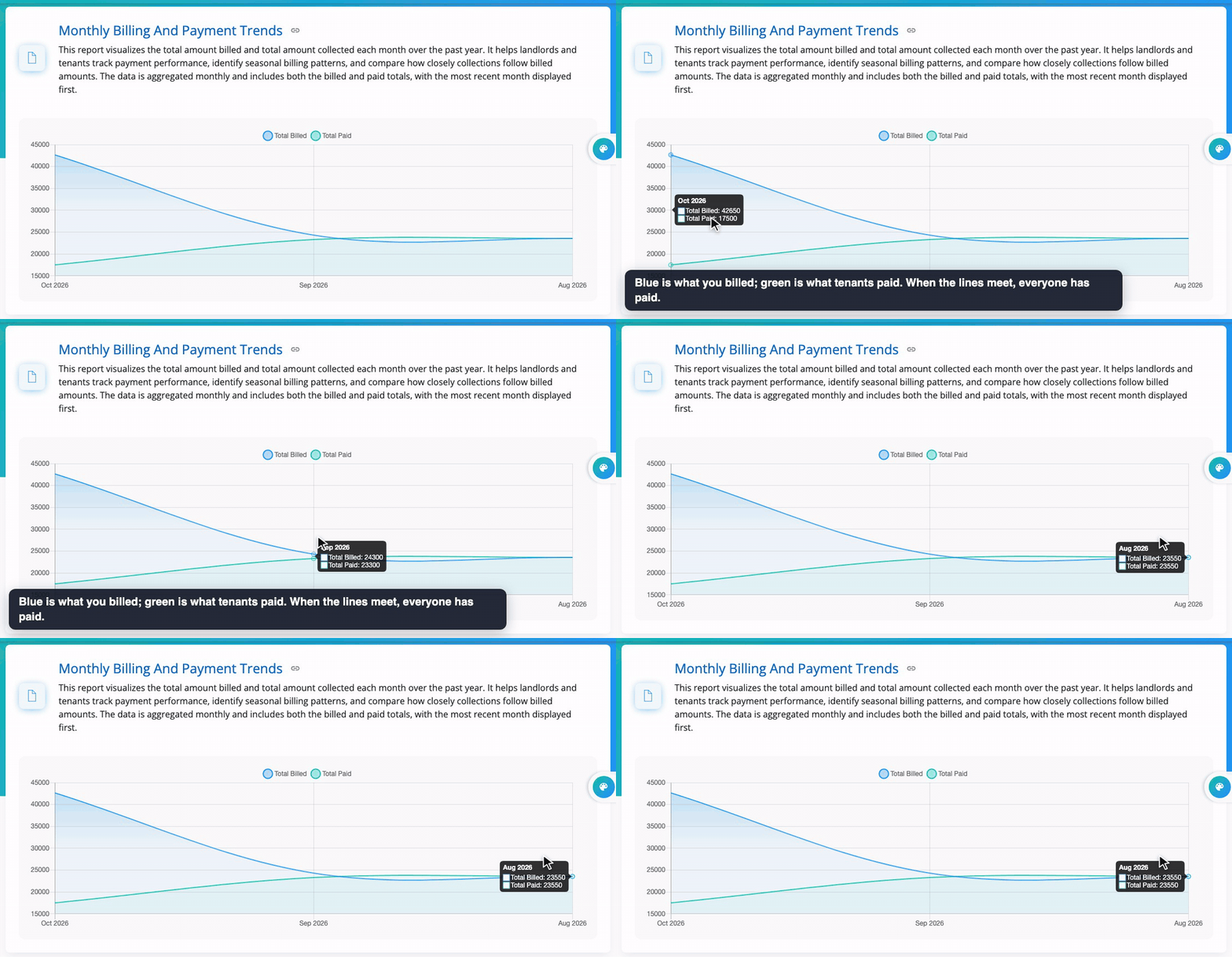
Monthly Billing and Payment Trends draws two lines: what was billed each month and what was collected. When the lines meet, everything billed has been paid.
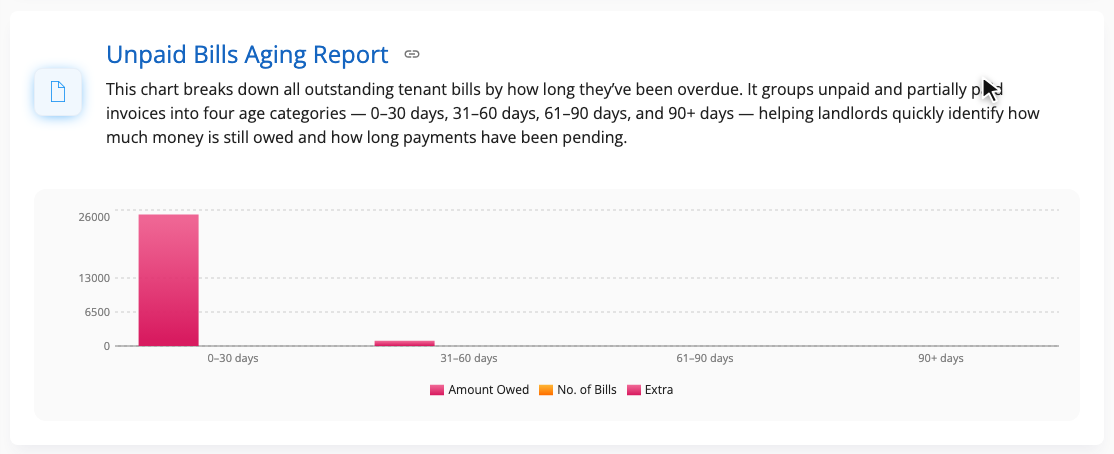
The Unpaid Bills Aging Report groups unpaid bills by how late they are: 0–30 days, 31–60 days, 61–90 days and 90+ days. Chase the oldest first.
Bills that repeat by themselves
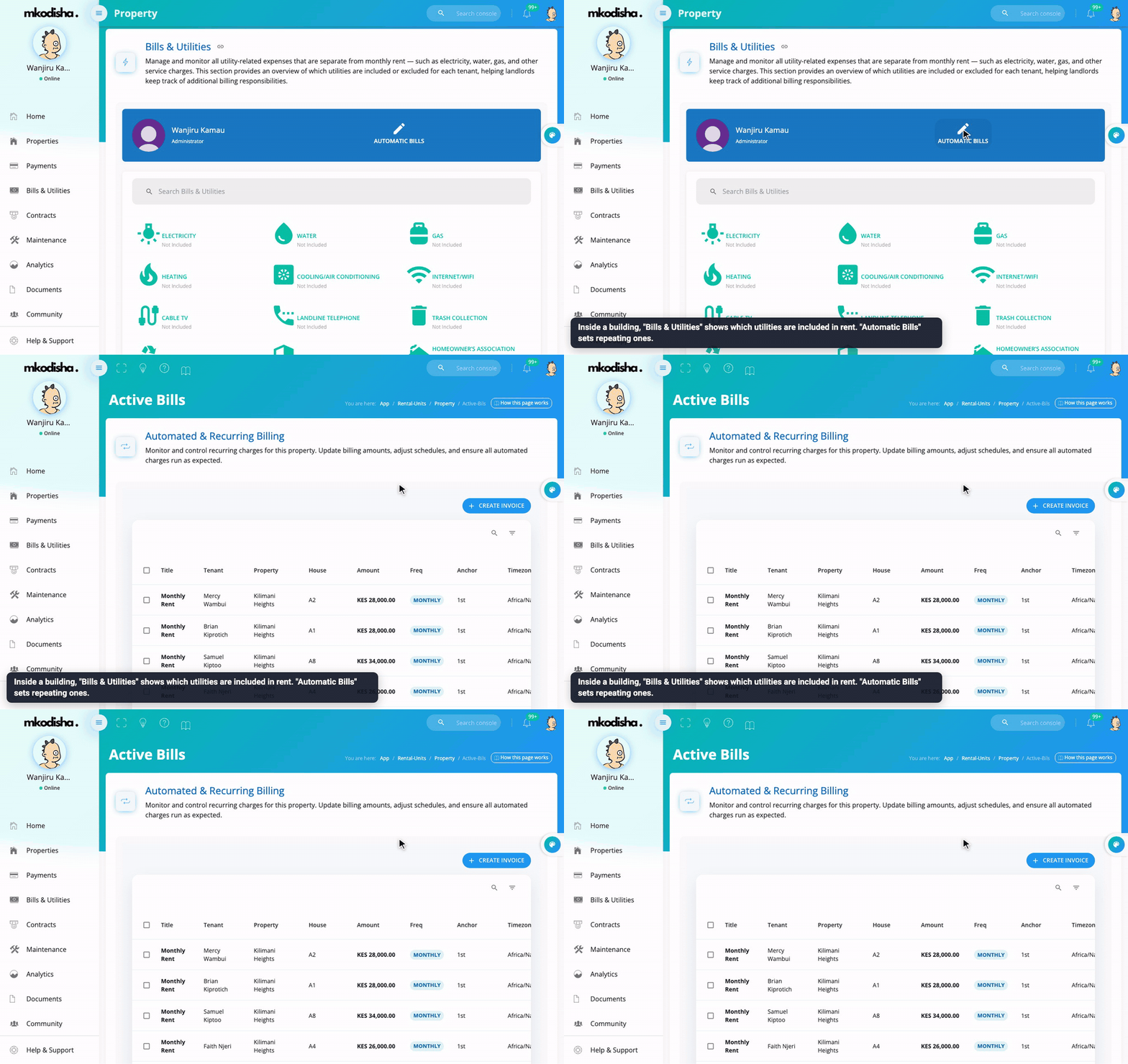
Inside each building, Bills & Utilities shows which utilities are included in the rent and which are billed separately. Automatic Bills opens Active Bills, where you can set a charge to repeat (for example garbage every month): Create Invoice → Utility Bill, choose how often, and tick Automatically generate future invoices. See Collecting Payments.
What tenants see
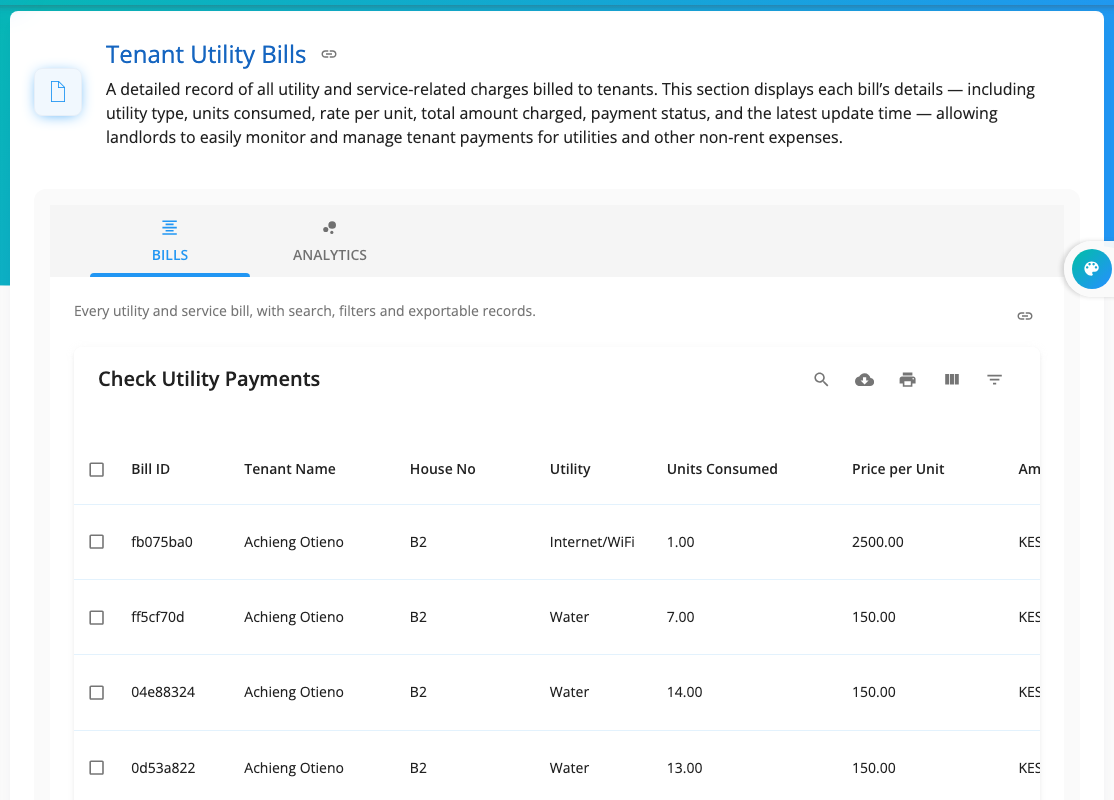
Tenants open Bills & Utilities to see all their bills, what is paid, and what is still owed. They are notified (and emailed) when a bill is created and when it is paid.
Videos
Quick answers
How is a water bill worked out? (Today's reading − last reading) × price per unit. Mkodisha does the sum for you.
Where do I find the last meter reading? Choose the tenant in the bill form; it's shown under Previous.
How do I charge a late-payment fine? Add Tenant Bill → Penalty/Fine, tick Use Flat Fee, type the amount, Submit.
Can garbage be billed every month automatically? Yes. Set it up in the building's Automatic Bills (Active Bills).
Are bills the same as rent? No. Rent invoices are separate; bills are for utilities and other charges. Both appear on the tenant's account.
Words to know
| Word | Meaning |
|---|---|
| Utility | A service like water, electricity or garbage collection |
| Meter reading | The number on the meter today |
| Units consumed | How much was used since the last reading |
| PPU (price per unit) | What one unit costs |
| Flat fee | A fixed amount, with no meter |
| Aging report | Unpaid bills grouped by how late they are |